

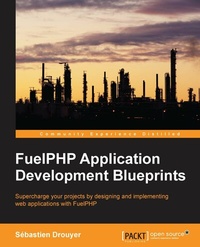
FuelPHP Application Development Blueprints
Beschreibung

Book DescriptionThis book is for intermediary to seasoned web developers who want to learn how to use the FuelPHP framework and build complex projects using it. You should be familiar with PHP, HTML, CSS, and JavaScript, but no prior knowledge about MVC frameworks is required.What you will learn
Who this book is forThis book is for intermediary to seasoned web developers who want to learn how to use the FuelPHP framework and build complex projects using it. You should be familiar with PHP, HTML, CSS, and JavaScript, but no prior knowledge about MVC frameworks is required.
Alle Preise
Weitere Details
Weitere Ausgaben
Andere Ausgaben
Person
Sebastien Drouyer is a computer science research engineer from France. He has a master's degree in computer science from the National Institute of Applied Sciences of Lyon, one of the most prestigious engineering schools in France. He has been developing web applications since 2005 and has won various contests and awards from GitHub, NASA, and Intel. He has also been a member of the Novius OS core team (an open source content management system based on the FuelPHP framework) and published many additional open source projects. He has trained several teams on FuelPHP and is a conference speaker on the subject.
Inhalt
Project 1: Building your first FuelPHP application
Project 2: Building a to-do list application
Project 3: Building a blog application
Project 4: Building a package
Building your own RESTful API
Project 6: Building a website using Novius OS
Installing the environment
The FuelPHP framework needs the following three components:
- Web server: The most common solution is Apache
- PHP interpreter: The 5.3.3 version or greater
- Database: We will use MySQL
FuelPHP works on Unix-like and Windows operating systems, but the installation and configuration procedures of these components will depend on the operating system used. In the following sections we will provide some directions to get you started in case you are not used to installing your development environment. Please note that these are very generic guidelines, so you might need to search the web for complimentary information. There are countless resources on the topic.
Windows
A complete and very popular solution is to install WAMP. This will install Apache, MySQL, and PHP, in other words everything you need to get started. It can be accessed at http://www.wampserver.com/en/.
Mac
PHP and Apache are generally installed on the latest version of the OS, so you just have to install MySQL. To do this, you are recommended to read the official documentation at http://dev.mysql.com/doc/refman/5.1/en/macosx-installation.html.
A very convenient solution for those who have the least system administration skills is to install MAMP, the equivalent of WAMP, but for the Mac operating system. It can be downloaded from http://www.mamp.info/en/downloads/.
Ubuntu
As this is the most popular Linux distribution, we will limit our instructions to Ubuntu.
You can install a complete environment by executing the following command lines:
# Apache, MySQL, PHP sudo apt-get install lamp-server^ # PHPMyAdmin allows you to handle the administration of MySQL DB sudo apt-get install phpmyadmin # Curl is useful for doing web requests sudo apt-get install curl libcurl3 libcurl3-dev php5-curl # Enabling the rewrite module as it is needed by FuelPHP sudo a2enmod rewrite # Restarting Apache to apply the new configuration sudo service apache2 restartRecommended modules and extensions
The Apache mod_rewrite module and some additional PHP extensions are also recommended, but not required:
http://fuelphp.com/docs/requirements.html (can be accessed through the FuelPHP website by navigating to DOCS | TABLE OF CONTENTS | FuelPHP | Basic | Requirements)
Getting the FuelPHP framework
As this book is being written, there are four common ways to download FuelPHP:
- Downloading and unzipping the compressed package which can be found on the FuelPHP website.
- Executing the FuelPHP quick command-line installer.
- Downloading and installing FuelPHP using Composer.
- Cloning the FuelPHP GitHub repository, it is a little bit more complicated but allows you to select exactly the version (or even the commit) you want to install.
These approaches are very well-documented on the website installation instructions page at http://fuelphp.com/docs/installation/instructions.html (It can be accessed through the FuelPHP website by navigating to DOCS | TABLE OF CONTENTS | FuelPHP | Installation | Instructions)
Installing FuelPHP 1.7.2
FuelPHP is always evolving and will continue to evolve even after this book is published. As we used FuelPHP 1.7.2 in this book, you might want to install the same version in order to prevent any conflict. You can do this by either downloading the appropriate ZIP file, cloning the 1.7/master branch of the GitHub repository, or using Composer.
Downloading the appropriate ZIP file
This is the simplest solution. You should be able to download it by requesting the URL http://fuelphp.com/files/download/28.
Alternatively, you can access all the compressed packages of important FuelPHP releases at http://fuelphp.com/docs/installation/download.html (It can be accessed through the FuelPHP website by navigating to DOCS | TABLE OF CONTENTS | FuelPHP | Installation | Download)
Using Composer
First, if you didn't do it yet, you need to install Composer. You can find out how by reading the official website at https://getcomposer.org/.
The installation instructions for major operating systems are given in the Getting Started guide. Please note that you can install Composer either globally or locally.
From now on, we will generally assume that you have installed Composer globally. If Composer is installed locally into your working directory, our instructions will work if you replace composer by php composer.phar.
In order to specifically install FuelPHP 1.7, you can simply execute the following command line (replace TARGET by the directory in which you want to download FuelPHP):
Updating FuelPHP
If you have downloaded FuelPHP by cloning the GitHub repository, or if you simply want to update FuelPHP and its dependencies, you have to enter the following command line at the location you installed your instance of FuelPHP:
php composer.phar updateAs you can see, Composer is locally installed in the FuelPHP root directory.
Installation directory and apache configuration
Now that you know how to install FuelPHP in a given directory, we will give you the two main ways you can integrate the framework in your environment.
The simplest way
Assuming you have activated the mod_rewrite Apache module, the simplest way is to install FuelPHP in the root folder of your web server (generally the /var/www directory on Linux systems). If you install FuelPHP in the DIR directory of the root folder (/var/www/DIR), you will be able to access your project at the following URL:
http://localhost/DIR/public/
However, be warned that FuelPHP has not been implemented to support this, and if you publish your project this way in the production server, it will introduce security issues you will have to handle. In such cases, you are recommended to use the second way we will explain in the upcoming section, although, for instance if you plan to use a shared host to publish your project, you might not have the choice. A complete and up-to-date documentation about this issue can be found in the FuelPHP installation instruction page at http://fuelphp.com/docs/installation/instructions.html (It can be accessed through the FuelPHP website by navigating to DOCS | TABLE OF CONTENTS | FuelPHP | Installation | Instructions)
By setting up a virtual host
Another way is to create a virtual host to access your application. You will need a little bit more Apache and system administration skills, but the benefit is that it is more secure and you will be able to choose your working directory. You will need to change two files:
- Your Apache virtual host file(s) in order to link a virtual host to your application
- Your system host file in order to redirect the wanted URL to your virtual host
In both cases, the files' location will be dependent on your operating system and the server environment you are using; therefore, you will have to figure out their location yourself (if you are using a common configuration, you won't have any problem to finding instructions on your preferred search engine).
In the following example, we will set up your system to call your application when requesting the my.app URL on your local environment (*nix system recommended).
Let's first edit the virtual host...

