

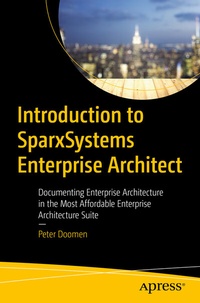
Introduction to SparxSystems Enterprise Architect
Beschreibung

SparxSystems Enterprise Architect (EA) is a logical choice for many companies and organizations: it combines a broad feature set with an affordable price. However, the robust range of features makes starting to use this fantastic tool a bit intimidating.
Enter Michael, a fictional consultant and experienced enterprise architect featured throughout the book to show you how to populate a model with elements and connectors, and how to create diagrams that speak to the audience: management, project managers, internal audit, business stakeholders and IT representatives. As the book progresses Michael's duties continue with more advanced topics including the use of workflow tools such as Kanban boards. You'll even see how to present directly from Enterprise Architect so that latest information can be shown straight from the source!
The last days of Michael's mission are devoted to fine-tuning the enterprise architecture model with the help of tagged values. And to leave the model in the hands of the customer by creating a custom toolbox.
What You'll Learn
- Setup EA and populate a model with elements, connectors and diagrams
- Review the Big Five of enterprise architect: Model, Packages, Diagrams, Elements, Connectors
-
Implement evidence-based best practice strategies aligned with overall goals
Non-technical users who use EA mainly to document entire landscapes.
Weitere Details
Weitere Ausgaben
Andere Ausgaben
Person
Inhalt
Systemplar Enterprise Architecture.- Chapter 3: Working with Elements.- Chapter 4: Connecting Elements with Connectors.- Chapter 5:Using Diagrams to Present Information.- Chapter 6: Different Ways of Handling "Work to Do".- Chapter 7: Creating Reports and Slideshows.- Chapter 8: Tagged Values and Stereotypes.- Chapter 9: Your Own Toolbox.- Appendix A: Useful Resources.
