

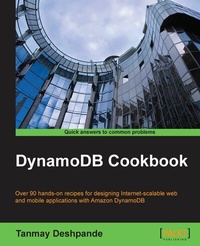
DynamoDB Cookbook
Over 90 hands-on recipes to design Internet scalable web and mobile applications with Amazon DynamoDB
1. Auflage
Erschienen am 7. Oktober 2025
266 Seiten
978-1-78439-109-6 (ISBN)
Beschreibung

Over 90 hands on recipes to design internet scalable web and mobile applications with Amazon DynamoDB Key FeaturesBook DescriptionAWS DynamoDB is an excellent example of a production-ready NoSQL database. In recent years, DynamoDB has been able to attract many customers because of its features like high-availability, reliability and infinite scalability. DynamoDB can be easily integrated with massive data crunching tools like Hadoop /EMR, which is an essential part of this data-driven world and hence it is widely accepted. The cost and time-efficient design makes DynamoDB stand out amongst its peers. The design of DynamoDB is so neat and clean that it has inspired many NoSQL databases to simply follow it. This book will get your hands on some engineering best practices DynamoDB engineers use, which can be used in your day-to-day life to build robust and scalable applications. You will start by operating with DynamoDB tables and learn to manipulate items and manage indexes. You will also discover how to easily integrate applications with other AWS services like EMR, S3, CloudSearch, RedShift etc. A couple of chapters talk in detail about how to use DynamoDB as a backend database and hosting it on AWS ElasticBean. This book will also focus on security measures of DynamoDB as well by providing techniques on data encryption, masking etc. By the end of the book you'll be adroit in designing web and mobile applications using DynamoDB and host it on cloud.What you will learn - Design DynamoDB tables to achieve high read and write throughput
- Discover best practices like caching, exponential backoffs and autoretries, storing large items in AWS S3, storing compressed data etc.
- Effectively use DynamoDB Local in order to make your development smooth and cost effective
- Implement cost effective best practices to reduce the burden of DynamoDB charges
- Create and maintain secondary indexes to support improved data access
- Integrate various other AWS services like AWS EMR, AWS CloudSearch, AWS Pipeline etc. with DynamoDB
Who this book is forThis book is intended for those who have a basic understanding of AWS services and want to take their knowledge to the next level by getting their hands dirty with coding recipes in DynamoDB.
- Discover best practices like caching, exponential backoffs and autoretries, storing large items in AWS S3, storing compressed data etc.
- Effectively use DynamoDB Local in order to make your development smooth and cost effective
- Implement cost effective best practices to reduce the burden of DynamoDB charges
- Create and maintain secondary indexes to support improved data access
- Integrate various other AWS services like AWS EMR, AWS CloudSearch, AWS Pipeline etc. with DynamoDB
Who this book is forThis book is intended for those who have a basic understanding of AWS services and want to take their knowledge to the next level by getting their hands dirty with coding recipes in DynamoDB.
Alle Preise
Weitere Details
Weitere Ausgaben
Andere Ausgaben
Person
Deshpande Tanmay :
Tanmay Deshpande is a Hadoop and big data evangelist. He currently works with Schlumberger as a Big Data Architect in Pune, India. He has interest in a wide range of technologies, such as Hadoop, Hive, Pig, NoSQL databases, Mahout, Sqoop, Java, cloud computing, and so on. He has vast experience in application development in various domains, such as oil and gas, finance, telecom, manufacturing, security, and retail. He enjoys solving machine-learning problems and spends his time reading anything that he can get his hands on. He has great interest in open source technologies and has been promoting them through his talks. Before Schlumberger, he worked with Symantec, Lumiata, and Infosys. Through his innovative thinking and dynamic leadership, he has successfully completed various projects. He regularly blogs on his website http://hadooptutorials.co.in. You can connect with him on LinkedIn at https://www.linkedin.com/in/deshpandetanmay/. He has also authored Mastering DynamoDB, published in August 2014, DynamoDB Cookbook, published in September 2015, Hadoop Real World Solutions Cookbook-Second Edition, published in March 2016, Hadoop: Data Processing and Modelling, published in August, 2016, and Hadoop Blueprints, published in September 2016, all by Packt Publishing.
Tanmay Deshpande is a Hadoop and big data evangelist. He currently works with Schlumberger as a Big Data Architect in Pune, India. He has interest in a wide range of technologies, such as Hadoop, Hive, Pig, NoSQL databases, Mahout, Sqoop, Java, cloud computing, and so on. He has vast experience in application development in various domains, such as oil and gas, finance, telecom, manufacturing, security, and retail. He enjoys solving machine-learning problems and spends his time reading anything that he can get his hands on. He has great interest in open source technologies and has been promoting them through his talks. Before Schlumberger, he worked with Symantec, Lumiata, and Infosys. Through his innovative thinking and dynamic leadership, he has successfully completed various projects. He regularly blogs on his website http://hadooptutorials.co.in. You can connect with him on LinkedIn at https://www.linkedin.com/in/deshpandetanmay/. He has also authored Mastering DynamoDB, published in August 2014, DynamoDB Cookbook, published in September 2015, Hadoop Real World Solutions Cookbook-Second Edition, published in March 2016, Hadoop: Data Processing and Modelling, published in August, 2016, and Hadoop Blueprints, published in September 2016, all by Packt Publishing.
Inhalt
- Cover
- Copyright
- Credits
- About the Author
- Acknowledgments
- About the Reviewers
- www.PacktPub.com
- Table of Contents
- Preface
- Chapter 1: Taking Your First Steps with DynamoDB
- Introduction
- Signing up to the DynamoDB console
- Creating the DynamoDB table using the console
- Loading data into the table using the console
- Querying data using the DynamoDB console
- Deleting the DynamoDB table using the console
- Analyzing DynamoDB metric on CloudWatch
- Downloading and setting up DynamoDB Local
- Using DynamoDB Local JavaScript Shell
- Setting up AWS Command Line Interface for DynamoDB
- Setting up the Eclipse IDE
- Chapter 2: Operating with DynamoDB Tables
- Introduction
- Creating a table using the AWS SDK for Java
- Creating a table using the AWS SDK for .Net
- Creating a table using the AWS SDK for PHP
- Updating a table using the AWS SDK for Java
- Updating a table using the AWS SDK for .Net
- Updating a table using the AWS SDK for PHP
- Listing tables using the AWS SDK for Java
- Listing tables using the AWS SDK for .Net
- Listing tables using the AWS SDK for PHP
- Deleting a table using the AWS SDK for Java
- Deleting a table using the AWS SDK for .Net
- Deleting a table using the AWS SDK for PHP
- Chapter 3: Manipulating DynamoDB Items
- Introduction
- Putting an item into the DynamoDB table using the AWS SDK for Java
- Putting an item into the DynamoDB table using the AWS SDK for .Net
- Putting an item into the DynamoDB table using the AWS SDK for PHP
- Getting an item from the DynamoDB table using the AWS SDK for Java
- Getting an item from the DynamoDB table using the AWS SDK for .Net
- Getting an item from the DynamoDB table using the AWS SDK for PHP
- Updating an item in the DynamoDB table using the AWS SDK for Java
- Updating an item in the DynamoDB table using the AWS SDK for .Net
- Updating an item in the DynamoDB table using the AWS SDK for PHP
- Deleting an item from the DynamoDB table using the AWS SDK for Java
- Deleting an item from the DynamoDB table using the AWS SDK for .Net
- Deleting an item from the DynamoDB table using the AWS SDK for PHP
- Getting multiple items using the AWS SDK for Java
- Getting multiple items using the AWS SDK for .Net
- Getting multiple items using the AWS SDK for PHP
- Batch write operations using the AWS SDK for Java
- Batch write operations using the AWS SDK for .Net
- Batch write operations using the AWS SDK for PHP
- Chapter 4: Managing DynamoDB Indexes
- Introduction
- Creating a DynamoDB table with a Global Secondary Index using the AWS SDK for Java
- Creating a DynamoDB table with a Global Secondary Index using the AWS SDK for .Net
- Creating a DynamoDB table with a Global Secondary Index using the AWS SDK for PHP
- Querying a Global Secondary Index using the AWS SDK for Java
- Querying a Global Secondary Index using the AWS SDK for .Net
- Querying a Global Secondary Index using the AWS SDK for PHP
- Creating a DynamoDB table with a Local Secondary Index using the AWS SDK for Java
- Creating a DynamoDB table with a Local Secondary Index using the AWS SDK for .Net
- Creating a DynamoDB table with a Local Secondary Index using the AWS SDK for PHP
- Querying a Local Secondary Index using the AWS SDK for Java
- Querying a Local Secondary Index using the AWS SDK for .Net
- Querying a Local Secondary Index using the AWS SDK for PHP
- Using a Global Secondary Index for quick lookups
- Chapter 5: Exploring Higher Level Programming Interfaces for DynamoDB
- Introduction
- Creating a data model for the DynamoDB item using object persistence model in Java
- Putting items into the DynamoDB table using the object persistence model in Java
- Retrieving items from the DynamoDB table using the object persistence model in Java
- Creating a custom object for the DynamoDB table using the object persistence model in Java
- Querying items from the DynamoDB table using the object persistence model in Java
- Scanning items from the DynamoDB table using the object persistence model in Java
- Saving items into the DynamoDB table using the object persistence model in .Net
- Retrieving items from the DynamoDB table using the object persistence model in .Net
- Creating a custom object for the DynamoDB table using the object persistence model in .Net
- Querying items from the DynamoDB table using the object persistence model in .Net
- Scanning items from the DynamoDB table using the object persistence model in .Net
- Chapter 6: Securing DynamoDB
- Introduction
- Creating users using AWS IAM
- Creating a DynamoDB full access group using AWS IAM
- Creating a DynamoDB read-only group using AWS IAM
- Validating the DynamoDB access controls using the AWS IAM policy simulator
- Creating the custom policy to allow the DynamoDB console access using AWS IAM
- Creating a fine-grained access control policy using AWS IAM
- Implementing the client-side encryption for the DynamoDB data
- Implementing the client-side masking for the DynamoDB data
- Chapter 7: DynamoDB Best Practices
- Introduction
- Using a standalone cache for frequently accessed items
- Using the AWS ElastiCache for frequently accessed items
- Compressing large data before storing it in DynamoDB
- Using AWS S3 for storing large items
- Catching DynamoDB errors
- Performing auto-retries on DynamoDB errors
- Performing atomic transactions on DynamoDB tables
- Performing asynchronous requests to DynamoDB
- Chapter 8: Integrating DynamoDB with other AWS Services
- Introduction
- Importing data from AWS S3 to DynamoDB using AWS Data Pipeline
- Exporting data from AWS S3 to DynamoDB using AWS Data Pipeline
- Accessing the DynamoDB data using AWS EMR
- Querying the DynamoDB data using AWS EMR
- Performing join operations on the DynamoDB data using AWS EMR
- Exporting data to AWS S3 from DynamoDB using AWS EMR
- Logging DynamoDB operations using AWS CloudTrail
- Exporting the DynamoDB data to AWS Redshift
- Importing the DynamoDB data to AWS CloudSearch
- Performing a full text search on the DynamoDB data using CloudSearch
- Chapter 9: Developing Web Applications using DynamoDB
- Introduction
- Performing data modeling and table creations
- Developing services for the sign-up activity for web applications
- Developing services for the sign-in activity for web applications
- Developing services for the Address Book application
- Deploying web applications on AWS Elastic Beanstalk
- Chapter 10: Developing Mobile Applications using DynamoDB
- Introduction
- Performing data modeling and table creation
- Creating an identity pool using AWS Cognito
- Creating the access policy and applying it to the AWS Cognito role
- Implementing user registration services
- Implementing user login services
- Implementing add new contact services
- Implementing view contacts services
- Index

