

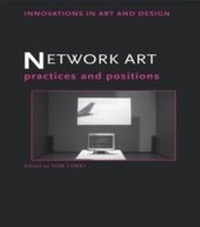
Network Art
Practices and Positions
1. Auflage
Erschienen am 13. September 2013
224 Seiten
978-1-136-57805-2 (ISBN)
Beschreibung

Network Art brings an international group of leading theorists and artists together to investigate how the internet, in the form of websites, mailing lists, installations and performance, has been used by artists to develop artwork.
Covering a period from the mid 1990s to the present day, this fascinating text includes key texts by historians and theorists such as Charlie Gere, Josephine Bosma, Tilman Buarmgartel and Sarah Cook, alongside descriptions of important projects by Thomson and Craighead, Lisa Jevbratt and 0100101110101101.org amongst many others.
Fully illustrated throughout, and including many pictures of artworks never before seen in print, Network Art represents one of the first substantial attempts to place major artist's writings on network art alongside those of critics, curators and historians. In doing so it takes a unique approach, offering the first comprehensive attempt to understand network art practice, rooted in concrete descriptions of the systems and the process required to create it.
Covering a period from the mid 1990s to the present day, this fascinating text includes key texts by historians and theorists such as Charlie Gere, Josephine Bosma, Tilman Buarmgartel and Sarah Cook, alongside descriptions of important projects by Thomson and Craighead, Lisa Jevbratt and 0100101110101101.org amongst many others.
Fully illustrated throughout, and including many pictures of artworks never before seen in print, Network Art represents one of the first substantial attempts to place major artist's writings on network art alongside those of critics, curators and historians. In doing so it takes a unique approach, offering the first comprehensive attempt to understand network art practice, rooted in concrete descriptions of the systems and the process required to create it.
Weitere Details
Reihe
Sprache
Englisch
Verlagsort
London
Großbritannien
Verlagsgruppe
Taylor & Francis Ltd
Zielgruppe
Für höhere Schule und Studium
Illustrationen
83 s/w Photographien bzw. Rasterbilder
83 Halftones, black and white
Dateigröße
24,18 MB
ISBN-13
978-1-136-57805-2 (9781136578052)
Copyright in bibliographic data and cover images is held by Nielsen Book Services Limited or by the publishers or by their respective licensors: all rights reserved.
Schweitzer Klassifikation
Weitere Ausgaben
Andere Ausgaben
Buch
12/2009
1. Auflage
Routledge
82,40 €
Versand in 15-20 Tagen
Personen
Tom Corby is Senior Lecturer in Media Art at the University of Westminster and is an artist who specialises in media technologies. Recent exhibitions include Art meets media: Adventures in Perception at the NTT Inter-Communication Center (ICC), Tokyo and File media art festival, Sao Paulo, Brazil. His work has won a number of international awards, including prizes at The Post-Cagian Interactive, The Machida City Museum of Arts, Tokyo in 2001, Ars Electronica in 2001, and Cynet Art, Dresden in 1999.
Inhalt
Contributor Notes Acknowledgements Part 1: Contexts Chapter 1. Introduction Chapter 2. The History of Network Art Chapter 3. Art as Experience: Meet the Active Audience Chapter 4. Context Specific Curating on the Web (CSCW?) Chapter 5. The Ludic Hack: Artistic Explorations of Computer Games Part 2: Practices Chapter 6. Grave Digging and Net Art: A Proposal for the Future Chapter 7. Inquires in Infomics Chapter 8. Softer Side of Art Chapter 9. System Poetics and Software Refuseniks Chapter 10. Digital Bop Poetics Chapter 11. The Wrong Categories Chapter 12. If Networked Art is the Answer What is the Question? Chapter 13. Dow Chemical just says 'yes' to Bhopal Chapter 14. Life Sharing: a Real-time Digital Self-portrait
