

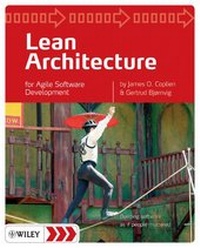
Lean Architecture
for Agile Software Development
Erschienen am 27. Oktober 2010
376 Seiten
978-0-470-66503-9 (ISBN)
Beschreibung
More and more Agile projects are seeking architectural roots asthey struggle with complexity and scale - and they're seekinglightweight ways to do it
* Still seeking? In this book the authors helpyou to find your own path
* Taking cues from Lean development, they can help steeryour project toward practices with longstanding track records
* Up-front architecture? Sure. You can deliver anarchitecture as code that compiles and that concretely guidesdevelopment without bogging it down in a mass of documents andguesses about the implementation
* Documentation? Even a whiteboard diagram, or a CRC card,is documentation: the goal isn't to avoid documentation, but todocument just the right things in just the right amount
* Process? This all works within the frameworks of Scrum,XP, and other Agile approaches
* Still seeking? In this book the authors helpyou to find your own path
* Taking cues from Lean development, they can help steeryour project toward practices with longstanding track records
* Up-front architecture? Sure. You can deliver anarchitecture as code that compiles and that concretely guidesdevelopment without bogging it down in a mass of documents andguesses about the implementation
* Documentation? Even a whiteboard diagram, or a CRC card,is documentation: the goal isn't to avoid documentation, but todocument just the right things in just the right amount
* Process? This all works within the frameworks of Scrum,XP, and other Agile approaches
Weitere Details
Weitere Ausgaben
Personen
James O. Coplien is a writer, lecturer, and researcher inthe field of Computer Science. He has made key contributions in theareas of software design and organizational development, softwaredebugging, and in empirical research. His early work on C++ idiomswas one of the three primary sources of the popular DesignPatterns. His work on Organizational patterns was an inspirationfor both Extreme Programming and for Scrum. Cope was a foundingMember of Hillside Group with Kent Beck, Grady Booch, WardCunningham, Ralph Johnson, Ken Auer and Hal Hildebrand. He isresponsible for starting up several of the conferences in thePattern Languages of Programming (PLoP) conference series and is alongstanding pattern author and PLoP shepherd.
Gertrud Bjornvig is an experienced software consultantand trainer and has been in software development since 1984. She'sbeen working on development teams as a developer, analyst, andproject manager, and has had cross-organizational roles asmethodologist and process consultant. Her background is inobject-oriented development, including extensive work with UML andRUP. Gertrud has been employed by Enator, Navision, Microsoft, andTietoEnator, but since June 2007 she has been independent as a partof Gertrud & Cope.
Gertrud holds a Master in Computer Science and Communication and isone of the founders of Danish Agile User Group.
Gertrud Bjornvig is an experienced software consultantand trainer and has been in software development since 1984. She'sbeen working on development teams as a developer, analyst, andproject manager, and has had cross-organizational roles asmethodologist and process consultant. Her background is inobject-oriented development, including extensive work with UML andRUP. Gertrud has been employed by Enator, Navision, Microsoft, andTietoEnator, but since June 2007 she has been independent as a partof Gertrud & Cope.
Gertrud holds a Master in Computer Science and Communication and isone of the founders of Danish Agile User Group.
Inhalt
About the Authors.
Preface.
1 Introduction.
1.1 The Touchstones: Lean and Agile.
1.2 Lean Architecture and Agile Feature Development.
1.3 Agile Production.
1.4 The Book in a Very Small Nutshell.
1.5 Lean and Agile: Contrasting and Complementary.
1.6 Lost Practices.
1.7 What this Book is Not About.
1.8 Agile, Lean ? Oh, Yeah, and Scrum and Methodologies andSuch.
1.9 History and Such.
2 Agile Production in a Nutshell.
2.1 Engage the Stakeholders.
2.2 Define the Problem.
2.3 Focusing on What the System Is: The Foundations ofForm.
2.4 Focusing on What the System Does: The SystemLifeblood.
2.5 Design and Code.
2.6 Countdown: 3, 2, 1. . . .
3 Stakeholder Engagement.
3.1 The Value Stream.
3.2 The Key Stakeholders.
3.3 Process Elements of Stakeholder Engagement.
3.4 The Network of Stakeholders: Trimming Wasted Time.
3.5 No Quick Fixes, but Some Hope.
4 Problem Definition.
4.1 What's Agile about Problem Definitions?
4.2 What's Lean about Problem Definitions?
4.3 Good and Bad Problem Definitions.
4.4 Problems and Solutions.
4.5 The Process Around Problem Definitions.
4.6 Problem Definitions, Goals, Charters, Visions, andObjectives.
4.7 Documentation?
5 What the System Is, Part 1: LeanArchitecture.
5.1 Some Surprises about Architecture.
5.2 The First Design Step: Partitioning.
5.3 The Second Design Step: Selecting a Design Style.
5.4 Documentation?
5.5 History and Such.
6 What the System Is, Part 2: Coding It Up.
6.1 The Third Step: The Rough Framing of the Code.
6.2 Relationships in Architecture.
6.3 Not Your Old Professor's OO.
6.4 How much Architecture?
6.5 Documentation?
6.6 History and Such.
7 What the System Does: System Functionality.
7.1 What the System Does.
7.2 Who is Going to Use Our Software?
7.3 What do the Users Want to Use Our Software for?
7.4 Why Does the User Want to Use Our Software?
7.5 Consolidation of What the System Does.
7.6 Recap.
7.7 "It Depends": When Use Cases are a Bad Fit.
7.8 Usability Testing.
7.9 Documentation?
7.10 History and Such.
8 Coding It Up: Basic Assembly.
8.1 The Big Picture: Model-View-Controller-User.
8.2 The Form and Architecture of Atomic Event Systems.
8.3 Updating the Domain Logic: Method Elaboration, Factoring,and Re-factoring.
8.4 Documentation?
8.5 Why All These Artifacts?
8.6 History and Such.
9 Coding it Up: The DCI Architecture.
9.1 Sometimes, Smart Objects Just Aren?t Enough.
9.2 DCI in a Nutshell.
9.3 Overview of DCI.
9.4 DCI by Example.
9.5 Updating the Domain Logic.
9.6 Context Objects in the User Mental Model: Solution to anAge-Old Problem.
9.7 Why All These Artifacts?
9.8 Beyond C++: DCI in Other Languages.
9.9 Documentation?
9.10 History and Such.
10 Epilog.
Appendix A Scala Implementation of the DCI AccountExample.
Appendix B Account Example in Python.
Appendix C Account Example in C#.
Appendix D Account Example in Ruby.
Appendix E Qi4j.
Appendix F Account Example in Squeak.
F.1 Testing Perspective.
F.2 Data Perspective.
F.3 Context Perspective.
F.4 Interaction (RoleTrait) Perspective.
F.5 Support Perspective (Infrastructure Classes).
Bibliography.
Index.
Preface.
1 Introduction.
1.1 The Touchstones: Lean and Agile.
1.2 Lean Architecture and Agile Feature Development.
1.3 Agile Production.
1.4 The Book in a Very Small Nutshell.
1.5 Lean and Agile: Contrasting and Complementary.
1.6 Lost Practices.
1.7 What this Book is Not About.
1.8 Agile, Lean ? Oh, Yeah, and Scrum and Methodologies andSuch.
1.9 History and Such.
2 Agile Production in a Nutshell.
2.1 Engage the Stakeholders.
2.2 Define the Problem.
2.3 Focusing on What the System Is: The Foundations ofForm.
2.4 Focusing on What the System Does: The SystemLifeblood.
2.5 Design and Code.
2.6 Countdown: 3, 2, 1. . . .
3 Stakeholder Engagement.
3.1 The Value Stream.
3.2 The Key Stakeholders.
3.3 Process Elements of Stakeholder Engagement.
3.4 The Network of Stakeholders: Trimming Wasted Time.
3.5 No Quick Fixes, but Some Hope.
4 Problem Definition.
4.1 What's Agile about Problem Definitions?
4.2 What's Lean about Problem Definitions?
4.3 Good and Bad Problem Definitions.
4.4 Problems and Solutions.
4.5 The Process Around Problem Definitions.
4.6 Problem Definitions, Goals, Charters, Visions, andObjectives.
4.7 Documentation?
5 What the System Is, Part 1: LeanArchitecture.
5.1 Some Surprises about Architecture.
5.2 The First Design Step: Partitioning.
5.3 The Second Design Step: Selecting a Design Style.
5.4 Documentation?
5.5 History and Such.
6 What the System Is, Part 2: Coding It Up.
6.1 The Third Step: The Rough Framing of the Code.
6.2 Relationships in Architecture.
6.3 Not Your Old Professor's OO.
6.4 How much Architecture?
6.5 Documentation?
6.6 History and Such.
7 What the System Does: System Functionality.
7.1 What the System Does.
7.2 Who is Going to Use Our Software?
7.3 What do the Users Want to Use Our Software for?
7.4 Why Does the User Want to Use Our Software?
7.5 Consolidation of What the System Does.
7.6 Recap.
7.7 "It Depends": When Use Cases are a Bad Fit.
7.8 Usability Testing.
7.9 Documentation?
7.10 History and Such.
8 Coding It Up: Basic Assembly.
8.1 The Big Picture: Model-View-Controller-User.
8.2 The Form and Architecture of Atomic Event Systems.
8.3 Updating the Domain Logic: Method Elaboration, Factoring,and Re-factoring.
8.4 Documentation?
8.5 Why All These Artifacts?
8.6 History and Such.
9 Coding it Up: The DCI Architecture.
9.1 Sometimes, Smart Objects Just Aren?t Enough.
9.2 DCI in a Nutshell.
9.3 Overview of DCI.
9.4 DCI by Example.
9.5 Updating the Domain Logic.
9.6 Context Objects in the User Mental Model: Solution to anAge-Old Problem.
9.7 Why All These Artifacts?
9.8 Beyond C++: DCI in Other Languages.
9.9 Documentation?
9.10 History and Such.
10 Epilog.
Appendix A Scala Implementation of the DCI AccountExample.
Appendix B Account Example in Python.
Appendix C Account Example in C#.
Appendix D Account Example in Ruby.
Appendix E Qi4j.
Appendix F Account Example in Squeak.
F.1 Testing Perspective.
F.2 Data Perspective.
F.3 Context Perspective.
F.4 Interaction (RoleTrait) Perspective.
F.5 Support Perspective (Infrastructure Classes).
Bibliography.
Index.
