

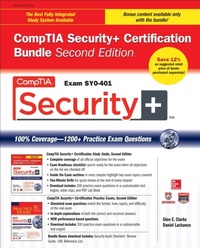
CompTIA Security+ Certification Bundle, Second Edition (Exam SY0-401)
1. Auflage
Erschienen am 22. August 2014
1251 Seiten
978-0-07-183427-8 (ISBN)
Als Download verfügbar
Beschreibung

Fully revised to cover the 2014 CompTIA Security+ objectives, this is a money-saving self-study bundle with bonus study materials Prepare for CompTIA Security+ Exam SY0-401 with McGraw-Hill Professional--a Platinum-Level CompTIA Authorized Partner offering Authorized CompTIA Approved Quality Content to give you the competitive edge on exam day. CompTIA Security+ Certification Bundle, Second Edition offers complete coverage of exam SY0-401 and provides a comprehensive self-study program with 1200+ practice exam questions. Pre-assessment tests help you gauge your readiness for the full-length practice exams included in the bundle. For a final overview of key exam topics, you can study the Quick Review Guide. Total electronic content includes: 500 practice exam questions Pre-assessment exam Test engine that provides full-length practice exams and customized quizzes by chapter Video clips Security Audit Checklist Review Guide URL Reference List PDF copies of both books
Weitere Details
Weitere Ausgaben
Andere Ausgaben

Glen Clarke | Daniel LaChance
CompTIA Security+ Certification Bundle, Second Edition (Exam SY0-401)
Buch
09/2014
2. Auflage
McGraw-Hill Professional
58,75 €
Artikel ist vergriffen; siehe Neuauflage
Inhalt
- Cover
- Copyright Page
- Contents
- ebundle Bonus Content: About the Download
- CompTIA Security+T Certification Study Guide, Second Edition (Exam SY0-401)
- CompTIA Security+T Certification Study Guide, Second Edition (Exam SY0-401)
- Copyright Page
- About the Author
- About the Technical Editor
- Contents at a Glance
- Contents
- Acknowledgments
- Preface
- Introduction
- 1. Networking Basics and Terminology
- Understanding Network Devices and Cabling
- Looking at Network Devices
- Understanding Network Cabling
- Exercise 1-1: Reviewing Networking Components
- Understanding TCP/IP
- Reviewing IP Addressing
- Exercise 1-2: Understanding Valid Addresses
- Understanding TCP/IP Protocols
- Exercise 1-3: Viewing Protocol Information with Network Monitor
- Application Layer Protocols
- A Review of IPv6
- Exercise 1-4: Identifying Protocols in TCP/IP
- Network Security Best Practices
- Device Usage
- Cable and Protocol Usage
- Two-Minute Drill
- Self Test
- Self Test Answers
- 2. Introduction to Security Terminology
- Goals of Information Security
- Confidentiality
- Integrity
- Availability
- Accountability
- Exercise 2-1: CIA Scenarios
- Understanding Authentication and Authorization
- Identification and Authentication
- Authorization
- Understanding Security Principles and Terminology
- Types of Security
- Least Privilege, Separation of Duties, and Rotation of Duties
- Concept of Need to Know
- Layered Security and Diversity of Defense
- Due Care, Due Diligence
- Vulnerability and Exploit
- Looking at Security Roles
- System and Data Owner
- Custodian
- User
- Security Officer
- Exercise 2-2: Security Terminology
- Two-Minute Drill
- Self Test
- Self Test Answers
- 3. Security Policies and Standards
- Introduction to Security Policies
- Structure of a Policy
- Identifying Types of Policies
- Understanding Regulations and Standards
- Looking at Security Policies
- Policies Affecting Users
- Policies Affecting Administrators
- Exercise 3-1: Reviewing a Security Policy
- Policies Affecting Management
- Other Popular Policies
- Human Resource Policies
- Hiring Policy
- Termination Policy
- Mandatory Vacations
- Security-Related HR Policies
- Exercise 3-2: Creating a Security Policy
- User Education and Awareness
- General Training and Role-Based Training
- User Habits
- New Threats and Security Trends
- Use of Social Network and P2P
- Training Metrics and Follow Up
- Exercise 3-3: Designing a Training Program
- Two-Minute Drill
- Self Test
- Self Test Answers
- 4. Types of Attacks
- Understanding Social Engineering
- Social Engineering Overview
- Popular Social Engineering Attacks
- Reasons for Effectiveness
- Preventing Social Engineering Attacks
- Identifying Network Attacks
- Popular Network Attacks
- Exercise 4-1: DNS Poisoning by Modifying the Hosts File
- Exercise 4-2: Performing a Port Scan
- Other Network Attacks
- Preventing Network Attacks
- Looking at Password Attacks
- Types of Password Attacks
- Exercise 4-3: Password Cracking with LC4
- Birthday Attacks and Rainbow Tables
- Preventing Password Attacks
- Understanding Application Attacks
- Popular Application Attacks
- Exercise 4-4: SQL Injection Attacks
- Exercise 4-5: Exploiting an IIS Web Server with Folder Traversal
- Other Application Attacks
- Preventing Application Attacks
- Two-Minute Drill
- Self Test
- Self Test Answers
- 5. System Security Threats
- Identifying Physical Threats
- Snooping
- Theft and Loss of Assets
- Human Error
- Sabotage
- Looking at Malicious Software
- Privilege Escalation
- Viruses
- Exercise 5-1: Looking at the NetBus Trojan Virus
- Other Malicious Software
- Protecting Against Malicious Software
- Threats Against Hardware
- BIOS Settings
- USB Devices
- Cell Phones
- Exercise 5-2: Exploiting a Bluetooth Device
- Removable Storage
- Network Attached Storage
- PBX
- Two-Minute Drill
- Self Test
- Self Test Answers
- 6. Mitigating Security Threats
- Understanding Operating System Hardening
- Uninstall Unnecessary Software
- Disable Unnecessary Services
- Exercise 6-1: Disabling the Messenger Service
- Protect Management Interfaces and Applications
- Disable Unnecessary Accounts
- Patch System
- Password Protection
- System Hardening Procedures
- Network Security Hardening
- Exercise 6-2: Hardening a Network Switch
- Tools for System Hardening
- Exercise 6-3: Creating a Security Template
- Security Posture and Reporting
- Establishing Application Security
- Secure Coding Concepts
- Application Hardening
- Server Hardening Best Practices
- All Servers
- HTTP Servers
- DNS Servers
- Exercise 6-4: Limiting DNS Zone Transfers
- DHCP Servers
- SMTP Servers and FTP Servers
- Mitigate Risks in Static Environments
- Two-Minute Drill
- Self Test
- Self Test Answers
- 7. Implementing System Security
- Implementing Personal Firewalls and HIDS
- Personal Firewalls
- Exercise 7-1: Configuring TCP Wrappers in Linux
- Host-Based IDS
- Protecting Against Malware
- Patch Management
- Using Antivirus and Anti-spam Software
- Spyware and Adware
- Phish Filters and Pop-up Blockers
- Exercise 7-2: Manually Testing a Web Site for Phishing
- Practicing Good Habits
- Device Security and Data Security
- Hardware Security
- Mobile Devices
- Data Security
- Exercise 7-3: Configuring Permissions in Windows 8
- Application Security and BYOD Concerns
- Host-Based Security
- Understanding Virtualization and Cloud Computing
- Virtualization and Security
- Cloud Computing Issues
- Two-Minute Drill
- Self Test
- Self Test Answers
- 8. Securing the Network Infrastructure
- Understanding Firewalls
- Firewalls
- Using IPTables as a Firewall
- Exercise 8-1: Configuring IPTables in Linux
- Using Firewall Features on a Home Router
- Proxy Servers
- Other Security Devices and Technologies
- Using Intrusion Detection Systems
- IDS Overview
- Exercise 8-2: Using Snort-A Network-Based IDS
- Honeypots and Honeynets
- Protocol Analyzers
- Network Design and Administration Principles
- Subnetting and VLANs
- Network Address Translation (NAT)
- Network Access Control (NAC)
- Network Administration Principles
- Securing Devices
- Two-Minute Drill
- Self Test
- Self Test Answers
- 9. Wireless Networking and Security
- Understanding Wireless Networking
- Standards
- Channels
- Antenna Types
- Authentication and Encryption
- Securing a Wireless Network
- Security Best Practices
- Vulnerabilities with Wireless Networks
- Exercise 9-1: Cracking WEP with BackTrack
- Perform a Site Survey
- Configuring a Wireless Network
- Configuring the Access Point
- Configuring the Client
- Infrared and Bluetooth
- Infrared
- Bluetooth
- Near Field Communication
- Two-Minute Drill
- Self Test
- Self Test Answers
- 10. Authentication
- Identifying Authentication Models
- Authentication Terminology
- Authentication Factors
- Single Sign-on
- Authentication Protocols
- Windows Authentication Protocols
- Remote Access Authentication
- Authentication Services
- Implementing Authentication
- User Accounts
- Tokens
- Looking at Biometrics
- Smartcard
- Two-Minute Drill
- Self Test
- Self Test Answers
- 11. Access Control
- Introducing Access Control
- Types of Security Controls
- Implicit Deny
- Review of Security Principles
- Access Control Models
- Discretionary Access Control
- Mandatory Access Control
- Role-Based Access Control
- Exercise 11-1: Assigning a User the sysadmin Role
- Rule-Based Access Control
- Implementing Access Control
- Using Security Groups
- Exercise 11-2: Configuring Security Groups and Assigning Permissions
- Rights and Privileges
- Exercise 11-3: Modifying User Rights on a Windows System
- Securing Files and Printers
- Access Control Lists (ACLs)
- Group Policies
- Exercise 11-4: Configuring Password Policies via Group Policies
- Account Restrictions
- Account Policy Enforcement
- Monitoring Account Access
- Two-Minute Drill
- Self Test
- Self Test Answers
- 12. Introduction to Cryptography
- Introduction to Cryptography Services
- Understanding Cryptography
- Algorithms and Keys
- Exercise 12-1: Encrypting Data with the Caesar Cipher
- Other Cryptography Terms
- Symmetric Encryption
- Symmetric Encryption Concepts
- Symmetric Encryption Algorithms
- Exercise 12-2: Encrypting Data with the AES Algorithm
- Asymmetric Encryption
- Asymmetric Encryption Concepts
- Asymmetric Encryption Algorithms
- Quantum Cryptography
- In-Band vs. Out-of-Band Key Exchange
- Understanding Hashing
- Hashing Concepts
- Hashing Algorithms
- Exercise 12-3: Generating Hashes to Verify Integrity
- Identifying Encryption Uses
- Encrypting Data
- Encrypting Communication
- Understanding Steganography
- Two-Minute Drill
- Self Test
- Self Test Answers
- 13. Managing a Public Key Infrastructure
- Introduction to Public Key Infrastructure
- Understanding PKI Terminology
- Certificate Authority and Registration Authority
- Repository
- Managing a Public Key Infrastructure
- Certificate Life Cycle
- Certificate Revocation Lists and OSCP
- Other PKI Terms
- Implementing a Public Key Infrastructure
- How SSL Works
- How Digital Signatures Work
- Creating a PKI
- Exercise 13-1: Installing a Certificate Authority
- Exercise 13-2: SSL-Enabling a Web Site
- Managing a PKI
- Two-Minute Drill
- Self Test
- Self Test Answers
- 14. Physical Security
- Choosing a Business Location
- Facility Concerns
- Lighting and Windows
- Doors, Windows, and Walls
- Safety Concerns
- Physical Access Controls
- Exercise 14-1: Erasing the Administrator Password with a Live CD
- Fencing and Guards
- Hardware Locks
- Access Systems
- Other Security Controls
- Physical Access Lists and Logs
- Video Surveillance
- Implementing Environmental Controls
- Understanding HVAC
- Shielding
- Fire Suppression
- Two-Minute Drill
- Self Test
- Self Test Answers
- 15. Risk Analysis
- Introduction to Risk Analysis
- Risk Analysis Overview
- Risk Analysis Process
- Risk with Cloud Computing and Third Parties
- Types of Risk Analysis
- Qualitative
- Exercise 15-1: Performing a Qualitative Risk Analysis
- Quantitative
- Exercise 15-2: Performing a Quantitative Risk Analysis
- Risk Mitigation Strategies
- Exercise 15-3: Identifying Mitigation Techniques
- Two-Minute Drill
- Self Test
- Self Test Answers
- 16. Disaster Recovery and Business Continuity
- Introduction to Disaster Recovery and Business Continuity
- Introduction to Business Continuity
- Understanding Disaster Recovery
- Backing Up and Restoring Data
- Security Considerations with Tapes
- Full, Incremental, and Differential Backups
- Scheduling Backups
- Backup Plan Example
- Exercise 16-1: Backing Up and Restoring Data on a Windows Server
- Implementing Fault Tolerance
- RAID 0
- RAID 1
- RAID 5
- Understanding High Availability
- Clustering Services
- Network Load Balancing
- Redundant Hardware
- Two-Minute Drill
- Self Test
- Self Test Answers
- 17. Introduction to Computer Forensics
- Working with Evidence
- Types of Evidence
- Collecting Evidence
- Collecting Digital Evidence
- Understanding the Process
- Where to Find Evidence
- Tools Used
- Exercise 17-1: Using ProDiscover for Forensics Analysis
- Exercise 17-2: Performing Cell Phone Forensics
- Exercise 17-3: Looking at EXIF Metadata
- Looking at Incident Response
- Incident Response Team
- First Responders
- Damage and Loss Control
- Two-Minute Drill
- Self Test
- Self Test Answers
- 18. Security Assessments and Audits
- Understanding Types of Assessments
- Assessment Types
- Assessment Techniques
- Performing a Security Assessment
- Performing a Penetration Test
- Exercise 18-1: Profiling an Organization
- Exercise 18-2: Using a Port Scanner
- Performing a Vulnerability Assessment
- Exercise 18-3: Performing a Vulnerability Scan with LANguard
- Two-Minute Drill
- Self Test
- Self Test Answers
- 19. Understanding Monitoring and Auditing
- Introduction to Monitoring
- Monitoring Tools
- Useful System Commands
- Performance Monitor
- Protocol Analyzer and Sniffer
- Exercise 19-1: Monitoring Network Traffic with Network Monitor
- Implementing Logging and Auditing
- Understanding Auditing
- Exercise 19-2: Implementing Auditing in Windows
- Understanding Logging
- Exercise 19-3: Configuring Logging in IIS
- Exercise 19-4: Configuring the Windows Firewall
- Popular Areas to Audit
- Two-Minute Drill
- Self Test
- Self Test Answers
- Appendix A: About the Download
- System Requirements
- Downloading Total Tester Premium Practice Exam Software
- Total Tester Premium Practice Exam Software
- Installing and Running Total Tester
- Downloading from McGraw-Hill Professional's Media Center
- Video Training from the Author
- Glossary
- Lab Book, Lab Solutions, and Lab Files
- Technical Support
- Appendix B: Pre-Assessment Test
- Instructions
- Questions
- Quick Answer Key
- In-Depth Answers
- Review Your Score and Analyze Your Results
- Index
- CompTIA Security+T Certification Practice Exams, Second Edition (Exam SY0-401)
- CompTIA Security+T Certification Practice Exams, Second Edition (Exam SY0-401)
- Copyright Page
- Dedication
- About The Authors
- Contents At A Glance
- Contents
- Acknowledgments
- Preface
- Introduction
- 1 Networking Basics and Terminology
- Questions
- Quick Answer Key
- In-Depth Answers
- 2 Introduction to Security Terminology
- Questions
- Quick Answer Key
- In-Depth Answers
- 3 Security Policies and Standards
- Questions
- Quick Answer Key
- In-Depth Answers
- 4 Types of Attacks
- Questions
- Quick Answer Key
- In-Depth Answers
- 5 System Security Threats
- Questions
- Quick Answer Key
- In-Depth Answers
- 6 Mitigating Security Threats
- Questions
- Quick Answer Key
- In-Depth Answers
- 7 Implementing System Security
- Questions
- Quick Answer Key
- In-Depth Answers
- 8 Securing the Network Infrastructure
- Questions
- Quick Answer Key
- In-Depth Answers
- 9 Wireless Networking and Security
- Questions
- Quick Answer Key
- In-Depth Answers
- 10 Authentication
- Questions
- Quick Answer Key
- In-Depth Answers
- 11 Access Control
- Questions
- Quick Answer Key
- In-Depth Answers
- 12 Introduction to Cryptography
- Questions
- Quick Answer Key
- In-Depth Answers
- 13 Managing a PKI Infrastructure
- Questions
- Quick Answer Key
- In-Depth Answers
- 14 Physical Security
- Questions
- Quick Answer Key
- In-Depth Answers
- 15 Risk Analysis
- Questions
- Quick Answer Key
- In-Depth Answers
- 16 Disaster Recovery and Business Continuity
- Questions
- Quick Answer Key
- In-Depth Answers
- 17 Introduction to Computer Forensics
- Questions
- Quick Answer Key
- In-Depth Answers
- 18 Security Assessments and Audits
- Questions
- Quick Answer Key
- In-Depth Answers
- 19 Understanding Monitoring and Auditing
- Questions
- Quick Answer Key
- In-Depth Answers
- A Pre-assessment Exam
- Questions
- Quick Answer Key
- In-Depth Answers
- Create Your Study Plan
- B About the Download
- System Requirements
- Total Tester Premium Practice Exam Software
- Installing and Running Total Tester
- Technical Support

