

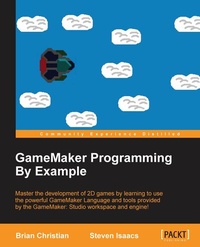
GameMaker Programming By Example
Master the development of 2D games by learning to use the powerful GameMaker Language and tools provided by the GameMaker: Studio workspace and engine!
Erschienen am 13. Januar 2025
212 Seiten
978-1-78588-847-2 (ISBN)
Beschreibung

Master the development of 2D games by learning to use the powerful GameMaker Language and tools provided by the GameMaker: Studio workspace and engine!
Key Features
[*]Rapidly develop games using the powerful yet easy easy-to to-use GameMaker: Studio engine
[*]Comprehensive: This is a comprehensive guide to help you learn and implement GameMaker's features.
[*]Go through step-by-step tutorials to design and develop unique games
Book DescriptionThis book is excellent resource for developers with any level of experience of GameMaker. At the start, we'll provide an overview of the basic use of GameMaker: Studio, and show you how to set up a basic game where you handle input and collisions in a top-down perspective game. We continue on to showcase its more advanced features via six different example projects. The first example game demonstrates platforming with file I/O, followed by animation, views, and multiplayer networking. The next game illustrates AI and particle systems, while the final one will get you started with the built-in Box2D physics engine. By the end of this book, you have mastered lots of powerful techniques that can be utilized in various 2D games. What you will learn
[*]Understand the GameMaker: Studio interface and tools to quickly create the various assets used in your games
[*]Translate some of the GameMaker: Studio drag and drop functions to the GameMaker language
[*]Create games with random elements for exciting gameplay
[*]Use the basic GameMaker file I/O and encryption systems
[*]Utilize the GameMaker networking functions to create multiplayer games
[*]Give AI routines to your enemies to make challenging gameplay
[*]Create particle systems to give your game exciting graphics
[*]Understand the various debugging techniques available in GameMaker: Studio
Who this book is forIf you have at least some basic programming experience of JavaScript or any other C-like languages, then this book will be great for you. No experience beyond that is assumed. If you have no game development experience and are looking for a hobby, are an experienced game developer looking to master some advanced features, or fit anywhere in that spectrum, then you will find GameMaker: Studio and this book to be very useful in helping you create exciting games.
Key Features
[*]Rapidly develop games using the powerful yet easy easy-to to-use GameMaker: Studio engine
[*]Comprehensive: This is a comprehensive guide to help you learn and implement GameMaker's features.
[*]Go through step-by-step tutorials to design and develop unique games
Book DescriptionThis book is excellent resource for developers with any level of experience of GameMaker. At the start, we'll provide an overview of the basic use of GameMaker: Studio, and show you how to set up a basic game where you handle input and collisions in a top-down perspective game. We continue on to showcase its more advanced features via six different example projects. The first example game demonstrates platforming with file I/O, followed by animation, views, and multiplayer networking. The next game illustrates AI and particle systems, while the final one will get you started with the built-in Box2D physics engine. By the end of this book, you have mastered lots of powerful techniques that can be utilized in various 2D games. What you will learn
[*]Understand the GameMaker: Studio interface and tools to quickly create the various assets used in your games
[*]Translate some of the GameMaker: Studio drag and drop functions to the GameMaker language
[*]Create games with random elements for exciting gameplay
[*]Use the basic GameMaker file I/O and encryption systems
[*]Utilize the GameMaker networking functions to create multiplayer games
[*]Give AI routines to your enemies to make challenging gameplay
[*]Create particle systems to give your game exciting graphics
[*]Understand the various debugging techniques available in GameMaker: Studio
Who this book is forIf you have at least some basic programming experience of JavaScript or any other C-like languages, then this book will be great for you. No experience beyond that is assumed. If you have no game development experience and are looking for a hobby, are an experienced game developer looking to master some advanced features, or fit anywhere in that spectrum, then you will find GameMaker: Studio and this book to be very useful in helping you create exciting games.
Alle Preise
Weitere Details
Auflage
Digital original
Sprache
Englisch
Verlagsort
Birmingham
Großbritannien
Zielgruppe
Für Beruf und Forschung
US School Grade: College Graduate Student
Editions-Typ
Digitale Ausgabe
Dateigröße
2,96 MB
ISBN-13
978-1-78588-847-2 (9781785888472)
Copyright in bibliographic data and cover images is held by Nielsen Book Services Limited or by the publishers or by their respective licensors: all rights reserved.
Schweitzer Klassifikation
Weitere Ausgaben
Andere Ausgaben
Brian Christian | STEVEN ISAACS
GameMaker Programming By Example
Master the development of 2D games by learning to use the powerful GameMaker Language and tools provided by the GameMaker: Studio workspace and engine!
Buch
12/2015
Packt Publishing
55,40 €
Versand in 3-4 Wochen
Personen
Christian Brian :
Brian Christian is a high school student with years of experience in programming, much of it focused on game development using GameMaker: Studio via self-teaching the GameMaker Language. He has also worked in C++ and JavaScript programming along with some web development. Additionally, he is knowledgeable in topics such as data formats and interpretation, compilers and interpreters, and networking. Other languages he has used include Intel x86 assembly, Lua, Ruby, and Python. Brian's spark for computer programming began with an online Ruby course from Codecademy. Since then, he has been fascinated with how computers and the different programming languages worked. Since he wanted to know about this, he taught himself C from the second edition of The C Programming Language book, followed by the more advanced C++ language. Wanting to try his hand at making advanced games with a language predominantly intended for it, Brian became invested in the GameMaker Language since he'd already been using the drag and drop functionality, but found it limiting. He spent a lot of time learning how different parts of the language worked and how to use them.Isaacs Steven :
Steven Isaacs has been fascinated with technology since the days of his Apple II Plus computer and 300 baud modem. Tinkering, playing MUDs, MOOs, and visiting BBSs occupied much of his free time. In high school, Steven took a programming course in BASIC and created an adventure game as his final project. Many hours were spent in and outside of school working on this game, and it became somewhat of an obsession. It has become abundantly clear that these activities were incredibly influential in the evolution of his professional life. Steven has been teaching since 1992. In addition to teaching, Steven and his wife Cathy Cheo-Isaacs owned Liberty Corner Computing (LCC), a computer training and gaming center with Paul and Sarah Tarantiles. LCC provided innovative summer camps and after school programs offering young people an opportunity to use technology in creative ways. Courses included programming, website design, graphic design and animation, and game development. Soon after opening LCC, Steven was hired to bring his innovative ideas to William Annin Middle School in Basking Ridge, NJ. At William Annin, Steven taught a number of computer-related courses. His passion for teaching students to create their own games led to an after school club in game design, then a unit in the Gifted and Talented Program. The success of these programs led Steven to develop a full semester 8th grade class in game design and development, and later, a six-week exploratory course in game design and digital storytelling, which is taken by all seventh graders. In addition, Steven developed and also teaches an online course in game development with GameMaker for The Virtual High School (http://thevhscollaborative.org/). In his teaching, Steven strives to create an environment that empowers student learning through choice in their learning path. He prefers to think of himself as a co-learner and guide for his students. Steven's passion for learning is obvious to his students as he is constantly looking at creative ways to solve problems, dabbling with new game development and programming environments, and learning how to play and manage Minecraft servers from his students. Students in Steven's class have many opportunities to explore topics in greater depth independently. The collaboration here with Brian came from his choice to delve deep into the GameMaker Language to further his learning. Recently, Steven wrote a chapter for the book, Teacher Pioneers: Visions from the Edge of the Map, edited by Caro Williams-Pierce on applying the iterative design process to teaching game design and development. In addition, Steven was an editor on TeacherCraft: How Teachers Learn to Use MineCraft in Their Classrooms by Seann Dikkers.
Brian Christian is a high school student with years of experience in programming, much of it focused on game development using GameMaker: Studio via self-teaching the GameMaker Language. He has also worked in C++ and JavaScript programming along with some web development. Additionally, he is knowledgeable in topics such as data formats and interpretation, compilers and interpreters, and networking. Other languages he has used include Intel x86 assembly, Lua, Ruby, and Python. Brian's spark for computer programming began with an online Ruby course from Codecademy. Since then, he has been fascinated with how computers and the different programming languages worked. Since he wanted to know about this, he taught himself C from the second edition of The C Programming Language book, followed by the more advanced C++ language. Wanting to try his hand at making advanced games with a language predominantly intended for it, Brian became invested in the GameMaker Language since he'd already been using the drag and drop functionality, but found it limiting. He spent a lot of time learning how different parts of the language worked and how to use them.Isaacs Steven :
Steven Isaacs has been fascinated with technology since the days of his Apple II Plus computer and 300 baud modem. Tinkering, playing MUDs, MOOs, and visiting BBSs occupied much of his free time. In high school, Steven took a programming course in BASIC and created an adventure game as his final project. Many hours were spent in and outside of school working on this game, and it became somewhat of an obsession. It has become abundantly clear that these activities were incredibly influential in the evolution of his professional life. Steven has been teaching since 1992. In addition to teaching, Steven and his wife Cathy Cheo-Isaacs owned Liberty Corner Computing (LCC), a computer training and gaming center with Paul and Sarah Tarantiles. LCC provided innovative summer camps and after school programs offering young people an opportunity to use technology in creative ways. Courses included programming, website design, graphic design and animation, and game development. Soon after opening LCC, Steven was hired to bring his innovative ideas to William Annin Middle School in Basking Ridge, NJ. At William Annin, Steven taught a number of computer-related courses. His passion for teaching students to create their own games led to an after school club in game design, then a unit in the Gifted and Talented Program. The success of these programs led Steven to develop a full semester 8th grade class in game design and development, and later, a six-week exploratory course in game design and digital storytelling, which is taken by all seventh graders. In addition, Steven developed and also teaches an online course in game development with GameMaker for The Virtual High School (http://thevhscollaborative.org/). In his teaching, Steven strives to create an environment that empowers student learning through choice in their learning path. He prefers to think of himself as a co-learner and guide for his students. Steven's passion for learning is obvious to his students as he is constantly looking at creative ways to solve problems, dabbling with new game development and programming environments, and learning how to play and manage Minecraft servers from his students. Students in Steven's class have many opportunities to explore topics in greater depth independently. The collaboration here with Brian came from his choice to delve deep into the GameMaker Language to further his learning. Recently, Steven wrote a chapter for the book, Teacher Pioneers: Visions from the Edge of the Map, edited by Caro Williams-Pierce on applying the iterative design process to teaching game design and development. In addition, Steven was an editor on TeacherCraft: How Teachers Learn to Use MineCraft in Their Classrooms by Seann Dikkers.
Inhalt
Table of Contents
Installing GameMaker: Studio
Your First Game - Escape the Dungeon
Introducing the GameMaker Language
Fun with Infinity and Gravity - An Endless Platformer
Saving and Loading Data
A Multiplayer Sidescrolling Platformer
Programming a Scrolling Shooter
The Physical World
Publishing
Installing GameMaker: Studio
Your First Game - Escape the Dungeon
Introducing the GameMaker Language
Fun with Infinity and Gravity - An Endless Platformer
Saving and Loading Data
A Multiplayer Sidescrolling Platformer
Programming a Scrolling Shooter
The Physical World
Publishing

