

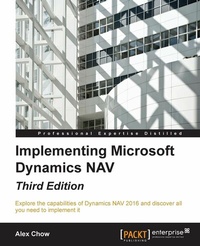
Implementing Microsoft Dynamics NAV - Third Edition
Implementing Microsoft Dynamics NAV 2016
3. Auflage
Erschienen am 8. Juli 2025
492 Seiten
978-1-78439-482-0 (ISBN)
Beschreibung

Explore the capabilities of Dynamics NAV 2016 and discover all you need to implement it
Key Features
[*] Learn the key roles of your Dynamics NAV partner and the roles within your customer's organization
[*] Create configuration packages and perform data migration on your own
[*] Find out how to troubleshoot your problems effectively with your Dynamics NAV partner
Book DescriptionMicrosoft Dynamics NAV 2016 is an Enterprise Resource Planning (ERP) application used in all kinds of organizations around the world. It provides a great variety of functionality out-of-the-box in different topics such as accounting, sales, purchase processing, logistics, or manufacturing. It also allows companies to grow the application by customizing the solution to meet specific requirements. This book is a hands-on tutorial on working with a real Dynamics NAV implementation. You will learn about the team from your Microsoft Dynamics NAV partner as well as the team within the customer's company. This book provides an insight into the different tools available to migrate data from the client's legacy system into Microsoft Dynamics NAV. If you are already live with Microsoft Dynamics NAV, this books talks about upgrades and what to expect from them. We'll also show you how to implement additional or expanding functionalities within your existing Microsoft Dynamics NAV installation, perform data analysis, debug error messages, and implement free third-party add-ons to your existing installation. This book will empower you with all the skills and knowledge you need for a successful implementation. What you will learn
[*] Study the roles within a Dynamics NAV partner and within a customer's company
[*] Create reusable data migration packages
[*] Work with the debugger to pinpoint error messages
[*] Get to grips with the key tables used in data reporting and analysis
[*] Successfully upgrade your installation to the latest version
[*] Manage and expand your existing installation with additional functionalities
[*] Explore the free third-party add-ons that can leverage your existing installation
Who this book is forThis book is for Dynamics NAV partners and end users who want to know everything about Dynamics NAV implementations. It is aimed at those who want to be project managers or get involved with Dynamics NAV, but do not have the expertise to write code themselves.
Key Features
[*] Learn the key roles of your Dynamics NAV partner and the roles within your customer's organization
[*] Create configuration packages and perform data migration on your own
[*] Find out how to troubleshoot your problems effectively with your Dynamics NAV partner
Book DescriptionMicrosoft Dynamics NAV 2016 is an Enterprise Resource Planning (ERP) application used in all kinds of organizations around the world. It provides a great variety of functionality out-of-the-box in different topics such as accounting, sales, purchase processing, logistics, or manufacturing. It also allows companies to grow the application by customizing the solution to meet specific requirements. This book is a hands-on tutorial on working with a real Dynamics NAV implementation. You will learn about the team from your Microsoft Dynamics NAV partner as well as the team within the customer's company. This book provides an insight into the different tools available to migrate data from the client's legacy system into Microsoft Dynamics NAV. If you are already live with Microsoft Dynamics NAV, this books talks about upgrades and what to expect from them. We'll also show you how to implement additional or expanding functionalities within your existing Microsoft Dynamics NAV installation, perform data analysis, debug error messages, and implement free third-party add-ons to your existing installation. This book will empower you with all the skills and knowledge you need for a successful implementation. What you will learn
[*] Study the roles within a Dynamics NAV partner and within a customer's company
[*] Create reusable data migration packages
[*] Work with the debugger to pinpoint error messages
[*] Get to grips with the key tables used in data reporting and analysis
[*] Successfully upgrade your installation to the latest version
[*] Manage and expand your existing installation with additional functionalities
[*] Explore the free third-party add-ons that can leverage your existing installation
Who this book is forThis book is for Dynamics NAV partners and end users who want to know everything about Dynamics NAV implementations. It is aimed at those who want to be project managers or get involved with Dynamics NAV, but do not have the expertise to write code themselves.
Alle Preise
Weitere Details
Auflage
3rd Revised edition
Sprache
Englisch
Verlagsort
Birmingham
Großbritannien
Zielgruppe
Für Beruf und Forschung
US School Grade: College Graduate Student
Editions-Typ
Überarbeitete Ausgabe
Dateigröße
38,27 MB
ISBN-13
978-1-78439-482-0 (9781784394820)
Copyright in bibliographic data and cover images is held by Nielsen Book Services Limited or by the publishers or by their respective licensors: all rights reserved.
Schweitzer Klassifikation
Weitere Ausgaben
Andere Ausgaben
Alex Chow
Implementing Microsoft Dynamics NAV - Third Edition
Implementing Microsoft Dynamics NAV 2016
Buch
04/2016
Packt Publishing
70,40 €
Versand in 3-4 Wochen
Person
Chow Alex :
Alex Chow has been working with Microsoft Dynamics NAV, formerly Navision, since 1999. His customers range from $2 million a year small enterprises to $500 million a year multinational corporations. With a background in implementing all functions and modules inside and outside of Microsoft Dynamics NAV, Alex has encountered and resolved the most practical through to the most complex requirements and business rules. He founded AP Commerce, Inc. in 2005, a full-service Dynamics NAV service center. Alex has also written the books Getting Started with Dynamics NAV 2013 Application Development and Implementing Dynamics NAV, Third Edition, both by Packt. He lives in southern California with his wife and two lovely daughters.
Alex Chow has been working with Microsoft Dynamics NAV, formerly Navision, since 1999. His customers range from $2 million a year small enterprises to $500 million a year multinational corporations. With a background in implementing all functions and modules inside and outside of Microsoft Dynamics NAV, Alex has encountered and resolved the most practical through to the most complex requirements and business rules. He founded AP Commerce, Inc. in 2005, a full-service Dynamics NAV service center. Alex has also written the books Getting Started with Dynamics NAV 2013 Application Development and Implementing Dynamics NAV, Third Edition, both by Packt. He lives in southern California with his wife and two lovely daughters.
Inhalt
Table of Contents
Exploring Microsoft Dynamics NAV
What is New in Microsoft Dynamics NAV 2015 and Beyond
General considerations about Microsoft Dynamics NAV
The implementation process (From the Partner
The implementation process (From the customer
Migrating Master Data, Pending Entries, Pending Documents and Historical Data
Upgrading Microsoft Dynamics NAV from previous versions to Microsoft Dynamics NAV 2015
Development Considerations
Implementing functional changes on existing NAV installations
Data analysis and Reporting
Debugging
Free third party add-ons endorsed by Microsoft for Dynamics NAV
Exploring Microsoft Dynamics NAV
What is New in Microsoft Dynamics NAV 2015 and Beyond
General considerations about Microsoft Dynamics NAV
The implementation process (From the Partner
The implementation process (From the customer
Migrating Master Data, Pending Entries, Pending Documents and Historical Data
Upgrading Microsoft Dynamics NAV from previous versions to Microsoft Dynamics NAV 2015
Development Considerations
Implementing functional changes on existing NAV installations
Data analysis and Reporting
Debugging
Free third party add-ons endorsed by Microsoft for Dynamics NAV

