
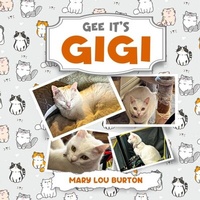
Gee It's Gigi
Beschreibung
Alles über E-Books | Antworten auf Fragen rund um E-Books, Kopierschutz und Dateiformate finden Sie in unserem Info- & Hilfebereich.
MARY LOU BURTON graduated from Mount Aloysius Junior College with an Associate of Arts degree, Slippery Rock State University with a Bachelor of Science degree and from the University of Pittsburgh with a Masters of Library Science degree (with an emphasis in Automation). She was initially trained as a school librarian but then branched out into the medical field as a Medical Library. She was a regional librarian for the National Library of Medicine through the College of Physicians of Philadelphia. She concluded her career at the VA Medical Center, Coatesville, PA as an Information Specialist and Information Security expert. Mary Lou lives with her cats, Merlot and Gigi, at Ware Presbyterian Village in Oxford, PA. Her Husband has his doctorate from the San Francisco Theological Seminary in San Anselmo, CA.
Weitere Details
Inhalt
- Intro
- MBurton_GeeItsGigi_ebook_final

Systemvoraussetzungen
Dateiformat: ePUB
Kopierschutz: Adobe-DRM (Digital Rights Management)
Systemvoraussetzungen:
- Computer (Windows; MacOS X; Linux): Installieren Sie bereits vor dem Download die kostenlose Software Adobe Digital Editions (siehe E-Book Hilfe).
- Tablet/Smartphone (Android; iOS): Installieren Sie bereits vor dem Download die kostenlose App Adobe Digital Editions oder die App PocketBook (siehe E-Book Hilfe).
- E-Book-Reader: Bookeen, Kobo, Pocketbook, Sony, Tolino u.v.a.m. (nicht Kindle)
Das Dateiformat ePUB ist sehr gut für Romane und Sachbücher geeignet – also für „fließenden” Text ohne komplexes Layout. Bei E-Readern oder Smartphones passt sich der Zeilen- und Seitenumbruch automatisch den kleinen Displays an.
Mit Adobe-DRM wird hier ein „harter” Kopierschutz verwendet. Wenn die notwendigen Voraussetzungen nicht vorliegen, können Sie das E-Book leider nicht öffnen. Daher müssen Sie bereits vor dem Download Ihre Lese-Hardware vorbereiten.
Bitte beachten Sie: Wir empfehlen Ihnen unbedingt nach Installation der Lese-Software diese mit Ihrer persönlichen Adobe-ID zu autorisieren!
Weitere Informationen finden Sie in unserer E-Book Hilfe.