

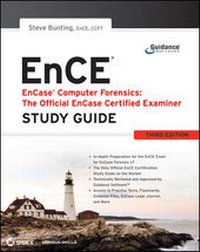
EnCase Computer Forensics -- The Official EnCE
EnCase Certified Examiner Study Guide
3. Auflage
Erschienen am 11. September 2011
744 Seiten
978-1-118-21940-9 (ISBN)
Beschreibung
The official, Guidance Software-approved book on the newest EnCEexam!
The EnCE exam tests that computer forensic analysts andexaminers have thoroughly mastered computer investigationmethodologies, as well as the use of Guidance Software's EnCaseForensic 7. The only official Guidance-endorsed study guide on thetopic, this book prepares you for the exam with extensive coverageof all exam topics, real-world scenarios, hands-on exercises,up-to-date legal information, and sample evidence files,flashcards, and more.
* Guides readers through preparation for the newest EnCaseCertified Examiner (EnCE) exam
* Prepares candidates for both Phase 1 and Phase 2 of the exam,as well as for practical use of the certification
* Covers identifying and searching hardware and files systems,handling evidence on the scene, and acquiring digital evidenceusing EnCase Forensic 7
* Includes hands-on exercises, practice questions, and up-to-datelegal information
* Sample evidence files, Sybex Test Engine, electronicflashcards, and more
If you're preparing for the new EnCE exam, this is the studyguide you need.
Weitere Details
Weitere Ausgaben
Person
Steve Bunting, EnCE, CCFT, has over 30 years of law enforcementand computer forensics experience. He is a Senior ForensicConsultant for Forward Discovery, a global forensics consultingorganization. Previously he served as a captain with the Universityof Delaware Police Department, where he conducted examinations ofcomputer systems for federal, state, and local law enforcement. Heis also the coauthor of Mastering Windows Network Forensics andInvestigation.
Inhalt
- Cover
- Title Page
- Copyright
- Contents
- Introduction
- Assessment Test
- Chapter 1 Computer Hardware
- Computer Hardware Components
- The Boot Process
- Partitions
- File Systems
- Summary
- Exam Essentials
- Review Questions
- Chapter 2 File Systems
- FAT Basics
- The Physical Layout of FAT
- Viewing Directory Entries Using EnCase
- The Function of FAT
- NTFS Basics
- CD File Systems
- exFAT
- Summary
- Exam Essentials
- Review Questions
- Chapter 3 First Response
- Planning and Preparation
- The Physical Location
- Personnel
- Computer Systems
- What to Take with You Before You Leave
- Search Authority
- Handling Evidence at the Scene
- Securing the Scene
- Recording and Photographing the Scene
- Seizing Computer Evidence
- Bagging and Tagging
- Summary
- Exam Essentials
- Review Questions
- Chapter 4 Acquiring Digital Evidence
- Creating EnCase Forensic Boot Disks
- Booting a Computer Using the EnCase Boot Disk
- Seeing Invisible HPA and DCO Data
- Other Reasons for Using a DOS Boot
- Steps for Using a DOS Boot
- Drive-to-Drive DOS Acquisition
- Steps for Drive-to-Drive DOS Acquisition
- Supplemental Information About Drive-to-Drive DOS Acquisition
- Network Acquisitions
- Reasons to Use Network Acquisitions
- Understanding Network Cables
- Preparing an EnCase Network Boot Disk
- Preparing an EnCase Network Boot CD
- Steps for Network Acquisition
- FastBloc/Tableau Acquisitions
- Available FastBloc Models
- FastBloc 2 Features
- Steps for Tableau (FastBloc) Acquisition
- FastBloc SE Acquisitions
- About FastBloc SE
- Steps for FastBloc SE Acquisitions
- LinEn Acquisitions
- Mounting a File System as Read-Only
- Updating a Linux Boot CD with the Latest Version of LinEn
- Running LinEn
- Steps for LinEn Acquisition
- Enterprise and FIM Acquisitions
- EnCase Portable
- Helpful Hints
- Summary
- Exam Essentials
- Review Questions
- Chapter 5 EnCase Concepts
- EnCase Evidence File Format
- CRC, MD5, and SHA-1
- Evidence File Components and Function
- New Evidence File Format
- Evidence File Verification
- Hashing Disks and Volumes
- EnCase Case Files
- EnCase Backup Utility
- EnCase Configuration Files
- Evidence Cache Folder
- Summary
- Exam Essentials
- Review Questions
- Chapter 6 EnCase Environment
- Home Screen
- EnCase Layout
- Creating a Case
- Tree Pane Navigation
- Table Pane Navigation
- Table View
- Gallery View
- Timeline View
- Disk View
- View Pane Navigation
- Text View
- Hex View
- Picture View
- Report View
- Doc View
- Transcript View
- File Extents View
- Permissions View
- Decode View
- Field View
- Lock Option
- Dixon Box
- Navigation Data (GPS)
- Find Feature
- Other Views and Tools
- Conditions and Filters
- EnScript
- Text Styles
- Adjusting Panes
- Other Views
- Global Views and Settings
- EnCase Options
- Summary
- Exam Essentials
- Review Questions
- Chapter 7 Understanding, Searching For, and Bookmarking Data
- Understanding Data
- Binary Numbers
- Hexadecimal
- Characters
- ASCII
- Unicode
- EnCase Evidence Processor
- Searching for Data
- Creating Keywords
- GREP Keywords
- Starting a Search
- Viewing Search Hits and Bookmarking Your Findings
- Bookmarking
- Summary
- Exam Essentials
- Review Questions
- Chapter 8 File Signature Analysis and Hash Analysis
- File Signature Analysis
- Understanding Application Binding
- Creating a New File Signature
- Conducting a File Signature Analysis
- Hash Analysis
- MD5 Hash
- Hash Sets and Hash Libraries
- Hash Analysis
- Summary
- Exam Essentials
- Review Questions
- Chapter 9 Windows Operating System Artifacts
- Dates and Times
- Time Zones
- Windows 64-Bit Time Stamp
- Adjusting for Time Zone Offsets
- Recycle Bin
- Details of Recycle Bin Operation
- The INFO2 File
- Determining the Owner of Files in the Recycle Bin
- Files Restored or Deleted from the Recycle Bin
- Using an EnCase Evidence Processor to Determine the Status of Recycle Bin Files
- Recycle Bin Bypass
- Windows Vista/Windows 7 Recycle Bin
- Link Files
- Changing the Properties of a Shortcut
- Forensic Importance of Link Files
- Using the Link File Parser
- Windows Folders
- Recent Folder
- Desktop Folder
- My Documents/Documents
- Send To Folder
- Temp Folder
- Favorites Folder
- Windows Vista Low Folders
- Cookies Folder
- History Folder
- Temporary Internet Files
- Swap File
- Hibernation File
- Print Spooling
- Legacy Operating System Artifacts
- Windows Volume Shadow Copy
- Windows Event Logs
- Kinds of Information Available in Event Logs
- Determining Levels of Auditing
- Windows Vista/7 Event Logs
- Using the Windows Event Log Parser
- For More Information
- Summary
- Exam Essentials
- Review Questions
- Chapter 10 Advanced EnCase
- Locating and Mounting Partitions
- Mounting Files
- Registry
- Registry History
- Registry Organization and Terminology
- Using EnCase to Mount and View the Registry
- Registry Research Techniques
- EnScript and Filters
- Running EnScripts
- Filters and Conditions
- Base64 Encoding
- EnCase Decryption Suite
- Virtual File System (VFS)
- Restoration
- Physical Disk Emulator (PDE)
- Putting It All Together
- Summary
- Exam Essentials
- Review Questions
- Appendix A Answers to Review Questions
- Chapter 1: Computer Hardware
- Chapter 2: File Systems
- Chapter 3: First Response
- Chapter 4: Acquiring Digital Evidence
- Chapter 5: EnCase Concepts
- Chapter 6: EnCase Environment
- Chapter 7: Understanding, Searching For, and Bookmarking Data
- Chapter 8: File Signature Analysis and Hash Analysis
- Chapter 9: Windows Operating System Artifacts
- Chapter 10: Advanced EnCase
- Appendix B Creating Paperless Reports
- Exporting the Web Page Report
- Creating Your Container Report
- Bookmarks and Hyperlinks
- Burning the Report to CD or DVD
- Appendix C About the Additional Study Tools
- Additional Study Tools
- Sybex Test Engine
- Electronic Flashcards
- PDF of Glossary of Terms
- Adobe Reader
- Additional Author Files
- System Requirements
- Using the Study Tools
- Troubleshooting
- Customer Care
- Index
- EULA
