

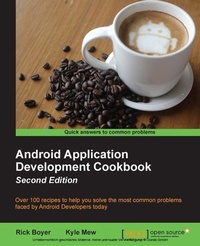
Android Application Development Cookbook
Over 100 recipes to help you solve the most common problems faced by Android Developers today
2. Auflage
Erschienen am 8. Juli 2025
428 Seiten
978-1-78588-920-2 (ISBN)
Beschreibung

Over 100 recipes to help you solve the most common problems faced by Android Developers today
Key Features
[*]Find the answers to your common Android programming problems, from set up to security, to help you deliver better applications, faster
[*]Uncover the latest features of Android Marshmallow to make your applications stand out
[*]Get up to speed with Android Studio 1.4 - the first Android Studio based on the IntelliJ IDE from JetBrains
Book DescriptionThe Android OS has the largest installation base of any operating system in the world; there has never been a better time to learn Android development to write your own applications, or to make your own contributions to the open source community! This "cookbook" will make it easy for you to jump to a topic of interest and get what you need to implement the feature in your own application. If you are new to Android and learn best by "doing," then this book will provide many topics of interest. Starting with the basics of Android development, we move on to more advanced concepts, and we'll guide you through common tasks developers struggle to solve. The first few chapters cover the basics including Activities, Layouts, Widgets, and the Menu. From there, we cover fragments and data storage (including SQLite), device sensors, the camera, and GPS. Then we move on more advanced topics such as graphics and animation (including OpenGL), multi-threading with AsyncTask, and Internet functionality with Volley. We'll also demonstrate Google Maps and Google Cloud Messaging (also known as Push Notifications) using the Google API Library. Finally, we'll take a look at several online services designed especially for Android development. Take your application big-time with full Internet web services without having to become a server admin by leveraging the power of Backend as a Service (BaaS) providers. What you will learn
[*] Along with Marshmallow, get hands-on working with Google's new Android Studio IDE
[*] Develop applications using the latest Android framework while maintaining backward-compatibility with the support library
[*] Master Android programming best practices from the recipes
[*] Create exciting and engaging applications using knowledge gained from recipes on graphics, animations, and multimedia
[*] Work through succinct steps on specifics that will help you complete your project faster
[*] Keep your app responsive (and prevent ANRs) with examples on the AsynchTask class
[*] Utilize Google Speech Recognition APIs for your app.
[*] Make use of Google Cloud Messaging (GCM) to create Push Notifications for your users
[*] Get a better understanding of the Android framework through detailed explanations
Who this book is forIf you are new to Android development and want to take a hands-on approach to learning the framework, or if you are an experienced developer in need of clear working code to solve the many challenges in Android development, you can benefit from this book. Either way, this is a resource you'll want to keep at your desk for a quick reference to solve new problems as you tackle more challenging projects.
Key Features
[*]Find the answers to your common Android programming problems, from set up to security, to help you deliver better applications, faster
[*]Uncover the latest features of Android Marshmallow to make your applications stand out
[*]Get up to speed with Android Studio 1.4 - the first Android Studio based on the IntelliJ IDE from JetBrains
Book DescriptionThe Android OS has the largest installation base of any operating system in the world; there has never been a better time to learn Android development to write your own applications, or to make your own contributions to the open source community! This "cookbook" will make it easy for you to jump to a topic of interest and get what you need to implement the feature in your own application. If you are new to Android and learn best by "doing," then this book will provide many topics of interest. Starting with the basics of Android development, we move on to more advanced concepts, and we'll guide you through common tasks developers struggle to solve. The first few chapters cover the basics including Activities, Layouts, Widgets, and the Menu. From there, we cover fragments and data storage (including SQLite), device sensors, the camera, and GPS. Then we move on more advanced topics such as graphics and animation (including OpenGL), multi-threading with AsyncTask, and Internet functionality with Volley. We'll also demonstrate Google Maps and Google Cloud Messaging (also known as Push Notifications) using the Google API Library. Finally, we'll take a look at several online services designed especially for Android development. Take your application big-time with full Internet web services without having to become a server admin by leveraging the power of Backend as a Service (BaaS) providers. What you will learn
[*] Along with Marshmallow, get hands-on working with Google's new Android Studio IDE
[*] Develop applications using the latest Android framework while maintaining backward-compatibility with the support library
[*] Master Android programming best practices from the recipes
[*] Create exciting and engaging applications using knowledge gained from recipes on graphics, animations, and multimedia
[*] Work through succinct steps on specifics that will help you complete your project faster
[*] Keep your app responsive (and prevent ANRs) with examples on the AsynchTask class
[*] Utilize Google Speech Recognition APIs for your app.
[*] Make use of Google Cloud Messaging (GCM) to create Push Notifications for your users
[*] Get a better understanding of the Android framework through detailed explanations
Who this book is forIf you are new to Android development and want to take a hands-on approach to learning the framework, or if you are an experienced developer in need of clear working code to solve the many challenges in Android development, you can benefit from this book. Either way, this is a resource you'll want to keep at your desk for a quick reference to solve new problems as you tackle more challenging projects.
Weitere Details
Auflage
2nd Revised edition
Sprache
Englisch
Verlagsort
Birmingham
Großbritannien
Zielgruppe
US School Grade: College Graduate Student
Editions-Typ
Überarbeitete Ausgabe
Dateigröße
7,35 MB
ISBN-13
978-1-78588-920-2 (9781785889202)
Copyright in bibliographic data and cover images is held by Nielsen Book Services Limited or by the publishers or by their respective licensors: all rights reserved.
Schweitzer Klassifikation
Weitere Ausgaben
Andere Ausgaben
Rick Boyer | Kyle Merrifield Mew
Android Application Development Cookbook - Second Edition
Buch
03/2016
Packt Publishing
57,10 €
Versand in 3-4 Wochen
Personen
Boyer Rick :
Rick Boyer has been programming professionally for over 20 years. He has written apps on Windows, created websites, and coded for various mobile devices, including Windows CE, Windows Phone, and Android. Almost eight years ago, he took the plunge and started his own software consulting business, NightSky Development, focusing exclusively on Android development.Mew Kyle :
Kyle Mew has been programming since the early '80s and has written for several technology websites. Also, he has written three radio plays and four other books on Android development.
Rick Boyer has been programming professionally for over 20 years. He has written apps on Windows, created websites, and coded for various mobile devices, including Windows CE, Windows Phone, and Android. Almost eight years ago, he took the plunge and started his own software consulting business, NightSky Development, focusing exclusively on Android development.Mew Kyle :
Kyle Mew has been programming since the early '80s and has written for several technology websites. Also, he has written three radio plays and four other books on Android development.
Inhalt
Table of Contents
Activities
Layouts
Widgets
Menus
Taking your UI further
Working with Data
Notifying the user
Responding to user actions
Graphics and animation
OpenGL ES
Multimedia
Telephony, Networks and the web
GPS and location based services
Bells & Whistles
Backend Service Options
Activities
Layouts
Widgets
Menus
Taking your UI further
Working with Data
Notifying the user
Responding to user actions
Graphics and animation
OpenGL ES
Multimedia
Telephony, Networks and the web
GPS and location based services
Bells & Whistles
Backend Service Options
