

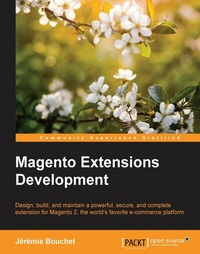
Magento Extensions Development
Click here to enter text.
1. Auflage
Erschienen am 8. Juli 2025
240 Seiten
978-1-78328-678-2 (ISBN)
Beschreibung

Design, build, and maintain a powerful, secure, and complete extension for Magento 2, the world's favorite e-commerce platformKey Features - [*] Deploy a complete real-world extension step by step
- [*] Construct your extension with the best and most up-to-date development methods
- [*] Learn about team working and code sharing
Book DescriptionMagento has been revealed as the best and the most popular open source e-commerce platform in the world, with about 250k+ online stores. Magento 2 is the most recent version of this awesome toolset: every new and modern development techniques are used to offer a real modular approach and powerful architecture. The book will support you in the writing of innovative and complex extensions. Starting from the beginning, we will cover how to set up a development environment that allows you to be really efficient in your functionality writing, including GIT registering and many other development tools. We then move on to provide a large overview of the best practices to scale your module in a high-load environment. After these foundations, you will see how to use test driven-development (TDD) and unit tests to handle your code. We then build a complex extension together, step by step, and internationally-ready. Next, you will find out how to protect the users' data. Finally, we will take a look a publishing the extension on the new Magento Connect marketplace and how to protect your intellectual property. After you read this book, you will know everything you need to know to become an invaluable extension editor, whether it is for your customers' needs or for your own requirements. What you will learn - [*] Build a fully-functional complex extension to add new functionality to Magento
- [*] Register your code with GIT and work with your team
- [*] Write new layouts and templates
- [*] Set up a fully configurable grid and forms in the backend
- [*] Create code unit tests and run them through TDD
- [*] Propose localized contents
- [*] Develop optimized extensions for a high-load environment
- [*] Publish extensions on the Magento Connect Marketplace
Who this book is forIf you want to write a specific customization or a large new and full-featured extension on Magento 2, this book is intended for you. You must be an intermediate to professional-level developer in PHP to appreciate this book.
- [*] Construct your extension with the best and most up-to-date development methods
- [*] Learn about team working and code sharing
Book DescriptionMagento has been revealed as the best and the most popular open source e-commerce platform in the world, with about 250k+ online stores. Magento 2 is the most recent version of this awesome toolset: every new and modern development techniques are used to offer a real modular approach and powerful architecture. The book will support you in the writing of innovative and complex extensions. Starting from the beginning, we will cover how to set up a development environment that allows you to be really efficient in your functionality writing, including GIT registering and many other development tools. We then move on to provide a large overview of the best practices to scale your module in a high-load environment. After these foundations, you will see how to use test driven-development (TDD) and unit tests to handle your code. We then build a complex extension together, step by step, and internationally-ready. Next, you will find out how to protect the users' data. Finally, we will take a look a publishing the extension on the new Magento Connect marketplace and how to protect your intellectual property. After you read this book, you will know everything you need to know to become an invaluable extension editor, whether it is for your customers' needs or for your own requirements. What you will learn - [*] Build a fully-functional complex extension to add new functionality to Magento
- [*] Register your code with GIT and work with your team
- [*] Write new layouts and templates
- [*] Set up a fully configurable grid and forms in the backend
- [*] Create code unit tests and run them through TDD
- [*] Propose localized contents
- [*] Develop optimized extensions for a high-load environment
- [*] Publish extensions on the Magento Connect Marketplace
Who this book is forIf you want to write a specific customization or a large new and full-featured extension on Magento 2, this book is intended for you. You must be an intermediate to professional-level developer in PHP to appreciate this book.
Alle Preise
Weitere Details
Weitere Ausgaben
Andere Ausgaben
Jeremie Bouchet
Magento Extensions Development
Buch
06/2016
Packt Publishing
50,60 €
Versand in 3-4 Wochen
Person
Bouchet Jérémie :
Jrmie Bouchet is a French backend web developer and entrepreneur, who began his career by selling fair music. With his certification (Jrmie obtained the Magento Certified Developer certification in 2012) and his skills and knowledge of each side of the trade, Jrmie has all the keys to make a success of numerous Magento projects, by working on various complex functionalities. He is a cofounder of Blackbird Agency (http://black.bird.eu), a web agency specializing in Magento projects and e-commerce challenges. He initiated and managed other exciting projects in his city, such as a coworking space designed for web freelancers (https://quai10.org) or the http://whomadethis.site website, a web service that helps people to know who made a website.
Jrmie Bouchet is a French backend web developer and entrepreneur, who began his career by selling fair music. With his certification (Jrmie obtained the Magento Certified Developer certification in 2012) and his skills and knowledge of each side of the trade, Jrmie has all the keys to make a success of numerous Magento projects, by working on various complex functionalities. He is a cofounder of Blackbird Agency (http://black.bird.eu), a web agency specializing in Magento projects and e-commerce challenges. He initiated and managed other exciting projects in his city, such as a coworking space designed for web freelancers (https://quai10.org) or the http://whomadethis.site website, a web service that helps people to know who made a website.
Inhalt
- Cover
- Copyright
- Credits
- About the Author
- About the Reviewer
- www.PacktPub.com
- Table of Contents
- Preface
- Chapter 1: Introduction to Extension Development
- Getting started
- Creating an extension
- The files that handle our extension
- Creating a helper
- Creating a controller
- Digging into these simple files
- You can now test by yourself!
- Managing our work with Git source control
- Bitbucket registration
- Committing our work
- Discovering other Git servers!
- Registering dependencies
- Discovering Composer
- Discovering packagist
- Designing TicketBlaster - the backend
- Creating the table for the events
- Creating the backend view to list the events
- Summary
- Chapter 2: Deeper Extension Development
- Creating the backend forms to manage events
- Designing the TicketBlaster module's frontend
- Declaring the layouts
- Creating a template file
- Creating the block files
- How layouts and templates work
- Summary
- Chapter 3: Best Practices and Scaling for the Web
- Creating a new product type
- Designing our extension for speed
- Enabling developer mode
- Enabling the profiler
- Enabling the debug logs
- What are logs?
- The PSR-3 standard
- The Monolog library and Magento 2
- How Monolog complies with PSR-3
- Channels and handlers
- How to use the Magento 2 logging system
- How to make your own custom handler and channel
- Enabling your browser's debug panel
- Get the ultimate profiler tool
- Write clean and efficient code
- Don't load any model
- Getting only really necessary data
- Don't write code twice
- Use helpers
- Use layouts
- Security first
- Five secure coding practices
- Validate input as strictly as possible
- Use parameterized queries in your database requests
- Escape user input
- Use synchronized token pattern
- Security headers
- Summary
- Chapter 4: Magento and Test-driven Development
- Why perform testing in Magento?
- Types of test
- Testing in Magento
- How Magento integrates PHPUnit
- Write unit tests with PHPUnit
- Assertions
- DataProvider
- Test Double
- Expectations and matchers
- Writing unit tests for TicketBlaster
- How to run unit tests
- Writing a timed checkout
- Writing a unit test
- Writing a timed checkout
- Executing the unit test
- Summary
- Chapter 5: Internationalization
- The EAV approach
- Store relation table
- Creating the new table
- Adding the new input to the edit form
- Saving the new data in the new table
- Showing the store views in the admin grid
- Modifying the frontend event list
- Restricting the frontend access by store view
- Differentiating the guests and registered users' interface
- Adding the isLoggedIn() method
- Restricting access in the template file
- Restricting direct access to the Details page
- Translation of template interface texts
- Translation of e-mail templates: creating and translating the e-mails
- Testing our code by sending the e-mail
- Summary
- Chapter 6: Optimizing for Speed and Measuring Conversion Rates
- Performance indicators
- Slow websites are not SEO-friendly
- Best practices
- Editing the .htaccess file for compression
- Full page cache
- Minify and merge CSS/JavaScript files
- Configuring a CDN server
- Redis and Memcached
- How to measure your speed optimization
- New Relic
- Overviewing the dashboard
- Tracking transactions
- External services monitoring
- Configuring customized alerts
- Service Level Agreement reports
- Browser
- Quanta monitoring
- Web scenarios
- Application profiling
- Google Analytics
- YSlow
- GTMetrix
- Summary
- Chapter 7: Module Creation Etiquette
- The possible attacks
- SQL injection
- Cross-site scripting
- Non-persistent
- Persistent
- Cross-site request forgeries
- The Payment Card Industry Data Security Standard
- Protecting stored cardholder data
- Encrypt transmissions
- Developing your own payment method
- Implementing the method
- Software considerations
- PHP
- Installing PHP
- Configuring PHP
- Configuring nginx
- PSR-1 to PSR-7
- OWASP
- Stay tuned
- Summary
- Chapter 8: Optimization for Teamwork Development
- Version control and code management
- Feature branch workflow
- Master branch
- Develop branch
- Feature branches
- Release branches
- Hotfix branch
- Deployment and backups
- Backup strategy
- Compressing your backup
- Peer programming
- Developing standards and code review
- Project management methodology
- Communicating in a developer team
- Team awareness of workflow
- Slack
- Summary
- Chapter 9: Magento Marketplace
- The new Connect is called Marketplace
- The end of the existing Connect website
- A new business model
- A specific submission workflow
- The Magento Extension Distribution and Service Agreement
- Packaging and submitting the extension
- The product profile
- Your personal and company profiles
- Technical review
- Marketing review
- Selling extensions by ourselves
- The downloadable product
- Managing versions with downloadable information
- Selling additional services
- Having a store is not enough
- Summary
- Index

