

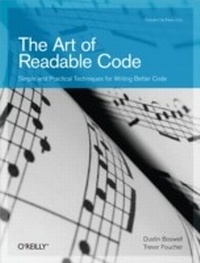
Art of Readable Code
Simple and Practical Techniques for Writing Better Code
1. Auflage
Erschienen am 3. November 2011
206 Seiten
978-1-4493-2138-3 (ISBN)
Beschreibung

As programmers, weve all seen source code thats so ugly and buggy it makes our brain ache. Over the past five years, authors Dustin Boswell and Trevor Foucher have analyzed hundreds of examples of "e;bad code"e; (much of it their own) to determine why theyre bad and how they could be improved. Their conclusion? You need to write code that minimizes the time it would take someone else to understand iteven if that someone else is you.This book focuses on basic principles and practical techniques you can apply every time you write code. Using easy-to-digest code examples from different languages, each chapter dives into a different aspect of coding, and demonstrates how you can make your code easy to understand.Simplify naming, commenting, and formatting with tips that apply to every line of codeRefine your programs loops, logic, and variables to reduce complexity and confusionAttack problems at the function level, such as reorganizing blocks of code to do one task at a timeWrite effective test code that is thorough and conciseas well as readable"e;Being aware of how the code you create affects those who look at it later is an important part of developing software. The authors did a great job in taking you through the different aspects of this challenge, explaining the details with instructive examples."e;Michael Hunger, passionate Software Developer
Weitere Details
Weitere Ausgaben
Andere Ausgaben
Dustin Boswell | Trevor Foucher
The Art of Readable Code
Buch
12/2011
1. Auflage
O'Reilly
45,00 €
Versand in 10-20 Tagen
Inhalt
- Intro
- Table of Contents
- Preface
- What This Book Is About
- How to Read This Book
- Using Code Examples
- Safari® Books Online
- How to Contact Us
- Acknowledgments
- Chapter 1. Code Should Be Easy to Understand
- What Makes Code "Better"?
- The Fundamental Theorem of Readability
- Is Smaller Always Better?
- Does Time-Till-Understanding Conflict with Other Goals?
- The Hard Part
- Part I. Surface-Level Improvements
- Chapter 2. Packing Information into Names
- Choose Specific Words
- Finding More "Colorful" Words
- Avoid Generic Names Like tmp and retval
- tmp
- Loop Iterators
- The Verdict on Generic Names
- Prefer Concrete Names over Abstract Names
- Example: DISALLOW_EVIL_CONSTRUCTORS
- Example: --run_locally
- Attaching Extra Information to a Name
- Values with Units
- Encoding Other Important Attributes
- How Long Should a Name Be?
- Shorter Names Are Okay for Shorter Scope
- Typing Long Names-Not a Problem Anymore
- Acronyms and Abbreviations
- Throwing Out Unneeded Words
- Use Name Formatting to Convey Meaning
- Other Formatting Conventions
- Summary
- Chapter 3. Names That Can't Be Misconstrued
- Example: Filter()
- Example: Clip(text, length)
- Prefer min and max for (Inclusive) Limits
- Prefer first and last for Inclusive Ranges
- Prefer begin and end for Inclusive/Exclusive Ranges
- Naming Booleans
- Matching Expectations of Users
- Example: get*()
- Example: list::size()
- Example: Evaluating Multiple Name Candidates
- Summary
- Chapter 4. Aesthetics
- Why Do Aesthetics Matter?
- Rearrange Line Breaks to Be Consistent and Compact
- Use Methods to Clean Up Irregularity
- Use Column Alignment When Helpful
- Should You Use Column Alignment?
- Pick a Meaningful Order, and Use It Consistently
- Organize Declarations into Blocks
- Break Code into "Paragraphs"
- Personal Style versus Consistency
- Summary
- Chapter 5. Knowing What to Comment
- What NOT to Comment
- Don't Comment Just for the Sake of Commenting
- Don't Comment Bad Names-Fix the Names Instead
- Recording Your Thoughts
- Include "Director Commentary"
- Comment the Flaws in Your Code
- Comment on Your Constants
- Put Yourself in the Reader's Shoes
- Anticipating Likely Questions
- Advertising Likely Pitfalls
- "Big Picture" Comments
- Summary Comments
- Final Thoughts-Getting Over Writer's Block
- Summary
- Chapter 6. Making Comments Precise and Compact
- Keep Comments Compact
- Avoid Ambiguous Pronouns
- Polish Sloppy Sentences
- Describe Function Behavior Precisely
- Use Input/Output Examples That Illustrate Corner Cases
- State the Intent of Your Code
- "Named Function Parameter" Comments
- Use Information-Dense Words
- Summary
- Part II. Simplifying Loops and Logic
- Chapter 7. Making Control Flow Easy to Read
- The Order of Arguments in Conditionals
- The Order of if/else Blocks
- The ?: Conditional Expression (a.k.a. "Ternary Operator")
- Avoid do/while Loops
- Returning Early from a Function
- The Infamous goto
- Minimize Nesting
- How Nesting Accumulates
- Removing Nesting by Returning Early
- Removing Nesting Inside Loops
- Can You Follow the Flow of Execution?
- Summary
- Chapter 8. Breaking Down Giant Expressions
- Explaining Variables
- Summary Variables
- Using De Morgan's Laws
- Abusing Short-Circuit Logic
- Example: Wrestling with Complicated Logic
- Finding a More Elegant Approach
- Breaking Down Giant Statements
- Another Creative Way to Simplify Expressions
- Summary
- Chapter 9. Variables and Readability
- Eliminating Variables
- Useless Temporary Variables
- Eliminating Intermediate Results
- Eliminating Control Flow Variables
- Shrink the Scope of Your Variables
- if Statement Scope in C++
- Creating "Private" Variables in JavaScript
- JavaScript Global Scope
- No Nested Scope in Python and JavaScript
- Moving Definitions Down
- Prefer Write-Once Variables
- A Final Example
- Summary
- Part III. Reorganizing Your Code
- Chapter 10. Extracting Unrelated Subproblems
- Introductory Example: findClosestLocation()
- Pure Utility Code
- Other General-Purpose Code
- Unexpected Benefits
- Create a Lot of General-Purpose Code
- Project-Specific Functionality
- Simplifying an Existing Interface
- Reshaping an Interface to Your Needs
- Taking Things Too Far
- Summary
- Chapter 11. One Task at a Time
- Tasks Can Be Small
- Extracting Values from an Object
- Applying "One Task at a Time"
- Another Approach
- A Larger Example
- Further Improvements
- Summary
- Chapter 12. Turning Thoughts into Code
- Describing Logic Clearly
- Knowing Your Libraries Helps
- Applying This Method to Larger Problems
- An English Description of the Solution
- Applying the Method Recursively
- Summary
- Chapter 13. Writing Less Code
- Don't Bother Implementing That Feature-You Won't Need It
- Question and Break Down Your Requirements
- Example: A Store Locator
- Example: Adding a Cache
- Keeping Your Codebase Small
- Be Familiar with the Libraries Around You
- Example: Lists and Sets in Python
- Why Reusing Libraries Is Such a Win
- Example: Using Unix Tools Instead of Coding
- Summary
- Part IV. Selected Topics
- Chapter 14. Testing and Readability
- Make Tests Easy to Read and Maintain
- What's Wrong with This Test?
- Making This Test More Readable
- Creating the Minimal Test Statement
- Implementing Custom "Minilanguages"
- Making Error Messages Readable
- Using Better Versions of assert()
- Hand-Crafted Error Messages
- Choosing Good Test Inputs
- Simplifying the Input Values
- Multiple Tests of Functionality
- Naming Test Functions
- What Was Wrong with That Test?
- Test-Friendly Development
- Going Too Far
- Summary
- Chapter 15. Designing and Implementing a "Minute/Hour Counter"
- The Problem
- Defining the Class Interface
- Improving the Names
- Improving the Comments
- Attempt 1: A Naive Solution
- Is the Code Easy to Understand?
- An Easier-to-Read Version
- Performance Problems
- Attempt 2: Conveyor Belt Design
- Implementing the Two-Stage Conveyor Belt Design
- Are We Done?
- Attempt 3: A Time-Bucketed Design
- Implementing the Time-Bucketed Design
- Implementing TrailingBucketCounter
- Implementing ConveyorQueue
- Comparing the Three Solutions
- Summary
- Further Reading
- Books on Writing High-Quality Code
- Books on Various Programming Topics
- Books of Historical Note
- Index
