

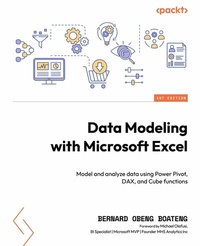
Data Modeling with Microsoft Excel
Model and analyze data using Power Pivot, DAX, and Cube functions
1. Auflage
Erschienen am 21. Mai 2024
316 Seiten
978-1-80323-692-6 (ISBN)
Beschreibung
No detailed description available for "Data Modeling with Microsoft Excel".
Alle Preise
Weitere Details
Weitere Ausgaben
Personen
Boateng Bernard Obeng :
Bernard Obeng Boateng is a Microsoft Excel MVP, Microsoft Certified Trainer, with over 10 years work experience in Banking, Insurance and Business Development. He is founder of Finex Skills Hub an approved Training Provider of the Financial Modeling Institute, Canada. Finex Skills Hub runs the Finex Project in Ghana, a pro bono student training outreach program for students in Data Analytics and Financial Modeling. Bernard also provides consultancy services for SMEs (start-ups and existing) in Financial Management, Business Planning and Research. He has an active audience online with about 17,000 followers on his LinkedIn Account. where he shares tips and tricks on Microsoft Excel and other Office Apps.Olafusi Michael :
Michael Olafusi is a 9x Microsoft Most Valuable Professional (MVP) and a business intelligence consultant. He is the lead consultant and founder of MHS Analytics Inc. in Canada and UrBizEdge Limited. He has been consulting for clients across North America, Europe, and Africa on data analysis, business intelligence, and financial modeling for the past 10 years. Outside of his consulting business, he is a member of Rotary and the Southern Cruisers Riding Club (SCRC) Chapter 373. He is a proud member of the Canadian Red Cross friendly calls volunteer team. He is also a faculty member at WorldQuant University, USA.
Bernard Obeng Boateng is a Microsoft Excel MVP, Microsoft Certified Trainer, with over 10 years work experience in Banking, Insurance and Business Development. He is founder of Finex Skills Hub an approved Training Provider of the Financial Modeling Institute, Canada. Finex Skills Hub runs the Finex Project in Ghana, a pro bono student training outreach program for students in Data Analytics and Financial Modeling. Bernard also provides consultancy services for SMEs (start-ups and existing) in Financial Management, Business Planning and Research. He has an active audience online with about 17,000 followers on his LinkedIn Account. where he shares tips and tricks on Microsoft Excel and other Office Apps.Olafusi Michael :
Michael Olafusi is a 9x Microsoft Most Valuable Professional (MVP) and a business intelligence consultant. He is the lead consultant and founder of MHS Analytics Inc. in Canada and UrBizEdge Limited. He has been consulting for clients across North America, Europe, and Africa on data analysis, business intelligence, and financial modeling for the past 10 years. Outside of his consulting business, he is a member of Rotary and the Southern Cruisers Riding Club (SCRC) Chapter 373. He is a proud member of the Canadian Red Cross friendly calls volunteer team. He is also a faculty member at WorldQuant University, USA.
Inhalt
Table of Contents - Getting Started with Data Modeling - Overview and Importance
- Data Structuring for Data Models
- Preparing your Data for the Data Model
- Data Modeling with Power Pivot
- Creating DAX Calculations from your Data Model
- Creating Cube Functions from your Data Model
- Communicating insights from your Data Model using Dashboards
- Visualization Elements for your Dashboard
- Choosing the right Design Themes
- Publication and Deployment
- Data Structuring for Data Models
- Preparing your Data for the Data Model
- Data Modeling with Power Pivot
- Creating DAX Calculations from your Data Model
- Creating Cube Functions from your Data Model
- Communicating insights from your Data Model using Dashboards
- Visualization Elements for your Dashboard
- Choosing the right Design Themes
- Publication and Deployment
