

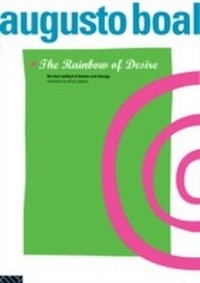
The Rainbow of Desire
The Boal Method of Theatre and Therapy
1. Auflage
Erschienen am 13. Mai 2013
216 Seiten
978-1-136-74879-0 (ISBN)
Beschreibung

Rainbow of Desire is a handbook of exercises with a difference. It is Augusto Boal's bold and brilliant statement about the therapeutic ability of theatre to liberate individuals and change lives. Now translated into English and comprehensively updated from the French, Rainbow of Desire sets out the techniques which help us `see' for the first time the oppressions we have internalised.
Boal, a Brazilian theatre director, writer and politician, has been confronting oppression in various forms for over thirty years. His belief that theatre is a means to create the future has inspired hundreds of groups all over the world to use his techniques in a multitude of settings. This, his latest work, includes such exercises as:
* The Cops in the Head and their anti-bodies
* The screen image
* The image of the future we are afraid of
* Image and counter-image
....and many more.
Rainbow of Desire will make fascinating reading for those already familiar with Boal's work and is also completely accessible to anyone new to Theatre of the Oppressed techniques.
Boal, a Brazilian theatre director, writer and politician, has been confronting oppression in various forms for over thirty years. His belief that theatre is a means to create the future has inspired hundreds of groups all over the world to use his techniques in a multitude of settings. This, his latest work, includes such exercises as:
* The Cops in the Head and their anti-bodies
* The screen image
* The image of the future we are afraid of
* Image and counter-image
....and many more.
Rainbow of Desire will make fascinating reading for those already familiar with Boal's work and is also completely accessible to anyone new to Theatre of the Oppressed techniques.
Weitere Details
Reihe
Sprache
Englisch
Verlagsort
London
Großbritannien
Verlagsgruppe
Taylor & Francis Ltd
Zielgruppe
Für höhere Schule und Studium
Produkt-Hinweis
Reflowable
Dateigröße
2,27 MB
ISBN-13
978-1-136-74879-0 (9781136748790)
Copyright in bibliographic data and cover images is held by Nielsen Book Services Limited or by the publishers or by their respective licensors: all rights reserved.
Schweitzer Klassifikation
Weitere Ausgaben
Andere Ausgaben
Buch
09/2015
1. Auflage
Routledge
170,80 €
Versand in 10-20 Tagen

Buch
12/1994
1. Auflage
Routledge
66,20 €
Sofort lieferbar
Personen
Augusto Boal is Vereador (Member of Parliament) of Rio de Janeiro and President of the Theatre of the Oppressed in Rio de Janeiro and Paris. Previous publications include Games for Actors and Non-Actors and Theatre of the Oppressed, both of which have been translated into numerous languages.
Adrian Jackson is Associate Director of the London Bubble Theatre and is also a freelance director and teacher. He was the translator of Games for Actors and Non-Actors into the English language (Routledge 1992).
Adrian Jackson is Associate Director of the London Bubble Theatre and is also a freelance director and teacher. He was the translator of Games for Actors and Non-Actors into the English language (Routledge 1992).
Inhalt
Why This Book? My Three Theatrical Encounters; Part 1 The Theory; Chapter 1 Theatre, the First Human Invention; Chapter 2 Human Beings, A Passion and A Platform: the 'Aesthetic Space'; Chapter 3 The Three Hypotheses of 'The Cop in the Head'; Chapter 4 Experiences in Two Psychiatric Hospitals; Chapter 5 Preliminaries to the Utilisation of the Rainbow of Desire Techniques; Part 2; The Practice; Chapter 6 The Prospective Techniques; Chapter 7 The Introspective Techniques; Chapter 8 The Extraversion Techniques;
