

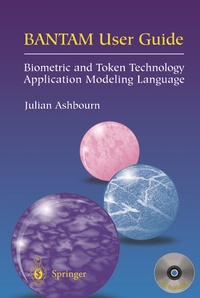
BANTAM User Guide
Biometric and Token Technology Application Modeling Language
Erschienen am 9. März 2013
XIV, 159 Seiten
978-1-4471-0203-8 (ISBN)
Beschreibung

BANTAM is the first modeling language specifically designed for applications in Biometrics and Token Technology. It represents a significant step forward for the design and implementation of biometric and related technology applications in that:
- it is very simple to learn and use;
- it offers a consistent system of documentation and a clarity of presentation which make the accurate description of user requirements much easier;
- it provides a complete methodology for managing the project from original business case, through procurement and implementation, to subsequent training and support.
"The User Guide" provides much more than just a guide to the Bantam methodology: readers will also find lots of good advice on program management in general and will gain an insight into designing biometric and related applications. It will be essential reading for anyone who is serious about biometrics and related technologies, including governmental/corporate end-users, systems integrators, biometric vendors, application developers and device manufacturers. It will also be useful background reading for advanced students and IT and management consultants.
Reviews of Julian Ashbourn's first book: "Biometrics: Advanced Identity Verification":
"You could attend a dozen conferences and not come away with the kind of overview presented in this new book".
Dave Mintie, Connecticut Department of Social Services
" a highly readable, entertaining guidebook that should serve as a welcome companion for anyone who must promote, explain, justify, or control an organization's transition to biometric technology."
Richard Norton, Executive Director, International Biometrics Industry Association
- it is very simple to learn and use;
- it offers a consistent system of documentation and a clarity of presentation which make the accurate description of user requirements much easier;
- it provides a complete methodology for managing the project from original business case, through procurement and implementation, to subsequent training and support.
"The User Guide" provides much more than just a guide to the Bantam methodology: readers will also find lots of good advice on program management in general and will gain an insight into designing biometric and related applications. It will be essential reading for anyone who is serious about biometrics and related technologies, including governmental/corporate end-users, systems integrators, biometric vendors, application developers and device manufacturers. It will also be useful background reading for advanced students and IT and management consultants.
Reviews of Julian Ashbourn's first book: "Biometrics: Advanced Identity Verification":
"You could attend a dozen conferences and not come away with the kind of overview presented in this new book".
Dave Mintie, Connecticut Department of Social Services
" a highly readable, entertaining guidebook that should serve as a welcome companion for anyone who must promote, explain, justify, or control an organization's transition to biometric technology."
Richard Norton, Executive Director, International Biometrics Industry Association
Weitere Details
Weitere Ausgaben
Andere Ausgaben
Buch
10/2001
Springer
53,49 €
Versand in 15-20 Tagen
Inhalt
1. Introduction.- 2. Technology overview.- 3. Introducing BANTAM.- 4. Using BANTAM.- 5. Associated documentation.- 6. A working example.- 7. Wrapping it up.
