

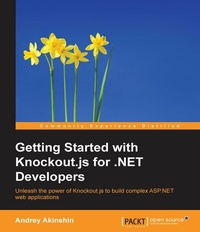
Getting Started with Knockout.js for .NET Developers
Unleash the power of Knockout.js to build complex ASP.NET web applications
1. Auflage
Erschienen am 8. Juli 2025
188 Seiten
978-1-78398-401-5 (ISBN)
Beschreibung

Key FeaturesBook DescriptionThis book is intended for.NET developers who want to use the MVVM design pattern to create powerful client-side JavaScript linked to server-side C# logic. Basic experience with ASP.NET, Razor, and creating web applications is needed.What you will learn - Work with observable arrays, special bindings, and computed observables
- Create a model in C# and connect it with the MVVM structure in JavaScript
- Integrate the Knockout.js library into ASP.NET applications
- Configure tmux and customize it for your needs
- Migrate your entire business logic to the server side with Knockout MVC
- Understand and use basic MVVM concepts such as declarative bindings and observable properties
- Discover special Knockout.js concepts such as regions, complex bindings, combined contexts, and more
- Leverage the key features of Knockout.js such as declarative bindings, templating, and dependency tracking in ASP.NET applications
Who this book is forThis book is intended for.NET developers who want to use the design pattern to create powerful client-side JavaScript linked to server-side C# logic. Basic experience with ASP.NET, Razor, and creating web applications is needed.
- Create a model in C# and connect it with the MVVM structure in JavaScript
- Integrate the Knockout.js library into ASP.NET applications
- Configure tmux and customize it for your needs
- Migrate your entire business logic to the server side with Knockout MVC
- Understand and use basic MVVM concepts such as declarative bindings and observable properties
- Discover special Knockout.js concepts such as regions, complex bindings, combined contexts, and more
- Leverage the key features of Knockout.js such as declarative bindings, templating, and dependency tracking in ASP.NET applications
Who this book is forThis book is intended for.NET developers who want to use the design pattern to create powerful client-side JavaScript linked to server-side C# logic. Basic experience with ASP.NET, Razor, and creating web applications is needed.
Alle Preise
Weitere Details
Weitere Ausgaben
Andere Ausgaben
Andrey Akinshin
Getting Started with Knockout.js for .NET Developers
Buch
05/2015
Packt Publishing
39,20 €
Versand in 3-4 Wochen
Person
Ankshin Andrey :
Andrey Akinshin has a PhD in computer science, and he received a Microsoft MVP award in 2015. He works as a lead.NET Developer at Perpetuum Software and as a postdoctoral research fellow at the Weizmann Institute of Science. He is also the author and main contributor of the Knockout MVC library and has a wealth of experience in Knockout.js. He has experience in various IT areas, from competitive programming (silver medal at ACM ICPC 2009) to teaching (senior lecturer and the school coach of competitive programming and mathematics teams). You can find more information about Andrey on his home page, http://aakinshin.net.
Andrey Akinshin has a PhD in computer science, and he received a Microsoft MVP award in 2015. He works as a lead.NET Developer at Perpetuum Software and as a postdoctoral research fellow at the Weizmann Institute of Science. He is also the author and main contributor of the Knockout MVC library and has a wealth of experience in Knockout.js. He has experience in various IT areas, from competitive programming (silver medal at ACM ICPC 2009) to teaching (senior lecturer and the school coach of competitive programming and mathematics teams). You can find more information about Andrey on his home page, http://aakinshin.net.
Inhalt
- Cover
- Copyright
- Credits
- About the Author
- About the Reviewers
- www.PacktPub.com
- Table of Contents
- Preface
- Chapter 1: Introduction to Knockout.js
- Knockout.js overview
- What is Knockout.js?
- The best features
- MVVM design pattern
- Installing Knockout.js
- Method 1 - official site
- Method 2 - NuGet
- Method 3 - CDNs
- Method 4 - GitHub
- Knockout.js fundamentals
- Creating a View
- Adding a ViewModel
- Adding a data binding
- Adding an observable
- Subscribing to observables
- Updating View in a forced way
- Delaying and suppressing change notifications
- Adding dynamic behavior
- A binding diversity
- Single and multiple bindings
- Value representation
- White spaces
- Skipping the value
- Useful links
- Summary
- Chapter 2: Creating a Simple Knockout.js Application
- Creating the Model, View, and ViewModel
- Text and appearance bindings
- The text binding
- The html binding
- The css binding
- The style binding
- The attr binding
- The visible binding
- Form fields bindings
- The value binding
- The click binding
- The submit binding
- The event binding
- The checked binding
- The enable and disable binding
- The options binding
- The selectedOptions binding
- Control flow bindings
- The foreach binding
- The if and ifnot bindings
- The with binding
- Computed observables
- Using a computed observable
- Computed observable features
- Observable arrays
- Using an observable array
- Adding to an observable array
- Removing from an observable array
- Manipulating an observable array
- Summary
- Chapter 3: Integrating Knockout.js in ASP.NET MVC Applications
- Creating an application without Knockout.js
- Creating a new project
- Adding models
- Adding views
- Adding the Controller
- Running the application
- Creating an application with Knockout.js
- Motivation
- Creating a new project
- Adding models
- Adding views
- Adding the controller
- Running the application
- Summary
- Chapter 4: Creating a Web Application with Knockout MVC
- Getting started with Knockout MVC
- Motivation
- When you should use Knockout MVC
- Installation
- Useful links
- Working with the Hello World example in Knockout MVC
- Adding the model
- Adding the controller
- Adding the view
- Running the application
- Under the hood
- Developing a Knockout MVC application
- Adding the model
- Adding the controller
- Adding the view
- Running the application
- Under the hood
- Summary
- Chapter 5: Advanced Features of Knockout.js
- Loading and saving JSON data
- Converting data to JSON
- Converting JSON to data
- Introducing Knockout mapping
- A manual mapping example
- An automatic mapping example
- Mapping in Knockout MVC
- Mapping unique values
- Partial mapping - create
- Partial mapping - update
- Partial mapping - ignore
- Multiple mappings
- Advanced mapping
- Binding context
- Custom bindings
- Registering a new binding
- Binding callbacks' parameters
- A custom binding example 1 - slideVisible
- A custom binding example 2 - hasFocus
- Extending observables
- Creating an extender
- An extending observables example 1 - numeric
- An extending observables example 2 - required
- Custom functions
- An example with array filtering
- Different templating approaches
- A simple named template
- Template in the foreach mode
- The foreach template with alias
- Choosing a template dynamically
- Summary
- Chapter 6: Advanced Features of Knockout MVC
- Regions
- The foreach region
- The with region
- The if region
- Complex bindings
- Sending parameters to the server
- Inner computed properties
- Multiple view models
- Lazy loading
- Writing user scripts
- Summary
- Appendix: A Brief on Knockout MVC References and Features
- Working with KnockoutContext
- Basic data binding
- Form objects
- Nested contexts
- Sending requests to the server
- Adding user-defined scripts
- Forming a model and using computed properties
- Special addressing forms
- Summary
- Index

