

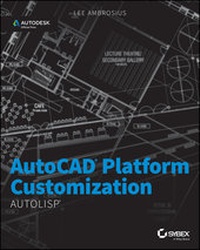
AutoCAD Platform Customization
Beschreibung

Weitere Details
Weitere Ausgaben
Andere Ausgaben
Person
Inhalt
Introduction
Welcome to AutoCAD Platform Customization: AutoLISP! Have you ever thought to yourself, Why doesn't the Autodesk® AutoCAD® program include every feature I need? Why isn't it streamlined for the type of work I perform? If so, you are not alone. AutoCAD at its core is a drafting platform that can be shaped and molded to more efficiently complete the tasks you perform on a daily basis and to enhance your company's workflows with the use of programming. Take a deep breath. I did just mention programming, but programming isn't something to fear. At first, just the idea of programming makes many people want to run in the opposite direction—myself included. The productivity gains are what propelled me forward. Programming isn't all that different from anything else you've tried doing for the first time.
In many ways, learning to program is much like learning a foreign language. For many new to AutoLISP®, the starting place is often a basic understanding of syntax and the command function. The command function allows you to leverage your knowledge of AutoCAD commands by being able to pass specific values to a command or pausing a command for a value. After you are comfortable with the syntax of AutoLISP and the command function, you can begin to learn additional functions that allow for the development of more robust and complex programs.
About This Book
AutoCAD Platform Customization: AutoLISP provides you with an understanding of the AutoLISP programming language and how it can help improve your productivity. This book is designed to be more than just an introduction to AutoLISP—a resource that can be used time and again when developing AutoLISP programs. As you page through this book, you will notice that it contains sample code and exercises that are based on real-world solutions.
This book is the second in a series of three that focuses on customizing and programming AutoCAD. The three-book series as a whole is known as AutoCAD Platform Customization: User Interface, AutoLISP, VBA, and Beyond, which will be available as a printed book in late 2014/early 2015. Book 1 in the series, AutoCAD Platform Customization: User Interface and Beyond, was published in early 2014 and focused on CAD standards and general customization of AutoCAD; book 3, AutoCAD Platform Customization: VBA, will be available in fall/winter 2014 and covers the VBA programming platform inside AutoCAD.
Is This Book for You?
AutoCAD Platform Customization: AutoLISP covers many aspects of AutoLISP programming for AutoCAD on Windows and Mac OS. If any of the following are true, this book will be useful to you:
- You want to develop and load custom programs using the AutoLISP programming language for use in the AutoCAD drawing environment.
- You want to automate the creation and manipulation of drawing objects.
- You want to automate repetitive tasks.
- You want to help manage and enforce CAD standards for your company.
AutoLISP in AutoCAD
AutoLISP is the most popular and is the original supported programming language for the AutoCAD program. The reason for its popularity with new (and even veteran) programmers is that it is a natural extension of the AutoCAD program. There is no additional software to purchase, and AutoLISP can leverage the commands that Autodesk and third-party developers expose at the Command prompt. For example, with a few simple lines of code you can set a layer as current and insert a title block with a specific insertion point, scale, and rotation. The block is then inserted on the layer you specified. To perform the same tasks manually, the end user would have to set a layer as current, choose the block they want to insert, and specify the properties of the block, which, in the case of a title block, are almost always the same.
The AutoLISP programming language can be used to accomplish the following:
- Create custom functions that can be executed from the AutoCAD Command prompt
- Create and manipulate graphical objects in a drawing, such as lines, circles, and arcs
- Create and manipulate nongraphical objects in a drawing, such as layers, dimension styles, and named views
- Perform mathematical and geometric calculations
- Request input from or display messages to the user at the Command prompt
- Interact with files and directories in the operating system
- Read from and write to external files
- Connect to applications that support ActiveX and COM
- Display dialog boxes and get input from the end user
AutoLISP code can be entered directly at the Command prompt or loaded using a LSP file. Once an AutoLISP program has been loaded, you can execute the custom functions from the Command prompt. Functions executed from the Command prompt can be similar to standard AutoCAD commands, but the programmer determines the prompts that should be displayed. It is also possible to use AutoLISP code with a command macro that is activated from the AutoCAD user interface or a tool on a tool palette.
What to Expect
This book is organized to help you learn AutoLISP fundamentals and how to manage and implement custom AutoLISP programs. Additional resources and files containing the example code found throughout this book can be found on the companion web page, www.sybex.com/go/autocadcustomization.
- Chapter 1: Quick Start for New AutoLISP Programmers In this chapter, you'll get an introduction to the AutoLISP programming language. I begin by showing you how to enter AutoLISP expressions at the Command prompt and execute standard AutoCAD commands. After that, you are eased into some basic programming concepts that allow you to perform conditional tests and repeat expressions. The chapter wraps up with creating and loading an AutoLISP file into the AutoCAD program.
- Chapter 2: Understanding AutoLISP In this chapter, you'll learn the fundamentals of the AutoLISP programming language. AutoLISP fundamentals include a look at the syntax and structure of an expression, how to use a function, and how to work with variables. Beyond just syntax and variables, you learn to use AutoCAD commands and group multiple AutoLISP expressions into custom functions.
- Chapter 3: Calculating and Working with Values In this chapter, you'll learn to work with mathematical and string-manipulation functions. Math functions allow you to perform basic and advanced calculations based on object values or a value that the user might provide, whereas string-manipulation functions allow you to work with text-based values. Both numeric and textual values are used when creating or manipulating objects, adding annotations to a drawing, or displaying a message to the end user. Based on how the values are used, numeric values can be converted to strings and strings can be converted to numeric values.
- Chapter 4: Working with Lists In this chapter, you'll learn to work with the list data type. Lists are used throughout AutoLISP to provide 2D or 3D coordinate values and to define an object stored in a drawing.
- Chapter 5: Requesting Input and Using Conditional and Looping Expressions In this chapter, you'll learn to request input from the user, use conditional statements, and repeat expressions. Requesting input allows you to get values from the user and then use those values to determine the end result of the program. Conditional statements enable a program to make choices based on known conditions in a drawing or input from a user. After you understand conditional statements, you will learn to use them in conjunction with looping expressions to execute a set of expressions until a condition is met.
- Chapter 6: Creating and Modifying Graphical Objects In this chapter, you'll learn how to create, modify, and attach extended data to graphical objects using AutoCAD commands and AutoLISP functions. Graphical objects represent the drawing objects, such as a line, an arc, or a circle, that are displayed in model space or on a named layout. When modifying objects, you can choose to step through all the objects in a drawing or let the user select the objects to be modified. Extended data allows you to store information with an object that can be used to identify the objects your program creates or link objects to external database records.
- Chapter 7: Creating and Modifying Nongraphical Objects In this chapter, you'll learn how to create and modify nongraphical objects using AutoCAD commands and AutoLISP functions. Nongraphical objects are used to control the appearance of graphical objects and store settings that affect the behavior of features in the AutoCAD program. Drawings support two different types of nongraphical objects: symbol-table objects and dictionaries.
- Chapter 8: Working with the Operating System and External Files In this chapter, you will learn how to work with settings and files stored outside of the AutoCAD program. Settings can be stored in the Windows Registry and Plist files on Mac OS, and they can be used to affect the behavior of the AutoCAD program or persist values for your custom programs between AutoCAD sessions. Files and folders stored in the operating system can be accessed and manipulated from the AutoCAD program, which allows you to set up project folders or populate project information in the title block of a drawing from an external file.
- Chapter 9: Catching and...
