

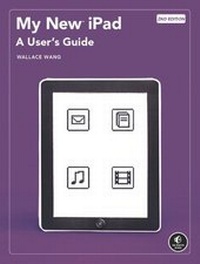
My New(TM) iPad
A User's Guide
2. Auflage
Erschienen am 1. Januar 2011
Buch
Softcover
XX, 361 Seiten
978-1-59327-287-6 (ISBN)
Beschreibung
This iPad is cute. It's lovable. It's fun to play with. And it's a bit mysterious.
My New(TM) iPad is your guide to getting more from your new iPad, Apple's latest magical creation. You'll learn how to do the things you want to do right now - like surf the Internet, send email, listen to music, take notes, read ebooks, and play with your photos.
Wallace Wang, best-selling author of My New Mac and my New iPhone, takes you step- by-step through the iPad's many useful features. You'll learn how to:
- Find your way using the Maps app and the iPad's compass
- Sync and share photographs, calendars, and contact information
- Use more than one app at once with the new multitasking feature
- Set up your email acounts and browse the Web
- Shop on iTunes and the iBook Store for new music, movies, TV shows, and books
- Customize your iPad by rearranging icons and organizing apps into folders
- Set parental controls and control privacy settings
- Edit Microsoft Word, Excel, and PowerPoint files
- Get organized with the Notes, Calendar, and Contacts apps
And much more. Discover the hundreds of amazing things your iPad can do with My New iPad and have fun doing it.
My New(TM) iPad is your guide to getting more from your new iPad, Apple's latest magical creation. You'll learn how to do the things you want to do right now - like surf the Internet, send email, listen to music, take notes, read ebooks, and play with your photos.
Wallace Wang, best-selling author of My New Mac and my New iPhone, takes you step- by-step through the iPad's many useful features. You'll learn how to:
- Find your way using the Maps app and the iPad's compass
- Sync and share photographs, calendars, and contact information
- Use more than one app at once with the new multitasking feature
- Set up your email acounts and browse the Web
- Shop on iTunes and the iBook Store for new music, movies, TV shows, and books
- Customize your iPad by rearranging icons and organizing apps into folders
- Set parental controls and control privacy settings
- Edit Microsoft Word, Excel, and PowerPoint files
- Get organized with the Notes, Calendar, and Contacts apps
And much more. Discover the hundreds of amazing things your iPad can do with My New iPad and have fun doing it.
Weitere Details
Auflage
2., nd Edition
Sprache
Englisch
Verlagsort
San Francisco
USA
Zielgruppe
- Any of the millions of people who purchase the Apple iPad, particularly those newer to Apple gadgets
Editions-Typ
Neue Ausgabe
Produkt-Hinweis
Klebebindung
Maße
Höhe: 23.3 cm
Breite: 17.7 cm
ISBN-13
978-1-59327-287-6 (9781593272876)
Schweitzer Klassifikation
Weitere Ausgaben
Nachauflagen
Buch
06/2011
3. Auflage
No Starch Press
20,00 €
Artikel ist vergriffen; siehe Neuauflage
Vorauflage
Buch
08/2010
1. Auflage
No Starch Press
20,00 €
Artikel ist vergriffen; siehe Neuauflage
Person
Wallace Wang is the author of several best-selling computer books, including My New Mac, My New iPhone, Steal This® Computer Book (all No Starch Press). He is also a successful standup comic who has appeared on A&E's "Evening at the Improv" and appears regularly at the Riviera Comedy Club in Las Vegas, Nevada.
Inhalt
Introduction <br/> <br/>Part 1: Basic Training <br/>Chapter 1: Turning Your iPad On and Off <br/>Chapter 2: Charging and Conserving iPad Battery Power <br/>Chapter 3: Using Your iPad's Physical and Virtual Controls <br/>Chapter 4: Controlling the iPad User Interface <br/>Chapter 5: Using and Customizing the Virtual Keyboard <br/> <br/>Part 2: Customizing Your iPad <br/>Chapter 6: Customizing the Home Screen <br/>Chapter 7: Using Parental Controls <br/>Chapter 8: Protecting Your Privacy <br/>Chapter 9: Setting the Date and Time <br/>Chapter 10: Restoring and Resetting Your iPad <br/>Chapter 11: Setting Up an Internet Connection <br/>Chapter 12: Installing (and Uninstalling) Apps <br/> <br/>Part 3: Getting on the Internet <br/>Chapter 13: Browsing with Safari <br/>Chapter 14: Using Bookmarks with Safari <br/>Chapter 15: Filling Out Forms Automatically in Safari <br/>Chapter 16: Setting Up and Customizing an Email Account <br/>Chapter 17: Reading, Writing, and Organizing Email <br/> <br/>Part 4: Sharing Data with Your iPad <br/>Chapter 18: Transferring Photos, Movies, Music, TV Shows, and Podcasts to Your iPad <br/>Chapter 19: Transferring Ebooks and Audiobooks to Your iPad <br/>Chapter 20: Transferring Contacts, Appointments, Mail, Notes, and Bookmarks <br/>Chapter 21: Transferring iTunes University Courses from a Computer to Your iPad <br/> <br/>Part 5: Video, Music, and Ebooks <br/>Chapter 22: Shopping on iTunes and the iBookstore <br/>Chapter 23: Listening to Music and Other Audio Files <br/>Chapter 24: Watching Videos <br/>Chapter 25: Watching YouTube Videos <br/>Chapter 26: Reading Ebooks <br/>Chapter 27: Viewing Photographs <br/>Chapter 28: Using and Sharing Photographs <br/> <br/>Part 6: Organizing Yourself <br/>Chapter 29: Jotting Down Notes <br/>Chapter 30: Viewing Contact Information <br/>Chapter 31: Tracking Appointments on a Calendar <br/>Chapter 32: Viewing a Map <br/>Chapter 33: Finding Places and Getting Directions with Maps <br/>Chapter 34: Searching Your iPad with Spotlight <br/> <br/>Part 7: Additional Tips <br/>Chapter 35: Updating the iPad Operating System <br/>Chapter 36: Making an iPad Accessible <br/>Chapter 37: Using Foreign Languages <br/>Chapter 38: Transferring and Editing Microsoft Office Documents <br/>Chapter 39: The Best iPad Apps <br/> <br/>The Next Step