

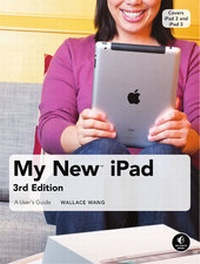
My New iPad
A User's Guide
3. Auflage
Erschienen am 18. Juni 2012
Buch
Softcover
XX, 290 Seiten
978-1-59327-429-0 (ISBN)
Beschreibung
The new iPad is cute. It's loveavble. It's fun to play with. Bit it can also be a bit mysterious. My New iPad is your guide to getting th most from Apple's latest magical creation. Bestselling author Wallace Wang's patient, step-by-step instructons will have you using your new iPad to:
- Find your way using the Maps app and the iPad's compass
- Get organized with the Notes, Reminders, Calendar, and Contacts apps
- Set up your email accounts and browse the Web
- Use dictation and keyboard shortcuts to save time typing
- Listen to music, read ebooks and magazines, and take photos and videos
- Use FaceTime to talk face-to-face with distant friends and relatives
- Shop on iTunes and the App Store for the best new music, apps, movies, games, magazines, and books
- Set parental controls, use a secret passcode, and encrypt your backups for maximum privacy
And so much more. You'll even learn top-secret touch gestures to help you make the most of your iPad. Discover the hundreds of amazing things your iPad can do with My new iPad.
- Find your way using the Maps app and the iPad's compass
- Get organized with the Notes, Reminders, Calendar, and Contacts apps
- Set up your email accounts and browse the Web
- Use dictation and keyboard shortcuts to save time typing
- Listen to music, read ebooks and magazines, and take photos and videos
- Use FaceTime to talk face-to-face with distant friends and relatives
- Shop on iTunes and the App Store for the best new music, apps, movies, games, magazines, and books
- Set parental controls, use a secret passcode, and encrypt your backups for maximum privacy
And so much more. You'll even learn top-secret touch gestures to help you make the most of your iPad. Discover the hundreds of amazing things your iPad can do with My new iPad.
Weitere Details
Weitere Ausgaben
Andere Ausgaben
E-Book
06/2012
1. Auflage
No Starch Press
55,89 €
Als Download verfügbar
Vorauflage

Buch
06/2011
3. Auflage
No Starch Press
20,00 €
Artikel ist vergriffen; siehe Neuauflage
Person
Wallace Wang is the author of several best-selling computer books, including My New Mac, My New iPhone, and Steal This Computer Book (all No Starch Press). He is also a successful stand-up comic who has appeared on A&E's "Evening at the Improv" and performs regularly at the Riviera Comedy Club in Las Vegas, Nevada.
Inhalt
Praise for the My New(TM) seriesAcknowledgmentsIntroductionBasic TrainingChapter 1: Turning Your iPad On and OffChapter 2: Charging and Conserving Battery PowerChapter 3: Using Your iPad's Physical and Virtual ControlsChapter 4: Controlling the iPad User InterfaceChapter 5: Using and Customizing the Virtual KeyboardChapter 6: Using Dictation and Keyboard ShorcutsMaking the Most of Your iPadChapter 7: Customizing the Home ScreenChapter 8: Using Parental ControlsChapter 9: Protecting Your PrivacyChapter 10: Setting Up an Internet ConnectionChapter 11: Installing (and Uninstalling) AppsGetting on the InternetChapter 12: Browsing with SafariChapter 13: Using Bookmarks with SafariChapter 14: Setting Up an Email AccountChapter 15: Reading, Organizing, and Sending EmailVideo, Music, Photos, and EbooksChapter 16: Transferring Songs, Videos, and Other Stuff to Your iPadChapter 17: Shopping on iTunes and the iBookstoreChapter 18: Listening to MusicChapter 19: Watching Video Podcasts, iTunes U Classes, and YouTube VideosChapter 20: Reading EbooksChapter 21: Photos, Videos, and FaceTimeChapter 22: Viewing, Using, and Sharing PhotographsOrganizing YourselfChapter 23: Jotting Down NotesChapter 24: Staying on Track with RemindersChapter 25: Keeping Contact InformationChapter 26: Using the CalendarChapter 27: Using MapsChapter 28: Searching Your iPad with SpotlightAdditional TipsChapter 29: Making Your iPad AccessibleChapter 30: Using Foreign LanguagesChapter 31: The Best iPad AppsChapter 32: Troubleshooting Your iPad