

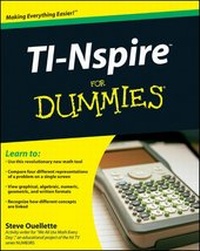
TI-Nspire For Dummies
1. Auflage
Erschienen am 26. Januar 2009
Buch
Softcover
360 Seiten
978-0-470-37934-9 (ISBN)
Beschreibung
You'll be inspired by this low-stress guide to a high-tech math learning tool!
Your TI-Nspire is unlike any mathematical tool you've ever seen, so you'll really appreciate this plain-English guide to what it can do and how to do it. From loading the batteries and creating a document to performing geometric calculations and constructing statistical graphs, you'll see how to use the TI-Nspire alone and with your PC.
* Start here - set up your TI-Nspire handheld, get familiar with the keypad, use the function keys, and configure system settings
* You need representation - grasp mathematical concepts more easily through multiple representations and linking representations
* Document problems - create documents, add problems, configure page layout, and save your work for assignments or class notes
* Be calculating - work with the calculator menu, tools, forms, and variables
* Graphic or plane - use the graphing functions in the analytic view and work with geometric objects in the plane geometry view
* List the spread - create and manage lists and spreadsheets and use this application with others for statistical calculations
* Link up - connect the TI-Nspire handheld to your computer
Open the book and find:
* How to connect your TI-Nspire handheld to your computer
* Basics of entering and evaluating expressions
* How to conduct data collection experiments
* How to use CAS (Computer Algebra System) in algebra and calculus
* Different methods of graphing a function
* How to construct geometric objects
* Steps for creating dot plots, histograms, box plots, and scatter plots
* What the Notes function provides and how to use it
Your TI-Nspire is unlike any mathematical tool you've ever seen, so you'll really appreciate this plain-English guide to what it can do and how to do it. From loading the batteries and creating a document to performing geometric calculations and constructing statistical graphs, you'll see how to use the TI-Nspire alone and with your PC.
* Start here - set up your TI-Nspire handheld, get familiar with the keypad, use the function keys, and configure system settings
* You need representation - grasp mathematical concepts more easily through multiple representations and linking representations
* Document problems - create documents, add problems, configure page layout, and save your work for assignments or class notes
* Be calculating - work with the calculator menu, tools, forms, and variables
* Graphic or plane - use the graphing functions in the analytic view and work with geometric objects in the plane geometry view
* List the spread - create and manage lists and spreadsheets and use this application with others for statistical calculations
* Link up - connect the TI-Nspire handheld to your computer
Open the book and find:
* How to connect your TI-Nspire handheld to your computer
* Basics of entering and evaluating expressions
* How to conduct data collection experiments
* How to use CAS (Computer Algebra System) in algebra and calculus
* Different methods of graphing a function
* How to construct geometric objects
* Steps for creating dot plots, histograms, box plots, and scatter plots
* What the Notes function provides and how to use it
Weitere Details
Weitere Ausgaben
Nachauflagen
Jeff McCalla | Steve Ouellette
TI-Nspire For Dummies
Buch
06/2011
2. Auflage
Wiley
24,00 €
Versand in 15-20 Tagen
Person
Steve Ouellette is Chair of the Mathematics Department at Westwood High School in Massachusetts. He has been an activity writer for "We All Use Math Every Day," a program that offered math teachers and students classroom projects related to the story line in each episode of the CBS hit series NUMB3RS.
Inhalt
Introduction. Part I: Getting to Know Your TI-Nspire Handheld. Chapter 1: Using TI-Nspire for the First Time. Chapter 2: Understanding the Document Structur. Chapter 3: Creating and Editing Documents. Chapter 4: Linking Handhelds. Part II: The Calculator Application. Chapter 5: Entering and Evaluating Expressions. Chapter 6: Working with Variables. Chapter 7: Using the Calculator Application with Other Applications. Chapter 8: Using the Calculator Application with TI-Nspire CAS. Part III: The Graphs & Geometry Application. Chapter 9: Working in the Analytic View. Chapter 10: Working in the Plane Geometry View. Chapter 11: Working in Both Views Simultaneously. Chapter 12: Using the Graphs & Geometry Application with TI-Nspire CAS. Part IV: The Lists & Spreadsheet Application. Chapter 13: Applying What You Already Know About Spreadsheets. Chapter 14: Working with Data. Chapter 15: Constructing Scatterplots and Performing Regressions. Chapter 16: Manual and Automatic Data Capture. Chapter 17: Using the Lists & Spreadsheet Application with TI-Nspire CAS. Part V: The Data & Statistics Application. Chapter 18: Constructing Statistical Graphs. Chapter 19: Working with Single-Variable Data. Chapter 20: Working with Two-Variable Data. Chapter 21: Data Collection. Part VI: The Notes Application. Chapter 22: The Why and How of Using Notes. Chapter 23: Taking Notes to a Whole New Level. Part VII: TI-Nspire Computer Software. Chapter 24: TI-Nspire Computer Link Software. Chapter 25: TI-Nspire Computer Software. Part VIII: The Part of Tens. Chapter 26: Ten Great Activities That Realize the Power of TI-Nspire. Chapter 27: Ten Great Tips and Shortcuts. Chapter 28: Ten Common Problems Resolved. Appendix A: Working with Libraries. Appendix B: Basic Programming. Index.