

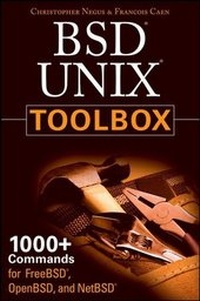
BSD UNIX Toolbox
1000+ Commands for FreeBSD, OpenBSD and NetBSD
Erschienen am 9. Mai 2008
Buch
Softcover
310 Seiten
978-0-470-37603-4 (ISBN)
Beschreibung
Explore a ton of powerful BSD UNIX commands
This handy, compact guide teaches you to use BSD UNIX systems as the experts do: from the command line. Try out more than 1,000 commands to find and get software, monitor system health and security, and access network resources. Apply the skills you learn from this book to use and administer servers and desktops running FreeBSD, OpenBSD, NetBSD, or any other BSD flavor.
Expand your BSD UNIX expertise in these and other areas:
* Using the shell
* Finding online software
* Working with files
* Playing with music and images
* Administering file systems
* Backing up data
* Checking and managing running processes
* Accessing network resources
* Handling remote system administration
* Locking down security
This handy, compact guide teaches you to use BSD UNIX systems as the experts do: from the command line. Try out more than 1,000 commands to find and get software, monitor system health and security, and access network resources. Apply the skills you learn from this book to use and administer servers and desktops running FreeBSD, OpenBSD, NetBSD, or any other BSD flavor.
Expand your BSD UNIX expertise in these and other areas:
* Using the shell
* Finding online software
* Working with files
* Playing with music and images
* Administering file systems
* Backing up data
* Checking and managing running processes
* Accessing network resources
* Handling remote system administration
* Locking down security
Weitere Details
Auflage
1. Auflage
Sprache
Englisch
Verlagsort
Chichester
Großbritannien
Verlagsgruppe
John Wiley and Sons Ltd
Zielgruppe
Für Beruf und Forschung
Illustrationen
Illustrations
Maße
Höhe: 22.8 cm
Breite: 15.2 cm
Dicke: 1.9 cm
Gewicht
371 gr
ISBN-13
978-0-470-37603-4 (9780470376034)
Schweitzer Klassifikation
Weitere Ausgaben
Andere Ausgaben
E-Book
06/2008
Wiley
17,99 €
Als Download verfügbar
Personen
Christopher Negus served for eight years on development teams for the UNIX operating system at the AT&T labs, where UNIX was created and developed. He also worked with Novell on UNIX and UnixWare development. Chris is the author of the bestselling Fedora and Red Hat Linux Bible series, Linux Toys II, Linux Troubleshooting Bible, and Linux Bible 2008 Edition.
Francois Caen hosts and manages business application infrastructures through his company Turbosphere LLC. As an open-source advocate, he has lectured on OSS network management and Internet services, and served as president of the Tacoma Linux User Group. He is a Red Hat Certified Engineer (RHCE).
Francois Caen hosts and manages business application infrastructures through his company Turbosphere LLC. As an open-source advocate, he has lectured on OSS network management and Internet services, and served as president of the Tacoma Linux User Group. He is a Red Hat Certified Engineer (RHCE).
Inhalt
Acknowledgments.
Introduction.
Chapter 1: Starting with BSD Systems.
About FreeBSD, NetBSD, and OpenBSD.
Focusing on BSD Commands.
Summary.
Chapter 2: Installing FreeBSD and Adding Software.
Before Installing FreeBSD.
Installing FreeBSD.
Adding, Deleting, and Managing Software.
Checking Packages and Ports.
Summary.
Chapter 3: Using the Shell.
Terminal Windows and Shell Access.
Using the Shell.
Acquiring Super-User Power.
Using Environment Variables.
Creating Simple Shell Scripts.
Summary.
Chapter 4: Working with Files.
Understanding File Types.
Setting File and Directory Permissions.
Traversing the File System.
Copying Files.
Changing File Attributes.
Searching for Files.
Finding Out More About Files.
Summary.
Chapter 5: Manipulating Text.
Matching Text with Regular Expressions.
Editing Text Files.
Listing, Sorting, and Changing Text.
Summary.
Chapter 6: Playing with Multimedia.
Working with Audio.
Transforming Images.
Summary.
Chapter 7: Administering File Systems.
Understanding File System Basics.
Creating and Managing File Systems.
Mounting and Unmounting File Systems.
Checking File Systems.
Finding Out About File System Use.
Summary.
Chapter 8: Backups and Removable Media.
Backing Up Data to Compressed Archives.
Backing Up Over Networks.
Summary.
Chapter 9: Checking and Managing Running Processes.
Listing Active Processes.
Finding and Controlling Processes.
Summary.
Chapter 10: Managing the System.
Monitoring Resources.
Mastering Time.
Managing the Boot Process.
Controlling System Services.
Starting and Stopping Your System.
Straight to the Kernel.
Poking at the Hardware.
Summary.
Chapter 11: Managing Network Connections.
Configuring Network Interfaces Using sysinstall.
Managing Network Interface Cards.
Managing Network Connections.
Using Wireless Connections.
Checking Name Resolution.
Troubleshooting Network Problems.
Summary.
Chapter 12: Accessing Network Resources.
Running Commands to Browse the Web.
Transferring Files.
Sharing Remote Directories.
Chatting with Friends in IRC.
Using Text-Based e-mail Clients.
Summary.
Chapter 13: Doing Remote System Administration.
Doing Remote Login and Tunneling with SSH.
Using screen: A Rich Remote Shell.
Using a Remote Windows Desktop.
Using Remote BSD Desktop and Applications.
Sharing Desktops Using VNC.
Summary.
Chapter 14: Locking Down Security.
Working with Users and Groups.
Checking on Users.
Securing Network Services.
Configuring the Built-In Firewall.
Working with System Logs.
Using Advanced Security Features.
Summary.
Appendix A: Using vi or Vim Editors.
Starting and Quitting the vi Editor.
Moving Around in vi.
Changing and Deleting Text in vi.
Using Miscellaneous Commands.
Modifying Commands with Numbers.
Using Ex Commands.
Working in Visual Mode.
Summary.
Appendix B: Shell Special Characters and Variables.
Using Special Shell Characters.
Using Shell Variables.
Appendix C: Personal Configuration Files.
Index.
Introduction.
Chapter 1: Starting with BSD Systems.
About FreeBSD, NetBSD, and OpenBSD.
Focusing on BSD Commands.
Summary.
Chapter 2: Installing FreeBSD and Adding Software.
Before Installing FreeBSD.
Installing FreeBSD.
Adding, Deleting, and Managing Software.
Checking Packages and Ports.
Summary.
Chapter 3: Using the Shell.
Terminal Windows and Shell Access.
Using the Shell.
Acquiring Super-User Power.
Using Environment Variables.
Creating Simple Shell Scripts.
Summary.
Chapter 4: Working with Files.
Understanding File Types.
Setting File and Directory Permissions.
Traversing the File System.
Copying Files.
Changing File Attributes.
Searching for Files.
Finding Out More About Files.
Summary.
Chapter 5: Manipulating Text.
Matching Text with Regular Expressions.
Editing Text Files.
Listing, Sorting, and Changing Text.
Summary.
Chapter 6: Playing with Multimedia.
Working with Audio.
Transforming Images.
Summary.
Chapter 7: Administering File Systems.
Understanding File System Basics.
Creating and Managing File Systems.
Mounting and Unmounting File Systems.
Checking File Systems.
Finding Out About File System Use.
Summary.
Chapter 8: Backups and Removable Media.
Backing Up Data to Compressed Archives.
Backing Up Over Networks.
Summary.
Chapter 9: Checking and Managing Running Processes.
Listing Active Processes.
Finding and Controlling Processes.
Summary.
Chapter 10: Managing the System.
Monitoring Resources.
Mastering Time.
Managing the Boot Process.
Controlling System Services.
Starting and Stopping Your System.
Straight to the Kernel.
Poking at the Hardware.
Summary.
Chapter 11: Managing Network Connections.
Configuring Network Interfaces Using sysinstall.
Managing Network Interface Cards.
Managing Network Connections.
Using Wireless Connections.
Checking Name Resolution.
Troubleshooting Network Problems.
Summary.
Chapter 12: Accessing Network Resources.
Running Commands to Browse the Web.
Transferring Files.
Sharing Remote Directories.
Chatting with Friends in IRC.
Using Text-Based e-mail Clients.
Summary.
Chapter 13: Doing Remote System Administration.
Doing Remote Login and Tunneling with SSH.
Using screen: A Rich Remote Shell.
Using a Remote Windows Desktop.
Using Remote BSD Desktop and Applications.
Sharing Desktops Using VNC.
Summary.
Chapter 14: Locking Down Security.
Working with Users and Groups.
Checking on Users.
Securing Network Services.
Configuring the Built-In Firewall.
Working with System Logs.
Using Advanced Security Features.
Summary.
Appendix A: Using vi or Vim Editors.
Starting and Quitting the vi Editor.
Moving Around in vi.
Changing and Deleting Text in vi.
Using Miscellaneous Commands.
Modifying Commands with Numbers.
Using Ex Commands.
Working in Visual Mode.
Summary.
Appendix B: Shell Special Characters and Variables.
Using Special Shell Characters.
Using Shell Variables.
Appendix C: Personal Configuration Files.
Index.