

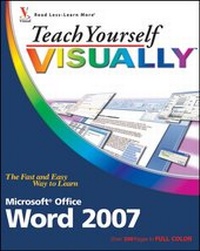
Teach Yourself VISUALLY Word 2007
Erschienen am 24. November 2006
Buch
Softcover
320 Seiten
978-0-470-04593-0 (ISBN)
Preis leider unbekannt
Artikel ist vergriffen; siehe andere Ausgabe
Beschreibung
Are you a visual learner? Do you prefer instructions that show you how to do something - and skip the long-winded explanations? If so, then this book is for you. Open it up and you'll find clear, step-by-step screen shots that show you how to tackle more than 150 Word 2007 tasks. Each task-based spread includes easy, visual directions for performing necessary operations, including:
* Using the Ribbon with the mouse or the keyboard
* Saving documents in PDF format
* Sharing text among documents
* Working with the thesaurus
* Setting paragraph line spacing
* Wrapping text around graphics
* Helpful sidebars offer practical tips and tricks
* Succinct explanations walk you through step by step
* Full-color screen shots demonstrate each task
* Two-page lessons break big topics into bite-sized modules
* Using the Ribbon with the mouse or the keyboard
* Saving documents in PDF format
* Sharing text among documents
* Working with the thesaurus
* Setting paragraph line spacing
* Wrapping text around graphics
* Helpful sidebars offer practical tips and tricks
* Succinct explanations walk you through step by step
* Full-color screen shots demonstrate each task
* Two-page lessons break big topics into bite-sized modules
Weitere Details
Weitere Ausgaben
Andere Ausgaben
Person
Elaine Marmel is president of Marmel Enterprises, LLC, an organization that specializes in freelance technical writing and software training. Elaine has an MBA from Cornell University and has worked on projects to build financial management systems in New York City and Washington, D.C. Elaine spends most of her time writing; since 1994, she has been a contributing editor to monthly magazines Peachtree Extra and QuickBooks Extra. She co-wrote Peachtree For Dummies, 2nd Edition (Wiley, 2004), and wrote Microsoft Office Project 2003 Bible (Wiley, 2003), Master VISUALLY Project 2003 (Wiley, 2004), and Master VISUALLY QuickBooks 2005 (Wiley, 2005), and she has authored and coauthored more than 30 other books. Although a native of Chicago, Elaine has seen much of the world, including Cincinnati, Ohio; Jerusalem, Israel; Ithaca, New York; Washington, D.C., and Tampa, FL. As of this writing, she has settled into a perfect house in Arizona, and lives with her purrfect cats, Cato, Watson, and Buddy (who seems to be made of velcro, sticking to Elaine when she starts to write), and her doting and loving dog, Josh (who watches the door for visitors and may lick you to death while performing the job of general welcoming committee).
Inhalt
Chapter 1: A First Look at Word.
Chapter 2: Managing Documents.
Chapter 3: Edit Text.
Chapter 4: Proofreading.
Chapter 5: Format Text.
Chapter 6: Format Paragraphs.
Chapter 7: Format Pages.
Chapter 8: Print Documents.
Chapter 9: Create Tables and Charts.
Chapter 10: Work With Graphics.
Chapter 11: Customize Word.
Chapter 12: Work with Mass Mailing Tools.
Chapter 13: Word and the Internet.
Chapter 2: Managing Documents.
Chapter 3: Edit Text.
Chapter 4: Proofreading.
Chapter 5: Format Text.
Chapter 6: Format Paragraphs.
Chapter 7: Format Pages.
Chapter 8: Print Documents.
Chapter 9: Create Tables and Charts.
Chapter 10: Work With Graphics.
Chapter 11: Customize Word.
Chapter 12: Work with Mass Mailing Tools.
Chapter 13: Word and the Internet.