

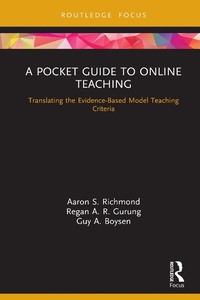
A Pocket Guide to Online Teaching
Translating the Evidence-Based Model Teaching Criteria
1st Edition
Published on 8. March 2021
84 pages
978-1-000-36982-3 (ISBN)
Description

This pithy yet thorough book provides an evidence-based guide on how to prepare for online teaching, especially for those who are making a swift transition from face-to-face to online instruction.
Guided by the Model Teaching Characteristics created by The Society for the Teaching of Psychology, this book covers important topics like: how to adapt to expected and unexpected changes in teaching, how to evaluate yourself and your peers, and tips on working smarter/optimizing working practices with the resources available. The features of the book include:
Practical examples exploring how to solve the typical problems of designing and instructing online courses.
Interactive "Worked Examples" and "Working Smarter" callouts throughout the book which offer practical demonstrations to help teachers learn new skills.
Further reading and resources to build on knowledge about online education.
End of chapter checklists which summarizes suggestions about how to be a model online teacher.
This essential resource will provide support for teachers of all levels and disciplines, from novice to the most experienced, during the transition to online teaching.
Guided by the Model Teaching Characteristics created by The Society for the Teaching of Psychology, this book covers important topics like: how to adapt to expected and unexpected changes in teaching, how to evaluate yourself and your peers, and tips on working smarter/optimizing working practices with the resources available. The features of the book include:
Practical examples exploring how to solve the typical problems of designing and instructing online courses.
Interactive "Worked Examples" and "Working Smarter" callouts throughout the book which offer practical demonstrations to help teachers learn new skills.
Further reading and resources to build on knowledge about online education.
End of chapter checklists which summarizes suggestions about how to be a model online teacher.
This essential resource will provide support for teachers of all levels and disciplines, from novice to the most experienced, during the transition to online teaching.
More details
Edition
1. Auflage
Language
English
Place of publication
London
United Kingdom
Publishing group
Taylor & Francis Ltd
Target group
College/higher education
Professional and scholarly
Illustrations
14 Tables, black and white; 2 Line drawings, black and white; 2 Halftones, black and white; 4 Illustrations, black and white
ISBN-13
978-1-000-36982-3 (9781000369823)
Copyright in bibliographic data and cover images is held by Nielsen Book Services Limited or by the publishers or by their respective licensors: all rights reserved.
Schweitzer Classification
Other editions
Additional editions
Aaron S. Richmond | Regan A. R. Gurung | Guy Boysen
A Pocket Guide to Online Teaching
Translating the Evidence-Based Model Teaching Criteria
Book
03/2021
1st Edition
Routledge
€76.40
Shipment within 15-20 days

Aaron S. Richmond
A Pocket Guide to Online Teaching
Translating the Evidence-Based Model Teaching Criteria
Book
03/2021
Routledge
Unfortunately, price unknown
Available (delivery time upon request)
Persons
Aaron S. Richmond is a Professor of Educational Psychology at Metropolitan State University of Denver, USA. He studies how humans learn and develop and the application of this knowledge to classroom instruction and assessment.
Regan A. R. Gurung is Professor of Psychological Science and Director of the General Psychology Program at Oregon State University, USA. His research focuses on reducing prejudice, racism, and sexism, and the factors influencing learning.
Guy A. Boysen is a Professor of Psychology at McKendree University, USA. His scholarship emphasizes the teaching of psychology, professional development of teachers, and stigma toward mental illness.
Regan A. R. Gurung is Professor of Psychological Science and Director of the General Psychology Program at Oregon State University, USA. His research focuses on reducing prejudice, racism, and sexism, and the factors influencing learning.
Guy A. Boysen is a Professor of Psychology at McKendree University, USA. His scholarship emphasizes the teaching of psychology, professional development of teachers, and stigma toward mental illness.
Content
Dedication
Preface
1. Apples and Oranges, But Still Fruit: Model Teaching Universals and Differences
1.1. Confessions of Three Skeptical Teachers
The Background of Model Teaching
What is Model Teaching?
How is Teaching Different Online?
Becoming a Model Online Teacher
1.2. Stop, Think, Reflect: The Model Online Teaching Checklist for Training
1.3. Tips For Continued Learning About Model Online Teaching
2. Students Interaction with Content
2.1. Adapting Student Interaction with Content in Online CourseInteraction with Content Through Student Learning Objectives
The Syllabus and Your LMS is a Vehicle for Course Content
Interaction with Content Depends on Course Design, Structure, and Clarity
Model Online Teachers use Course Templates to Organize Content
Special Considerations for Online Interactions with Content
Broadening Instructional Methods
2.2. Stop, Think, Reflect: The Model Online Teaching Checklist for Student Interaction with Content
2.3. Tips For Continued Learning About Students Interacting with Content
3. Student to Student Interaction
3.1. Adapting Student-to-Student Interaction: How to Build a Community of Online Learners
Establishing Student-to-Student Interaction Through Discussions Forums
Fostering Student Community with Online Discussion
Communicating Discussion Expectations
Fostering Student Learning with Online Discussion
Create Collaborative and Cooperative Online Learning Opportunities
Establishing a Community of Learners Necessitates Mitigation of Student-to-Student Conflict
3.2. Stop, Think, Reflect: The Model Online Teaching Checklist for Student-to-Student Contact
3.3. Tips For Continued Learning About Student-to-Student Interactions
4. Instructor-to-Student Interaction
4.1. Adapting to Online Instruction to Promote Instructor to Student Interaction
Use the Syllabus to Interact with Students
Use Various Instructional Methods and Skills to Interact with Students
Practice Effective Online Teaching Skills
The Great Debate: Do Model Online Teachers use Synchronous or Asynchronous Learning?
Interact with Students via Student Evaluations of Teaching
Interact with Students Through Student Feedback
4.2. Stop, Think, Reflect: The Model Online Teaching Checklist for Instructor-to-Student Interaction
4.3. Tips For Continued Learning About Online Instructor-to-Student Interaction
5. Online Assessment
5.1. How to Adapt Assessment to Online Instruction
a. The Process of Assessing Student Learning Online
Communicating Learning Objectives
Alignment of Learning Objectives, Assignments, and Activities
Providing Constructive Feedback Online
Making Assessment-based Changes
b. Teaching Effectiveness Assessment Process
5.2. Stop, Think, Reflect: The Model Online Teaching Checklist for Assessment
5.3. Tips for Continued Learning About Online Assessment
References
Index
Preface
1. Apples and Oranges, But Still Fruit: Model Teaching Universals and Differences
1.1. Confessions of Three Skeptical Teachers
The Background of Model Teaching
What is Model Teaching?
How is Teaching Different Online?
Becoming a Model Online Teacher
1.2. Stop, Think, Reflect: The Model Online Teaching Checklist for Training
1.3. Tips For Continued Learning About Model Online Teaching
2. Students Interaction with Content
2.1. Adapting Student Interaction with Content in Online CourseInteraction with Content Through Student Learning Objectives
The Syllabus and Your LMS is a Vehicle for Course Content
Interaction with Content Depends on Course Design, Structure, and Clarity
Model Online Teachers use Course Templates to Organize Content
Special Considerations for Online Interactions with Content
Broadening Instructional Methods
2.2. Stop, Think, Reflect: The Model Online Teaching Checklist for Student Interaction with Content
2.3. Tips For Continued Learning About Students Interacting with Content
3. Student to Student Interaction
3.1. Adapting Student-to-Student Interaction: How to Build a Community of Online Learners
Establishing Student-to-Student Interaction Through Discussions Forums
Fostering Student Community with Online Discussion
Communicating Discussion Expectations
Fostering Student Learning with Online Discussion
Create Collaborative and Cooperative Online Learning Opportunities
Establishing a Community of Learners Necessitates Mitigation of Student-to-Student Conflict
3.2. Stop, Think, Reflect: The Model Online Teaching Checklist for Student-to-Student Contact
3.3. Tips For Continued Learning About Student-to-Student Interactions
4. Instructor-to-Student Interaction
4.1. Adapting to Online Instruction to Promote Instructor to Student Interaction
Use the Syllabus to Interact with Students
Use Various Instructional Methods and Skills to Interact with Students
Practice Effective Online Teaching Skills
The Great Debate: Do Model Online Teachers use Synchronous or Asynchronous Learning?
Interact with Students via Student Evaluations of Teaching
Interact with Students Through Student Feedback
4.2. Stop, Think, Reflect: The Model Online Teaching Checklist for Instructor-to-Student Interaction
4.3. Tips For Continued Learning About Online Instructor-to-Student Interaction
5. Online Assessment
5.1. How to Adapt Assessment to Online Instruction
a. The Process of Assessing Student Learning Online
Communicating Learning Objectives
Alignment of Learning Objectives, Assignments, and Activities
Providing Constructive Feedback Online
Making Assessment-based Changes
b. Teaching Effectiveness Assessment Process
5.2. Stop, Think, Reflect: The Model Online Teaching Checklist for Assessment
5.3. Tips for Continued Learning About Online Assessment
References
Index
