

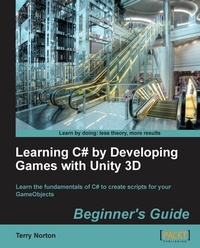
Learning C# by Developing Games with Unity 3D Beginner's Guide
The beauty of this book is that it assumes absolutely no knowledge of coding at all. Starting from very first principles it will end up giving you an excellent grounding in the writing of C# code and scripts.
1st Edition
Published on 3. June 2024
292 pages
978-1-84969-659-3 (ISBN)
Description

The beauty of this book is that it assumes absolutely no knowledge of coding at all. Starting from very first principles it will end up giving you an excellent grounding in the writing of C# code and scripts.Key Features - You've actually been creating scripts in your mind your whole life, you just didn't realize it. Apply this logical ability to write Unity C# scripts
- Learn how to use the two primary building blocks for writing scripts: the variable and the method. They're not mysterious or intimidating, just a simple form of substitution
- Learn about GameObjects and Component objects as well as the vital communication between these objects using Dot Syntax. It's easy, just like addressing a postal letter
- Stay logically organized by utilizing a State Machine for your code. Use the simple concept of a State to control your Unity project. You will definitely save time by knowing where your code is located
- With your new knowledge of coding, you will be able to look at Unity's Scripting Reference code examples with confidence
Book DescriptionFor the absolute beginner to any concept of programming, writing a script can appear to be an impossible hurdle to overcome. The truth is, there are only three simple concepts to understand: 1) having some type of information; 2) using the information; and 3) communicating the information. Each of these concepts is very simple and extremely important. These three concepts are combined to access the feature set provided by Unity. "Learning C# by Developing Games with Unity 3D Beginner's Guide" assumes that you know nothing about programming concepts. First you will learn the absolute basics of programming using everyday examples that you already know. As you progress through the book, you will find that C# is not a foreign language after all, because you already know the words. With a few keywords and using substitution, before you know it, you'll be thinking in code. The book starts by explaining in simple terms the three concepts you need for writing C# code and scripts: 1) variables to hold information; 2) methods (functions) to use the information; and 3) Dot Syntax to communicate the information where it's needed. The book builds on these concepts to open up the world of C# coding and Unity scripting. You will use this new power to access the features provided in Unity's Scripting Reference. The first half of this book is devoted to the code writing beginner. The concepts of variables, methods, Dot Syntax, and decision processing are fully explained. Since C# is an actual programming language, we take advantage of this to develop a State Machine to help control and organize each phase of a Unity project. Once the basic programming concepts are established and we have some State Machine organization, the features and power of Unity are accessed using the Scripting Reference. If you're looking to learn C# for Unity then this is the book that offers everything you need and more - so discover what C# offers today and see your work come to life as complete games!What you will learn - Understand what a variable is and how it works
- Learn about methods and functions is and how they are used to manipulate information
- Learn the concept of an object, a component of a GameObject, and the class they come from
- Learn about communication between objects using Dot Syntax
- Understand how to make decisions in code
- Learn how to use a State Machine to control and organize a Unity project
- Master the Scripting Reference to bring GameObjects to life
- Learn how to use the Unity Physics engine for moving and detecting GameObject collisions and triggers
- Display information on the game screen
Who this book is forThis book is for the total beginner to any type of programming, focusing on the writing of C# code and scripts only. There are many parts that make up the Unity game engine. It is assumed that the reader already knows their way around Unity's user interface. The code editor used in this book is the MonoDevelop editor supplied by Unity.
- Learn how to use the two primary building blocks for writing scripts: the variable and the method. They're not mysterious or intimidating, just a simple form of substitution
- Learn about GameObjects and Component objects as well as the vital communication between these objects using Dot Syntax. It's easy, just like addressing a postal letter
- Stay logically organized by utilizing a State Machine for your code. Use the simple concept of a State to control your Unity project. You will definitely save time by knowing where your code is located
- With your new knowledge of coding, you will be able to look at Unity's Scripting Reference code examples with confidence
Book DescriptionFor the absolute beginner to any concept of programming, writing a script can appear to be an impossible hurdle to overcome. The truth is, there are only three simple concepts to understand: 1) having some type of information; 2) using the information; and 3) communicating the information. Each of these concepts is very simple and extremely important. These three concepts are combined to access the feature set provided by Unity. "Learning C# by Developing Games with Unity 3D Beginner's Guide" assumes that you know nothing about programming concepts. First you will learn the absolute basics of programming using everyday examples that you already know. As you progress through the book, you will find that C# is not a foreign language after all, because you already know the words. With a few keywords and using substitution, before you know it, you'll be thinking in code. The book starts by explaining in simple terms the three concepts you need for writing C# code and scripts: 1) variables to hold information; 2) methods (functions) to use the information; and 3) Dot Syntax to communicate the information where it's needed. The book builds on these concepts to open up the world of C# coding and Unity scripting. You will use this new power to access the features provided in Unity's Scripting Reference. The first half of this book is devoted to the code writing beginner. The concepts of variables, methods, Dot Syntax, and decision processing are fully explained. Since C# is an actual programming language, we take advantage of this to develop a State Machine to help control and organize each phase of a Unity project. Once the basic programming concepts are established and we have some State Machine organization, the features and power of Unity are accessed using the Scripting Reference. If you're looking to learn C# for Unity then this is the book that offers everything you need and more - so discover what C# offers today and see your work come to life as complete games!What you will learn - Understand what a variable is and how it works
- Learn about methods and functions is and how they are used to manipulate information
- Learn the concept of an object, a component of a GameObject, and the class they come from
- Learn about communication between objects using Dot Syntax
- Understand how to make decisions in code
- Learn how to use a State Machine to control and organize a Unity project
- Master the Scripting Reference to bring GameObjects to life
- Learn how to use the Unity Physics engine for moving and detecting GameObject collisions and triggers
- Display information on the game screen
Who this book is forThis book is for the total beginner to any type of programming, focusing on the writing of C# code and scripts only. There are many parts that make up the Unity game engine. It is assumed that the reader already knows their way around Unity's user interface. The code editor used in this book is the MonoDevelop editor supplied by Unity.
All prices
More details
Other editions
Additional editions
Terry Norton
Learning C# by Developing Games with Unity 3D Beginner's Guide
The beauty of this book is that it assumes absolutely no knowledge of coding at all. Starting from very first principles it will end up giving you an excellent grounding in the writing of C
Book
09/2013
Packt Publishing
€63.00
Shipment within 3-4 weeks
Person
Norton Terry :
Terry Norton was born and raised in California. During the Vietnam era, he served six and half years in the US Air Force. While in the military, he was trained in electronics for electronic counter-measures. Upon discharge, he earned his Electrical Engineering degree, and later working for Joslyn Defense Systems in Vermont, designing and developing test equipment for the US Navy. When personal computers came on the scene, he took an interest in building computers, but never quite delved deep into the programming side. It wasn't until 2004 that programming peaked his interest. He began writing articles for OS/2 Magazine to teach C++ programming. Unfortunately, damaging his left hand in a snowblower accident in 2005 ended his writing for a couple years. IBM abandoned OS/2, so Terry bought his first Apple computer in early 2006. He tried a few times to learn Objective-C, but work and family always seemed to sidetrack his efforts. It wasn't until about 2010 when he discovered Unity and the need to write scripts, that he finally made some progress into the programming world. He began writing an online tutorial for UnityScript titled UnityScript for Noobs. It was a basic tutorial for beginners made available just before Unite 2011. Since then, Terry has been learning C# for writing scripts for Unity. Packt Publishing noticed UnityScript for Noobs and asked if he would be interested in writing a book about learning UnityScript. He declined. He felt that C# was a better language, and his heart just wasn't into UnityScript any longer. Two weeks later, Packt offered him the opportunity to write a book about learning C# for Unity. He jumped on it.
Terry Norton was born and raised in California. During the Vietnam era, he served six and half years in the US Air Force. While in the military, he was trained in electronics for electronic counter-measures. Upon discharge, he earned his Electrical Engineering degree, and later working for Joslyn Defense Systems in Vermont, designing and developing test equipment for the US Navy. When personal computers came on the scene, he took an interest in building computers, but never quite delved deep into the programming side. It wasn't until 2004 that programming peaked his interest. He began writing articles for OS/2 Magazine to teach C++ programming. Unfortunately, damaging his left hand in a snowblower accident in 2005 ended his writing for a couple years. IBM abandoned OS/2, so Terry bought his first Apple computer in early 2006. He tried a few times to learn Objective-C, but work and family always seemed to sidetrack his efforts. It wasn't until about 2010 when he discovered Unity and the need to write scripts, that he finally made some progress into the programming world. He began writing an online tutorial for UnityScript titled UnityScript for Noobs. It was a basic tutorial for beginners made available just before Unite 2011. Since then, Terry has been learning C# for writing scripts for Unity. Packt Publishing noticed UnityScript for Noobs and asked if he would be interested in writing a book about learning UnityScript. He declined. He felt that C# was a better language, and his heart just wasn't into UnityScript any longer. Two weeks later, Packt offered him the opportunity to write a book about learning C# for Unity. He jumped on it.
Content
Table of Contents - Your Game is Full of Stupid GameObjects
- Unity in Your Life
- Variables in Detail
- Functions in Detail
- Decisions, decisions, always having to make decisions
- Dot Syntax: Component Communication
- There?s More to a Game than Just Playing It
- One State at a Time
- GameObject Interaction
- Simple Scoring System on Your Screen
- Summary and Your New Abilities
- Appendix: Initial State Machine files for chapter 9
- Appendix: Completed code files for chapters 9 and 10
- Unity in Your Life
- Variables in Detail
- Functions in Detail
- Decisions, decisions, always having to make decisions
- Dot Syntax: Component Communication
- There?s More to a Game than Just Playing It
- One State at a Time
- GameObject Interaction
- Simple Scoring System on Your Screen
- Summary and Your New Abilities
- Appendix: Initial State Machine files for chapter 9
- Appendix: Completed code files for chapters 9 and 10

