

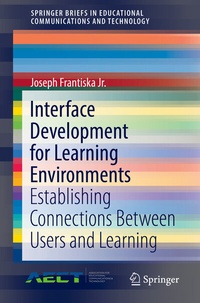
Interface Development for Learning Environments
Description

This brief will examine and explore some tools and techniques that can be used to develop interfaces for learning environments. Interface design has been a topic in software engineering for many years. The advent of graphical user interfaces has created many remedies and challenges for the software engineer. In recent years with an increased emphasis in educational technology, instructional designers are also included in this arena. The interface can be a driver in terms of a learning environment's ability to engage a student. It can also provide a point of information exchange and therefore learning between the student and the environment's software. Thus, the issue of an interface is vital to the success of a learning environment. This brief will produce a variety of interfaces for various environments to allow the designer to contrast and compare them based upon the required purpose. The designer will have a toolkit filled with tools and techniques which will allow for interfacesthat will engage the student and facilitate their learning. The primary audiences are K-12 and post-secondary educators who desire to create digital media based educational materials.
More details
Other editions
Additional editions
Person
Content
Background and Significance.- User Interface Design.- Hypertext.- Animation.- Assessment.- Understand the Audience.- Define the Inputs.- Define what processing occurs.- Define the outputs.- Cognitive Underpinnings.- Chunking Implications for User Interface Design.- Dual Coding.- Dissonance Theory.- Learning Taxonomies.- Cognitive learning taxonomy.- Affective learning taxonomy.- Psychomotor learning taxonomy.- Combining taxonomies.- Presentation Sequencing.- Elaboration Theory.- Learning Hierarchies.- Prototyping.- Storyboarding.- Navigation Patterns.- Random Design.- Structured Designs.- Selecting an Appropriate Design.- Multimedia: It's Implementation and Usage.- Images.- Image file compression.- Lossless Compression.- Lossy Compression.- Raster formats.- Interlacing.- GIF.- Design issues with GIFs.- JPEG.- Design Issues with JPEGs.- TIFF.- RAW.- PNG.- BMP.- PPM, PGM, PBM, PNM.- Vector formats.- CGM.- SVG.- Motion Pictures / Animation.- Sound Files.- Uncompressed Format.- Compressed Formats.- Lossy Compression.- Lossless Compression.- Text and Message Design.- Their Combination.- Modality Principle.- Redundancy principle.- Implications for Multimedia Design Limits.- The Case for Adding On-Screen Text to Narrated Animations - The learning preference principle.- The Case Against Adding On-Screen Text to Narrated Animations.- Other Principles.- Navigation Patterns.- Random Design.- Structured Designs.- Conclusion.
