


How to Do Everything with Your Scanner
Published on 1. April 2003
Book
Paperback/Softback
378 pages
978-0-07-219106-6 (ISBN)
Description
This volume describes how to use a scanner to capture images, offers advice and tips on image and colour correction and provides details on using photo editing software to edit, repair and modify scanned images.
More details
Series
Language
English
Place of publication
New York
United States
Publishing group
McGraw-Hill Education - Europe
Illustrations
illustrations
Dimensions
Height: 232 mm
Width: 189 mm
Weight
800 gr
ISBN-13
978-0-07-219106-6 (9780072191066)
Copyright in bibliographic data is held by Nielsen Book Services Limited or its licensors: all rights reserved.
Schweitzer Classification
Other editions
New editions
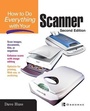
David Huss
How To Do Everything with Your Scanner
Book
02/2003
2nd Edition
McGraw-Hill Professional
€28.50
Article is exhausted; no reprint
Additional editions
Jill Gilbert
How to Do Everything with Your Scanner
E-Book
08/2001
1st Edition
McGraw-Hill Education
€44.89
Available for download
Person
Jill Gilbert (River Hills, WI) has written 10 computer books, including MGI PhotoSuite 4 for Dummies, PC Anywhere for Dummies and The Online Investing Bible. She's teaches tax and computer classes at a local college.
Content
Part 1: The Basics of Scanning Ch. 1: How Scanning Technology Works Ch. 2: Select the Right Scanner Ch. 3: Install Your Scanner Part 2: The Technique of Scanning Ch. 4: Graphics Concepts Related to Scanning Ch. 5: Improve the Quality of Your Scanned Images Ch. 6: Troubleshooting Tips and Tricks Part 3: Editing Your Scanned Images Ch. 7: Select a Digital Editing Program Ch. 8: Which Photo Editing Tools to Use? Part 4: Practical Uses for Your Scanner Ch. 9: Scan Negatives and Slides Ch. 10: Reproduce Instantly Developed Photos Ch. 11: Scan OCR Images Ch. 12: Repair and Restore Your Photos Ch. 13: Scan Forms and Documents Part 5: Additional Scanning Projects Ch. 14: Promote a Professional Image With Logos and Presentations Ch. 15: Create Newsletters, Stationary and Other Communication Tools Ch. 16: Add Scanned Images to Your Web Pages and E-Mails Ch. 17: Scanning Projects for Home and Leisure Ch. 18: Create Greeting Cards, Calendars and Picture Frames with Scanned Images