

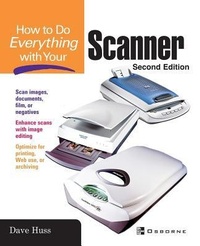
How To Do Everything with Your Scanner
2nd Edition
Published on 16. February 2003
Book
Paperback/Softback
320 pages
978-0-07-222891-5 (ISBN)
Description
Scan this book! Or, read it cover-to-cover. Either way, you'll learn which scanner to purchase to suite your needs, important technical information about pixels and digital images, installation and calibration tips, and plenty of tricks to make scanning easier and more effective. Written for both PC and Mac users.
More details
Series
Edition
2nd edition
Language
English
Place of publication
United States
Publishing group
McGraw-Hill Education - Europe
Illustrations
150 Illustrations
Dimensions
Height: 228 mm
Width: 187 mm
Thickness: 22 mm
Weight
562 gr
ISBN-13
978-0-07-222891-5 (9780072228915)
Copyright in bibliographic data and cover images is held by Nielsen Book Services Limited or by the publishers or by their respective licensors: all rights reserved.
Schweitzer Classification
Other editions
Previous edition

Jill Gilbert
How to Do Everything with Your Scanner
Book
04/2003
Osborne/McGraw-Hill
€22.27
Article exhausted; check for reprint
Person
Dave Huss has been involved in photography for over 40 years and was an early advocate of digital photography. He has authored more than 15 books on digital photo editing and scanning. Dave's photo work has won several international competitions and he has taught workshops in both the US and Europe, been interviewed on both CNN and TechTV and served as a Photoshop World instructor.
Content
Part I: Basic Details about Your Scanner 1: Get Acquainted with Your Scanner 2: Buy, Install, and Maintain Your Scanner 3: Make Your First Scan 4: Save What You Have Scanned 5: Print What You Have Scanned Part II: Put Your Scanner to Work 6: Scan Graphics for Use on the Web 7: Scan Documents Using OCR Software 8: Use Your Scanner for a Variety of Workplace Tasks 9: Put Your Scanner to Work at Home, Too Part III: Advanced Scanner Stuff 10: Get the Best Scan You Can 11: Scan Your Negatives and Slides 12: Organizing Your Photos 13: Selecting and Using Photo Editors 14: Correct and Enhance Your Scanned Photos 15: Repair and Restore Photographs