

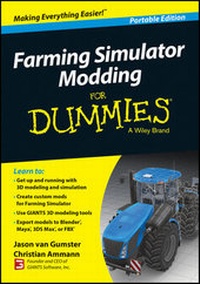
Farming Simulator Modding For Dummies, Portable Edition
Published on 11. August 2014
240 pages
978-1-118-94028-0 (ISBN)
Description

Learn the basics of 3D modeling for the popular FarmingSimulator game
Do you want to get started with creating your own vehicles,maps, landscapes, and tools that you can use in the game and sharewith the Farming Simulator community? Then this is the resource foryou! With the help of Jason van Gumster, you'll get up and runningon everything you need to master 3D modeling andsimulation--and have fun while doing it! Inside, you'll findout how to create and edit maps, start using the material panel,customize your mods by adding texture, use the correct file-namingconventions, test your mod in single and multiplayer modes, get agrip on using Vehicle XML, and so much more.
There's no denying that Farming Simulator players lovemodding--and now there's a trusted, friendly resource to helpyou take your modding skills to the next level and get even moreout of your game. Written in plain English and packed with tons ofstep-by-step explanations, Farming Simulator Modding ForDummies is a great way to learn the ropes of 3D modeling withthe tools available to you in the game. In no time, you'll bewowing your fellow gamesters--and yourself--with custom,kick-butt mods. So what are you waiting for?
* Includes an easy-to-follow introduction to using the GIANTS 3Dmodeling tools
* Explains how to export models to Blender, Maya, 3DS Max, orFBX
* Provides tips for using the correct image format fortextures
* Details how to use Photoshop and Audacity to create custom modsfor Farming Simulator
Whether you're one of the legions of rabid fans of the popularFarming Simulator game or just someone who wants to learn thebasics of 3D modeling and animation, you'll find everything youneed in this handy guide.
More details
Other editions
Additional editions
Jason van Gumster | Christian Ammann
Farming Simulator Modding For Dummies
Book
11/2014
Wiley
€42.27
Article exhausted; check different version
Persons
Jason van Gumster is an animator, producer, and designer. He helps moderate the forums at BlenderArtists.org. Christian Ammann is the founder and CEO of GIANTS Software, Inc.
Content
- Intro
- Title Page
- Copyright Page
- Table of Contents
- Introduction
- About This Book
- Foolish Assumptions
- Beyond This Book
- Icons Used in This Book
- Where to Go from Here
- Part I: Getting Started with Farming Simulator Modding
- Chapter 1: Introducing GIANTS Editor
- Knowing the Editor's Parts
- Loading Assets
- Navigating in 3D Space
- Transforming Objects
- Chapter 2: Creating Map Mods
- Preparing a Map Mod
- Selecting, Organizing, and Placing Props
- Adjusting User Attributes
- Triggering Events in Your Map
- Chapter 3: Editing Surface Details in Maps
- Editing Terrain
- Painting Foliage and Ground Details
- Working with Navigation Meshes: Adding Spaces for Animals
- Chapter 4: Using the Material Panel
- Modifying Material Properties
- Viewing Material Textures
- Chapter 5: Playing with Particles
- Discovering the Uses for Particles
- Working with the Particle Editor
- Adding Particles in Your Mod
- Part II: Creating Custom 3D Mods
- Chapter 6: Setting Up a Basic modDesc.xml
- Creating a New modDesc.xml
- Defining Mod Title and Descriptions
- Adding In-Game Store Items
- Including Specializations
- Chapter 7: Making a New 3D Mod
- Setting Up a New Scene
- Establishing Object Hierarchy
- Configuring Materials and Textures
- Using Your Triangles Effectively
- Chapter 8: Exporting Your Mod for GIANTS Editor
- Exporting from Blender
- Exporting from Maya
- Exporting from 3ds Max
- Exporting with FBX
- Importing Your Mod into GIANTS Editor
- Part III: Enhancing Your Mods
- Chapter 9: Adding Texture to Your Mod
- Working in Proper Texture Sizes
- Understanding the Texture Types Used on a Mod
- Assembling a Complete Specular Map
- Optimizing Textures for the Game
- Chapter 10: Working with Sounds
- Getting Your Sounds
- Editing Sound Files
- Exporting Sounds for GIANTS Engine
- Bringing Sounds into Your Mod
- Part IV: Customizing Mod Behaviors
- Chapter 11: Tweaking Vehicle XML
- Understanding Object Indexing
- Discovering the Structure of a Vehicle XML File
- Setting Correct Collisions
- Working with Motors and Wheels
- Setting Up Cameras
- Adding Lights
- Chapter 12: Defining New Objects and Behaviors with Lua
- Getting Started with Utils.lua
- Understanding a Specialization Script
- Adding Custom Specializations to modDesc.xml
- Chapter 13: Getting Out Your Mod
- Finalizing Your Mod
- Creating Store and Brand Icons
- Submitting and Sharing Mods
- Part V: The Part of Tens
- Chapter 14: Ten Powerful Tips When Creating Mods
- Use the Correct Image Format for Textures
- Use Texture Sizes that Fit Your Mod's Physical Size
- Consolidate Your Texture Data
- Set Useful Clip Distance Values
- Avoid Spaces and Special Characters in Filenames
- Be Aware of Case-Sensitive Paths
- Convert WAV Files from Stereo to Mono
- Check the Game Log for Errors and Warnings
- Test Your Mod in Single and Multiplayer Modes
- Put Your Mod into a Single Zip Package
- Chapter 15: Ten Valuable Community Resources
- GIANTS Developer Network
- Modhub
- Farming Simulator Forums
- Farming Simulator Modding Video Tutorials
- Farming Simulator Script Source Code
- GIANTS Software Company Website
- Lua.org
- Freesound.org
- Blender.org
- CGTextures.com
- Appendix: Error and Warning Message Reference
- Index
- About the Author
- Wiley End User License Agreement
