

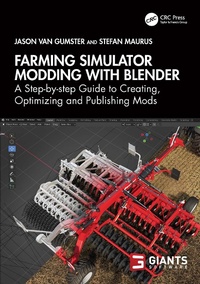
Farming Simulator Modding with Blender
A Step-by-step Guide to Creating, Optimizing and Publishing Mods
1st Edition
Published on 29. October 2024
300 pages
978-1-040-14507-4 (ISBN)
Description

This is a comprehensive guide to creating and customizing mods for the popular video game Farming Simulator within Blender. This book covers all aspects needed to create your own vehicle mods from start to finish.
The book begins with a basic introduction in Blender before showing you how to prepare your hierarchy and set up pivots. You'll then learn to create physics components and how to set up your ModDesc and Vehicle XML files. The book then covers all you need to know about implementing vehicle functions before applying LOD meshes ahead of testing and finally publishing your mod on the official GIANTS ModHub.
This book will appeal to all Farming Simulator modders, as well as those looking to learn game development concepts within Blender.
The book begins with a basic introduction in Blender before showing you how to prepare your hierarchy and set up pivots. You'll then learn to create physics components and how to set up your ModDesc and Vehicle XML files. The book then covers all you need to know about implementing vehicle functions before applying LOD meshes ahead of testing and finally publishing your mod on the official GIANTS ModHub.
This book will appeal to all Farming Simulator modders, as well as those looking to learn game development concepts within Blender.
More details
Edition
1. Auflage
Language
English
Place of publication
London
United Kingdom
Publishing group
Taylor & Francis Ltd
Target group
Professional and scholarly
Illustrations
2 Tables, black and white; 83 Halftones, black and white; 83 Illustrations, black and white
ISBN-13
978-1-040-14507-4 (9781040145074)
Copyright in bibliographic data and cover images is held by Nielsen Book Services Limited or by the publishers or by their respective licensors: all rights reserved.
Schweitzer Classification
Other editions
Additional editions
Jason van Gumster | Stefan Maurus
Farming Simulator Modding with Blender
A Step-by-step Guide to Creating, Optimizing and Publishing Mods
Book
10/2024
1st Edition
CRC Press
€174.70
Shipment within 10-20 days
Jason van Gumster | Stefan Maurus
Farming Simulator Modding with Blender
A Step-by-step Guide to Creating, Optimizing and Publishing Mods
Book
10/2024
1st Edition
CRC Press
€56.40
Shipment within 10-20 days
Persons
Jason van Gumster does a lot of things. Mostly he makes stuff up. He writes, animates, and occasionally teaches. He has heavy entrepreneurial tendencies that run nearly as deep as his creative ones, so he has a constant fascination with producing creative content with as much control and independence as possible. Naturally, he's a big proponent of open source software; very nearly everything that he produces is made using free and open source tools.
Stefan Maurus serves as the Lead Integrator at GIANTS Software, overseeing the integration of vehicles and assets into the Farming Simulator game series. Prior to entering the gaming industry, Stefan initiated his career as a modder, gaining recognition for the detailed mods he crafted. At GIANTS FarmCon and other industry events, he conducts workshops and presentations to assist modders in enhancing their mod creation skills.
Stefan Maurus serves as the Lead Integrator at GIANTS Software, overseeing the integration of vehicles and assets into the Farming Simulator game series. Prior to entering the gaming industry, Stefan initiated his career as a modder, gaining recognition for the detailed mods he crafted. At GIANTS FarmCon and other industry events, he conducts workshops and presentations to assist modders in enhancing their mod creation skills.
Content
Foreword. 1. Introduction to Farming Simulator Modding. 2. Working with Blender. 3. Defining Surface Materials. 4. Preparing Your Hierarchy and Setting Up Pivots. 5. Creating Physics Components and Function Nodes. 6. Setting Up ModDesc-XML and Vehicle-XML. 7. Implementing Vehicle Functions. 8. Animating Your Vehicle. 9. Adding Extra Vehicle Features. 10. Creating Merge Groups. 11. Building Level of Detail (LOD) Meshes. 12. Constructing Hydraulic Hoses. 13. Generating Icons. 14. Tips and Tricks for Testing Your Vehicle In-Game. 15. Publishing Your Mod. 16. Appendix Code/File Examples
