

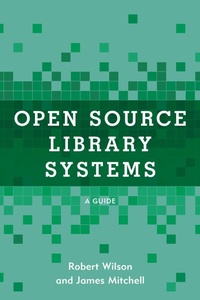
Open Source Library Systems
A Guide
1st Edition
Published on 11. September 2021
174 pages
979-8-8818-7873-3 (ISBN)
Description

Open source software and applications are all around us, and it's no different in today's libraries. Knowing about the open source alternative to integrated library system and being able to make accurate comparisons can save a library tens to hundreds of thousands of dollars a year while more closely matching the library's functional needs.
The fact is that the foundational software in place in nearly every industry is being built with open source components. Where software applications are still proprietary or closed, those systems are themselves often built upon open source applications like open source web services, database management systems, programming languages, and operating systems. It's the same story in the library world. Library software providers offering the latest and greatest software solution for many thousands of dollars a year are building these solutions with open source software. However, full-fledged open source applications built with the same underlying technologies are available to libraries at no cost for the software itself. Each of these applications have their own unique and interesting history and communities supporting them.
For the reader unfamiliar with open source software or apprehensive about using these applications in their library, this guide:
introduces the history of open source;demonstrate the global upward trend of adopting open source technologies in general and within libraries in particular;debunk various myths about implementing and using open source technologies;discusses several different types of library information systems including:Integrated Library Systems Institutional RepositoriesDigital Asset Management Systems Online Public Access CatalogsResource SharingElectronic Resource Managementand lastly, shares real world experiences in getting started with open source solutions, including discussing what systems and services are available and best practices for implementation and use.
The fact is that the foundational software in place in nearly every industry is being built with open source components. Where software applications are still proprietary or closed, those systems are themselves often built upon open source applications like open source web services, database management systems, programming languages, and operating systems. It's the same story in the library world. Library software providers offering the latest and greatest software solution for many thousands of dollars a year are building these solutions with open source software. However, full-fledged open source applications built with the same underlying technologies are available to libraries at no cost for the software itself. Each of these applications have their own unique and interesting history and communities supporting them.
For the reader unfamiliar with open source software or apprehensive about using these applications in their library, this guide:
introduces the history of open source;demonstrate the global upward trend of adopting open source technologies in general and within libraries in particular;debunk various myths about implementing and using open source technologies;discusses several different types of library information systems including:Integrated Library Systems Institutional RepositoriesDigital Asset Management Systems Online Public Access CatalogsResource SharingElectronic Resource Managementand lastly, shares real world experiences in getting started with open source solutions, including discussing what systems and services are available and best practices for implementation and use.
More details
Other editions
Additional editions
Book
09/2021
Rowman & Littlefield Publishers
€40.20
Shipment within 3-4 weeks
Persons
Robert Wilson is systems librarian and assistant professor at Middle Tennessee State University's Walker Library. He has worked with library systems since 2011 in school, public, and academic libraries as well as the vendor side as an analyst and implementation manager. He has an MS in information systems from Middle Tennessee State University and an MSLIS from Drexel University. He's implemented dozens of open and closed source library systems at the libraries he's worked with and as a support analyst and later as an implementation manager worked with hundreds of libraries in implementation and integration of dozens of types of library software and applications.
James Mitchell is systems librarian at the University of North Alabama's Collier Library, where he additionally serves as manager of Collier Experimental Learning Lab (CELL), Collier Library's makerspace. Since 2012, James has been responsible for implementing technology solutions within archives and libraries in both public and academic libraries. He holds an MLIS from the University of Alabama.
James Mitchell is systems librarian at the University of North Alabama's Collier Library, where he additionally serves as manager of Collier Experimental Learning Lab (CELL), Collier Library's makerspace. Since 2012, James has been responsible for implementing technology solutions within archives and libraries in both public and academic libraries. He holds an MLIS from the University of Alabama.
Content
Preface
Acknowledgments
1: Open Source Software: A Reorientation
2: OSS in Libraries
3: Open Source and the ILS
4: Open Source and Digital Repositories
5: Open Source Discovery
6: Open Source Resource Sharing
7: Open Source Electronic Resource Management
8: Additional Open Source Systems
9: Libraries, Open Source Software, and the Future
Appendix A: Notes on Library System Implementations
Appendix B: ILS Selection & Migration Example
Acknowledgments
1: Open Source Software: A Reorientation
2: OSS in Libraries
3: Open Source and the ILS
4: Open Source and Digital Repositories
5: Open Source Discovery
6: Open Source Resource Sharing
7: Open Source Electronic Resource Management
8: Additional Open Source Systems
9: Libraries, Open Source Software, and the Future
Appendix A: Notes on Library System Implementations
Appendix B: ILS Selection & Migration Example
