

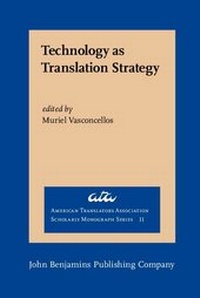
Technology as Translation Strategy
1st Edition
Published on 1. January 1988
VIII, 248 pages
978-90-272-8615-4 (ISBN)
Description

The papers in this volume tell the story of a profession that is responding in a number of different ways to the advances in computer technology - of professionals who are streamlining their work, reducing repetitive tasks, eliminating manual operations, and in general increasing their productivity while at the same time achieving a more interesting and relaxed environment.
More details
Other editions
Additional editions
Muriel Vasconcellos
Technology as Translation Strategy
Book
01/1988
John Benjamins Publishing Co
€116.60
Shipment within 10-15 days
Person
Content
- Technology as Translation Strategy
- Editorial page
- Title page
- Copyright page
- Table of contents
- Editor's Notes
- Clarification
- Acknowledgments
- NOTES
- REFERENCES
- The Translator and . . . WORD PROCESSING
- Word Processing and the Independent Translator: A Revolution in Working Procedures
- World Writer
- Networking
- TERM
- Conclusion
- Translator Strategies for Getting the Most Out of Word Processing
- Word Processing and the Translator
- Beyond the Basics
- Conclusion
- NOTE
- System Networking for Translators
- Transmission by Modem
- Character Sets
- Transmission by Facsimile
- Electronic Mail
- Data Transmission and the Translation Bureau
- Conclusion
- NOTE
- Nuts and Bolts for Translators: How Do I Get ã on This #$&*@* Computer?
- Roman Characters
- Non-Roman Characters
- Conclusion
- The Ideal Workstation: Perspective of the Independent Translator
- A State-of-the-Art Workstation in 1987
- By 1992
- By 1997
- By 2002
- REFERENCES
- An Ideal Workstation?Perspective of the In-House Translator
- Word-Processing Requirements
- Information Retrieval
- Access Time
- Sources
- Local Data Bank
- Central Data Bank
- Networking
- Translation Retrieval System
- Conclusion
- Introducing Future Translators to Word Processing
- NOTE
- REFERENCES
- The Translator and . . . THE LEXICAL DATA BASE Section Editor: Alan Melby
- Introduction to Lexical Data Bases
- Term Banks
- Personal LDBs
- NOTE
- REFERENCE
- Termium: The Structure of lts Linguistic Data
- Structure of the Linguistic Data Base
- Structure of the Record
- Termium: Complete Record in Parallel Format
- Termium: Simplified Breakdown Format
- Conclusion
- Termium: Format Building-Blocks
- Automation of Terminology in the International Organizations: United Nations
- Background
- Dissemination
- Evolving Technologies
- Automation of Terminology in the International Organizations: World Bank
- Features of the Data Base
- Other Design Aspects
- Annex 1
- Fields
- Automation of Terminology in the International Organizations: International Monetary Fund
- IMF: Record Display for a Query
- BTUSB: A Terminological Data Bank for Venezuela
- Background
- Physical Description
- Third World Roles of BTUSB
- Strategies for the Sharing of Lexical Data Bases
- Sharing vs. Protecting an LDB
- Sharing within a Local Area Network
- Sharing between Independent Compatible Computers
- Sharing between Incompatible Systems
- MATER
- MciroMATER
- Conclusion
- NOTES
- Automated Lookup: Auto Term of ALP Systems
- Auto Term Overview
- Dictionaries
- Repetitions Processing
- Conclusion
- NOTE
- REFERENCE
- Mercury: A Tool for the Management of Specialized Terminology
- Mercury On-Line
- Networking with Mercury
- Supporting Software
- System Architecture
- Cross-Referencing
- Glossaries Available
- Conclusion
- The Ideal Lexical Database System: A Checklist of Desirable Features
- 1. Compatibility
- 2. Flexible Record Layout
- 3. Character-Set Handling
- 4. On-line Inquiry
- 5. Immediate Updating
- 6. File Manipulation Utilities
- 7. Universal Exchange Facility
- 8. Networking Capability
- 9. Database Scope
- 10. Response Time
- 11. Integration with Word Processing
- 12. Simple Menus
- 13. Support for Terminologists
- 14. Reasonable Price
- Conclusion
- The Translator and . . . MACHINE TRANSLATION
- A Translator's Map of Machine Translation
- It'll never work
- 'You'll be out of a job
- What's in it for translators?
- How can a computer translate?
- Systems on the Market
- Typology of MT Systems
- Human Assistance: The Four Modes of MT
- WARNING: MACHINE TRANSLATION
- The Translation Market
- Following the American Lead
- NOTES
- REFERENCES
- Two Aspects of Interactive Machine Translation
- TransActive: The ALPS Interactive MT Component
- Translation Editor: The ALPS Interactive Translation Environment
- Conclusion
- REFERENCES
- Getting Smart in Many Languages: MT with an Option of Preprocessing
- Electronic Message Translation
- The SMART Expert Editor as Preprocessing Option
- Conclusion
- The Role of the Translator in Making an MT System Work: Perspective of a Developer
- Selection of Texts
- Dictionary Development
- Development of Translation Rules
- Postediting
- Summary
- Making an MT System Work: Perspective of a Translator
- Postediting
- Updating the Dictionary
- Feedback for Algorithm Development
- Conclusion
- REFERENCES
- The Translator and the Postediting Experience
- The Role of Postediting
- The Posteditor
- Mode of Operation
- The Strategies
- Working On-Screen
- Saving Time by Minimizing Corrections
- Linguistic Strategies-"Quick Fixes''
- Mechanical Aids
- Feedback
- Conclusion
- REFERENCES
- The Translator and the Dictionary Experience
- Single-Word Entries: New Word Search and Alex the Automatic Lexicographer
- Phrases: Noun Phrase Search and Semantha
- MT in Large Organizations: Systran at the Commission of the European Communities
- Background
- Use of the System
- Assistance to Translators
- Rapid Postediting by Translators
- Efficiency
- Cost
- Additional Benefits of MT
- Human Factors
- The Outlook for Systran
- NOTES
- REFERENCES
- MT in Large Organizations: Revolution in the Workplace
- REFERENCES
- MT in a Service Bureau: Its Uses and Limitations
- Uses of MT
- Limitations of MT
- Conclusion
- Information-Only Machine Translation: A Feasibility Study
- Attitudes toward MT Quality: A Survey
- Sample Translation Used in Survey of Technical Staff
- Speed
- Foreign-Word Replacement
- Source Words Remaining in Unedited MT Output
- Cost
- Conclusion
- NOTES
- REFERENCES
- MT and the Independent Translator
- Suitability of the Microcomputer for MT
- Processors
- Peripherals
- Software
- MT Products Currently Available on Microcomputers
- Conclusion and Future Perspective
- Factors in the Evaluation of MT: A Pragmatic Approach
- Myths and Misconceptions
- Prerequisites for the Consideration of MT
- When MT Is Profitable
- Selecting an MT System
- Commercial Sales Pitches and Pitfalls
- NOTES
- Factors in the Evaluation of MT: Formal vs. Functional Approaches
- Formal Approaches
- ALPAC
- Summary of Formal Approaches
- Functional Approaches
- End-User Evaluation
- The Broad Functional View
- Conclusion
- NOTES
- REFERENCES
- ROUNDUP
- Deciding on the Level of Computer Participation in Translation
- Types of Computer Participation in Translation
- Variables of the Translation Task
- Matrix Evaluation
- Levels of Computer Participation in Translation and Associated Variables
- Trade-offs
- Conclusion
- Future Perspectives in Translation Technologies
- Types of Translation
- Machine Aids
- Word Processing
- Printing of Output
- Dictionaries and Glossaries
- Reference Sources
- Machine Translation
- Sublanguage Systems
- Pre-editing and Regularized Input
- Interactive MT
- Full MT with Postediting
- Future Prospects for Advanced MT Systems
- Artificial Intelligence and MT
- Spoken Language Input and Output
- The Immediate Future in MT and MAT
- The Translator's Workstation
- The Future for Translators
- Conclusion
- NOTES
- REFERENCES
- Contributors
- Call for Proposals: Translator and Interpreter Training and Foreign Language Pedagogy
- Corporate Members
- Institutional Members
- American Translators Association, Officers and Board of Directors, 1987
- Recipients of the Alexander Gode Medal
- The series American Translators Association Scholarly Monograph Series
