

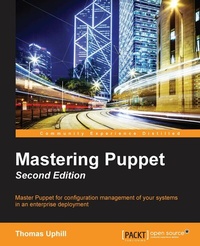
Mastering Puppet
Master Puppet for configuration management of your systems in an enterprise deployment
2nd Edition
Published on 8. July 2025
276 pages
978-1-78588-259-3 (ISBN)
Description

Master Puppet for configuration management of your systems in an enterprise deploymentKey Features - [*] This book is an advanced guide to using and deploying Puppet 4 in your organization with a special focus on issues faced in larger enterprise deployments
- [*] From an experienced author, learn to deal with scaling, performance, and multiple developers with the help of real-world examples
- [*] This is the most up-to-date guide on Puppet, and covers the advanced concepts of Puppet 4
Book DescriptionPuppet is a configuration management system and a language. It was written for and by system administrators to manage large numbers of systems efficiently and prevent configuration drifts. Mastering Puppet deals with the issues faced when scaling out Puppet to handle large numbers of nodes. It will show you how to fit Puppet into your enterprise and allow many developers to work on your Puppet code simultaneously. In addition, you will learn to write custom facts and roll your own modules to solve problems. Next, popular options for performing reporting and orchestration tasks will be introduced in this book. Moving over to troubleshooting techniques, which will be very useful. The concepts presented are useful to any size organization. By the end of the book, you will know how to deal with problems of scale and exceptions in your code, automate workflows, and support multiple developers working simultaneously. What you will learn - [*] Scale out your Puppet infrastructure using proxying techniques
- [*] Automate your code promotion workflow using Git and r10k
- [*] Solve real-world problems using public modules from the Puppet Forge
- [*] Use Hiera to separate the data of your configuration from the code of your configuration
- [*] Write your own custom facts in Ruby
- [*] Extend Puppet with your own custom facts, modules, and types
- [*] Use exported resources to orchestrate change between machines
- [*] Debug a puppetserver using Java techniques
Who this book is forThis book is for those who have intermediate knowledge of Puppet and are looking to deploy it in their environment. Some idea how to write simple modules for configuration management with Puppet is a prerequisite for this book.
- [*] From an experienced author, learn to deal with scaling, performance, and multiple developers with the help of real-world examples
- [*] This is the most up-to-date guide on Puppet, and covers the advanced concepts of Puppet 4
Book DescriptionPuppet is a configuration management system and a language. It was written for and by system administrators to manage large numbers of systems efficiently and prevent configuration drifts. Mastering Puppet deals with the issues faced when scaling out Puppet to handle large numbers of nodes. It will show you how to fit Puppet into your enterprise and allow many developers to work on your Puppet code simultaneously. In addition, you will learn to write custom facts and roll your own modules to solve problems. Next, popular options for performing reporting and orchestration tasks will be introduced in this book. Moving over to troubleshooting techniques, which will be very useful. The concepts presented are useful to any size organization. By the end of the book, you will know how to deal with problems of scale and exceptions in your code, automate workflows, and support multiple developers working simultaneously. What you will learn - [*] Scale out your Puppet infrastructure using proxying techniques
- [*] Automate your code promotion workflow using Git and r10k
- [*] Solve real-world problems using public modules from the Puppet Forge
- [*] Use Hiera to separate the data of your configuration from the code of your configuration
- [*] Write your own custom facts in Ruby
- [*] Extend Puppet with your own custom facts, modules, and types
- [*] Use exported resources to orchestrate change between machines
- [*] Debug a puppetserver using Java techniques
Who this book is forThis book is for those who have intermediate knowledge of Puppet and are looking to deploy it in their environment. Some idea how to write simple modules for configuration management with Puppet is a prerequisite for this book.
All prices
More details
Other editions
Additional editions
Thomas Narrabilis
Mastering Puppet - Second Edition
Book
02/2016
Packt Publishing
€62.90
Shipment within 3-4 weeks
Previous edition
Thomas Uphill
Mastering Puppet
Mastering Puppet for network programming enables developers to pull the strings of Puppet and configure enterprise-level environments for optimum performance
E-Book
06/2024
1st Edition
Packt Publishing Limited
from
€26.51
Available for download
Person
Uphill Thomas :
Thomas Uphill (https://www.linkedin.com/in/thomasuphill) is a long-time user of Puppet. He has presented Puppet tutorials at LOPSA-East, Cascada, and PuppetConf. He has also been a system administrator for over 20 years, working primarily with RedHat systems; he is currently a RedHat Certified Architect (RHCA). When not running the Puppet User Group of Seattle (PUGS), he volunteers for the LOPSA board and his local LOPSA chapter, SASAG. He blogs at http://ramblings.narrabilis.com.
Thomas Uphill (https://www.linkedin.com/in/thomasuphill) is a long-time user of Puppet. He has presented Puppet tutorials at LOPSA-East, Cascada, and PuppetConf. He has also been a system administrator for over 20 years, working primarily with RedHat systems; he is currently a RedHat Certified Architect (RHCA). When not running the Puppet User Group of Seattle (PUGS), he volunteers for the LOPSA board and his local LOPSA chapter, SASAG. He blogs at http://ramblings.narrabilis.com.
Content
- Cover
- Copyright
- Credits
- About the Author
- About the Reviewer
- www.PacktPub.com
- Table of Contents
- Preface
- Chapter 1: Dealing with Load/Scale
- Divide and conquer
- Certificate signing
- Reporting
- Storeconfigs
- Catalog compilation
- puppetserver
- Building a Puppet master
- Certificates
- systemd
- Creating a load balancer
- Keeping the code consistent
- One more split
- One last split or maybe a few more
- Conquer by dividing
- Creating an rpm
- Using Puppet resource to configure cron
- Creating the yum repository
- Summary
- Chapter 2: Organizing Your Nodes and Data
- Getting started
- Organizing the nodes with an ENC
- A simple example
- Hostname strategy
- Modified ENC using hostname strategy
- LDAP backend
- OpenLDAP configuration
- Hiera
- Configuring Hiera
- Using hiera_include
- Summary
- Chapter 3: Git and Environments
- Environments
- Environments and Hiera
- Multiple hierarchies
- Single hierarchy for all environments
- Directory environments
- Git
- Why Git?
- A simple Git workflow
- Git hooks
- Using post-receive to set up environments
- Puppet-sync
- Using Git hooks to play nice with other developers
- Not playing nice with others via Git hooks
- Git for everyone
- Summary
- Chapter 4: Public Modules
- Getting modules
- Using GitHub for public modules
- Updating the local repository
- Modules from the Forge
- Using Librarian
- Using r10k
- Using Puppet-supported modules
- concat
- inifile
- firewall
- Logical volume manager
- Standard library
- Summary
- Chapter 5: Custom Facts and Modules
- Module manifest files
- Module files and templates
- Naming a module
- Creating modules with a Puppet module
- Comments in modules
- Multiple definitions
- Custom facts
- Creating custom facts
- Creating a custom fact for use in Hiera
- CFacter
- Summary
- Chapter 6: Custom Types
- Parameterized classes
- Data types
- Defined types
- Types and providers
- Creating a new type
- Summary
- Chapter 7: Reporting and Orchestration
- Turning on reporting
- Store
- Logback
- Internet relay chat
- Foreman
- Installing Foreman
- Attaching Foreman to Puppet
- Using Foreman
- Puppet GUIs
- mcollective
- Installing ActiveMQ
- Configuring nodes to use ActiveMQ
- Connecting a client to ActiveMQ
- Using mcollective
- Ansible
- Summary
- Chapter 8: Exported Resources
- Configuring PuppetDB - using the Forge module
- Manually installing PuppetDB
- Installing Puppet and PuppetDB
- Installing and configuring PostgreSQL
- Configuring puppetdb to use PostgreSQL
- Configuring Puppet to use PuppetDB
- Exported resource concepts
- Declaring exported resources
- Collecting exported resources
- Simple example - a host entry
- Resource tags
- Exported SSH keys
- sshkey collection for laptops
- Putting it all together
- Summary
- Chapter 9: Roles and Profiles
- Design pattern
- Creating an example CDN role
- Creating a sub-CDN role
- Dealing with exceptions
- Summary
- Chapter 10: Troubleshooting
- Connectivity issues
- Catalog failures
- Full trace on a catalog compilation
- The classes.txt file
- Debugging
- Personal and bugfix branches
- Echo statements
- Scope
- Profiling and summarizing
- Summary
- Index

