

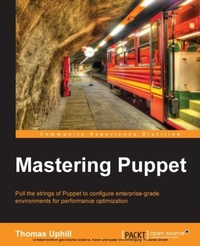
Mastering Puppet
Mastering Puppet for network programming enables developers to pull the strings of Puppet and configure enterprise-level environments for optimum performance
1st Edition
Published on 17. June 2024
280 pages
978-1-78398-219-6 (ISBN)
Description

Key FeaturesBook DescriptionPresented in an easy-to-follow, step-by-step tutorial format and packed with examples, this book will lead you through making the best out of Puppet in an enterprise environment. If you are a system administrator or developer who has used Puppet in production and are looking for ways to easily use Puppet in an enterprise environment, this book is for you. This book assumes an intermediate knowledge of Puppet and is intended for those writing modules or deploying Puppet in an enterprise environment.What you will learn - Scale out your Puppet masters using proxy techniques
- Automate Puppet master deployment using Git Hooks, r10k, and librarianpuppet
- Access public modules from Git Forge and use them to solve realworld problems
- Use Hiera and ENC to automatically assign modules to nodes
- Create custom modules, facts, and types
- Use exported resources to orchestrate changes across the enterprise
Who this book is for
- Automate Puppet master deployment using Git Hooks, r10k, and librarianpuppet
- Access public modules from Git Forge and use them to solve realworld problems
- Use Hiera and ENC to automatically assign modules to nodes
- Create custom modules, facts, and types
- Use exported resources to orchestrate changes across the enterprise
Who this book is for
All prices
More details
Other editions
New editions
Thomas Uphill
Mastering Puppet
Master Puppet for configuration management of your systems in an enterprise deployment
E-Book
07/2025
2nd Edition
Packt Publishing Limited
from
€43.19
Available for download
Additional editions
Person
Uphill Thomas :
Thomas Uphill (https://www.linkedin.com/in/thomasuphill) is a long-time user of Puppet. He has presented Puppet tutorials at LOPSA-East, Cascada, and PuppetConf. He has also been a system administrator for over 20 years, working primarily with RedHat systems; he is currently a RedHat Certified Architect (RHCA). When not running the Puppet User Group of Seattle (PUGS), he volunteers for the LOPSA board and his local LOPSA chapter, SASAG. He blogs at http://ramblings.narrabilis.com.
Thomas Uphill (https://www.linkedin.com/in/thomasuphill) is a long-time user of Puppet. He has presented Puppet tutorials at LOPSA-East, Cascada, and PuppetConf. He has also been a system administrator for over 20 years, working primarily with RedHat systems; he is currently a RedHat Certified Architect (RHCA). When not running the Puppet User Group of Seattle (PUGS), he volunteers for the LOPSA board and his local LOPSA chapter, SASAG. He blogs at http://ramblings.narrabilis.com.
Content
Table of Contents - Dealing with Load/scaling
- Organizing your nodes and data
- Git and environments
- Public Modules
- Custom Modules
- Custom Facts
- Custom Types
- Exported resources
- Roles and Profiles
- Troubleshooting
- Organizing your nodes and data
- Git and environments
- Public Modules
- Custom Modules
- Custom Facts
- Custom Types
- Exported resources
- Roles and Profiles
- Troubleshooting

