

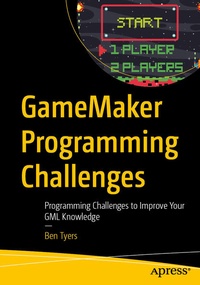
GameMaker Programming Challenges
Description

Upgrade your GameMaker programming skills with 500 programming challenges. The book is a collection of programming challenges, covering a range from simple to advanced concepts.
GameMaker is a hugely popular tool and is regarded one of the best approaches for 2D games. GameMaker allows both visual and code-based approach for game development and has been used for multiple hit titles. Each chapter covers a certain programming element, such as Sprite Fonts, Projectiles, Mechanics, etc.
The book is designed in a manner where each challenge provides an outline of the problems, useful functions, hints on tackling the challenge, and an example solution. On completion, you will take away new knowledge of GameMaker functions, an ability to think logically when developing code, and a better understanding of game design and planning.
What You Will Learn
- Study the new GML, from basic functions to more evolved concepts.
- Gain ability to view example solutions when necessary.
- Increase your understanding of game design concepts.
Who Is This Book For
Beginners to intermediate level readers with basic understanding of GameMaker's IDE, including creating object, sprite, and sound assets will benefit from this book.
More details
Other editions
Additional editions
Person
Ben Tyers is an expert GameMaker user, developer, coder, and trainer. He has authored a number of books on GameMaker for game application developers. He has been using GameMaker for over 20 years, enjoying the changes that has happened during this period. Over this time, he has made over 200 mini game projects covering a range of genres, including remakes of retro games he played as child in the 1980s. He loves finding simple solutions to challenging coding concepts. He is an active member of GameMaker's community, helping new coders with programming issues. Outside of programming, Ben enjoys vintage horror and science fiction films.
Content
Chapter 1: Drawing Sprite Fonts In Different Colors.- Chapter 2: Stealth Zones.- Chapter 3: Dynamic Shadows.- Chapter 4: Proximity Mines.- Chapter 5: Sticky Projectiles.- Chapter 6: Reflecting Projectiles.- Chapter 7: Conveyor Belts.- Chapter 8: Spreading Fire.- Chapter 9: Boomerang Mechanic.- Chapter 10: Burnable Objects.- Chapter 11: Echo Location.- Chapter 12: Smooth Dash Movement.- Chapter 13: Shock Wave.- Chapter: 14 Hover Mechanic.- Chapter: 15 Jumping Pad.- Chapter: 16 Momentum Jumps.-Chapter: 17 Gravity Flips.-Chapter 18: Explosive Barrels.- Chapter 19: Explosive Barrels Chain.- Chapter 20: End-of-Level Gate.- Chapter 21: Coin Collection.- Chapter 22: One Way Blocks.- Chapter 23: Wind.- Chapter 24: Nuke.- Chapter 25: Timed Collectibles.
