

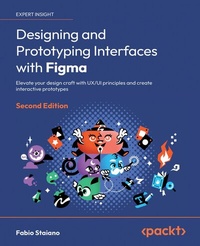
Designing and Prototyping Interfaces with Figma
Description

- Integrate AI capabilities and optimize your workflow with the latest Figma plugins
- Create engaging, interactive prototypes that captivate your users and stakeholders
- Purchase of the print or Kindle book includes a free PDF eBook
Book DescriptionAre you a UI/UX designer eager to learn the art of creating compelling interfaces using Figma? Look no further! The highly anticipated new edition is here to transform your creative journey. Explore Figma's latest features and delve into the power of variables and conditional Prototyping. Get ready to transform your static designs into dynamic, interactive prototypes, offering users and stakeholders an immersive experience. Stay at the forefront of design innovation with insights into integrating AI capabilities and optimizing your workflow with the latest Figma plugins. With user-centric design at its core, this book guides you through mastering design thinking, enabling you to tackle complex design challenges with ease. One unique aspect of this edition is its focus on effective communication. Learn how to convey your design vision clearly to both technical and non-technical audiences. In the rapidly changing world of UI/UX design, iteration is key. This book will teach you how to gather user feedback and iterate on your designs by creating interactive prototypes. Whether you're new to Figma or a seasoned pro, this comprehensive guide equips you with the skills to create captivating interfaces, fosters creativity and problem-solving, and makes you an indispensable, forward-thinking designer.What you will learn - Create high-quality designs that cater to your users' needs, providing an outstanding experience
- Mastering mobile-first design and responsive design concepts
- Integrate AI capabilities into your design workflow to boost productivity and explore design innovation
- Craft immersive prototypes with conditional prototyping and variables
- Communicate effectively to technical and non-technical audiences
- Develop creative solutions for complex design challenges
- Gather and apply user feedback through interactive prototypes
Who this book is forThis book is for aspiring UX/UI designers who want to get started with Figma as well as established designers who want to migrate to Figma from other design tools. This guide will provide you a walkthrough of the entire process of creating a full-fledged prototype for a responsive interface using all the tools and features that Figma has to offer. As a result, this book is suitable for both UX and UI designers, product and graphic designers, as well as anyone who wants to explore the complete design process from scratch.
All prices
More details
Other editions
Additional editions
Previous edition
Person
Fabio Staiano is an experienced interface designer and Figma Community Advocate from Italy. After having been part of the creative agency Geko for several years, he later became a partner, creating digital products for well-known brands and running local events for the creative community. He then began his career in education in 2016, at The Guru Lab, teaching students about user interface and web design. In 2019, he decided to face new challenges by deepening his development skills at the Apple Developer Academy, where he specializes in frontend development and publishes various apps and boilerplate. Currently, he works as a consultant for IT projects and teaches at private design schools.
Content
- Structuring Moodboards, Personas, and User Flows within FigJam
- Getting to Know Your Design Environment
- Wireframing a Mobile-First Experience Using Vector Shapes
- Designing Consistently Using Grids, Colors, and Typography
- Creating a Responsive Mobile Interface Using Auto Layout
- Building Components and Variants in a Collaborative Workspace
- User Interface Design on Tablet, Desktop, and the Web
- Prototyping with Transitions, Smart Animate, and Interactive Components
- Testing and Sharing Your Prototype in Browsers and Real Devices
- Exporting Assets and Managing the Handover Process
- Discovering Resources, Plugins, and Widgets in the Figma Community
- Going Advanced with Variables and Conditional Prototyping
Preface
Being a driving force in the design tools market, Figma makes everything easier by bringing unique innovations and opening up real-time collaboration possibilities, so it comes as no surprise that so many designers have decided to switch from other tools to Figma.
In this book, you will be challenged to design a user interface for a responsive mobile application by researching and understanding user needs, and mastering all this in a step-by-step fashion by exploring the theory first and gradually moving on to practice. Your learning journey will cover the basics of user experience research with FigJam and the process of creating a complete design using Figma tools and features such as components, variants, auto layout, and much more. You will also learn how to prototype your design and expand your possibilities with Figma Community resources such as templates and plugins. As you progress, an advanced chapter will introduce you to using variables and conditional prototyping to add a higher level of interactivity and functionality to your designs.
By the end of this book, you will have a solid understanding of the user interface workflow, be able to manage the essential Figma tools, and know how to properly organize your workflow in Figma.
Who this book is for
This book is tailored for aspiring UI/UX designers eager to dive into Figma, as well as established designers aiming to transition to Figma from other design tools. It will guide you through the comprehensive process of creating a robust prototype for a responsive interface, harnessing all the tools and features that Figma has to offer. Hence, this book is ideal for UX and UI designers, product and graphic designers, and anyone looking to thoroughly understand the complete design process from the outset.
What this book covers
Chapter 1, Exploring Figma and Transitioning from Other Tools, serves as an introduction to Figma and its mission, explains the main differences between its desktop and web apps, explores the Figma welcome screen interface, and provides guidance on how to migrate to Figma from Sketch and Adobe XD.
Chapter 2, Structuring Moodboards, Personas, and User Flows within FigJam, is about how to work in FigJam, an additional tool implemented in Figma, using it to collect and analyze data in the early stages of design work.
Chapter 3, Getting to Know Your Design Environment, provides an overview of Figma tools in the toolbar, left and right panel functionalities, and instructions on how to start a new project from scratch.
Chapter 4, Wireframing a Mobile-First Experience Using Vector Shapes, focuses on defining the structure of the application and building its wireframe using Figma's shape and vector tools.
Chapter 5, Designing Consistently Using Grids, Colors, and Typography, dives into styles, a powerful feature that makes it easy to manage and reuse grids, typography, colors, and effects throughout a design project.
Chapter 6, Creating a Responsive Mobile Interface Using Auto Layout, introduces auto layout, one of Figma's advanced features, and provides guidance on how to best apply it using resizing and constraints.
Chapter 7, Building Components and Variants in a Collaborative Workspace, focuses on creating components and variants, both of which are crucial functions in Figma, as well as exploring other tools such as multiplayer, libraries, and version control.
Chapter 8, User Interface Design on Tablet, Desktop, and the Web, explores the basic principles of responsive design and focuses on how to adjust the interface design for different devices and screen resolutions.
Chapter 9, Prototyping with Transitions, Smart Animate, and Interactive Components, explores various prototyping possibilities and functions in Figma, from basic to more advanced.
Chapter 10, Testing and Sharing Your Prototype in Browsers and Real Devices, covers all the ways to view and test an interactive prototype, as well as how to share it with others and work with feedback.
Chapter 11, Exporting Assets and Managing the Handover Process, focuses on preparing design project assets for further development, along with providing an overview of the Dev Mode.
Chapter 12, Discovering Resources, Plugins, and Widgets in the Figma Community, covers the Figma Community and how to navigate it to locate the right files, widgets, and plugins that can improve your design workflow, side by side with AI-based add-ons.
Chapter 13, Going Advanced with Variables and Conditional Prototyping, introduces you to variables and conditional prototyping in Figma, aiming to add more interactivity to your designs, and making your prototypes more dynamic and functional.
To get the most out of this book
You will need any modern browser to use the web version of Figma, or alternatively, you can install the Figma desktop app on your computer. The book provides a step-by-step guide to designing an application interface, as well as recommendations for self-practice. To get the most out of the book, it is recommended that you follow the hands-on steps in the following chapters and devote some time to practicing your skills in Figma on your own.
To follow along with this book, you will need one of the following Figma apps:
- Figma - Web app (Chrome, Firefox, Safari, Edge) or desktop app (Windows, macOS)
- Figma - Mobile app (iOS, Android)
- FigJam - Included within Figma or iPad (standalone app)
In Chapter 10, Testing and Sharing Your Prototype in Browsers and Real Devices, you will be asked to test your design on devices with smaller screens, and to do so, you will need to download the Figma app (available for iOS and Android) on your smartphone and/or tablet.
Download the color images
We also provide a PDF file that has color images of the screenshots/diagrams used in this book. You can download it here: https://packt.link/gbp/9781835464601.
Conventions used
There are a number of text conventions used throughout this book.
Code in text: Indicates code words in text, database table names, folder names, filenames, file extensions, pathnames, dummy URLs, user input, and Twitter handles. Here is an example: "Create a new text layer in auto-width mode (with a simple click) anywhere inside the Login frame and enter Login."
Bold: Indicates a new term, an important word, or words that you see onscreen. For instance, words in menus or dialog boxes appear in bold. Here is an example: "In the Design panel, you may have noticed a section not yet mentioned, namely, Effects.
Important notes appear like this
Get in touch
Feedback from our readers is always welcome.
General feedback: Email feedback@packtpub.com and mention the book's title in the subject of your message. If you have questions about any aspect of this book, please email us at questions@packtpub.com.
Errata: Although we have taken every care to ensure the accuracy of our content, mistakes do happen. If you have found a mistake in this book, we would be grateful if you reported this to us. Please visit http://www.packtpub.com/submit-errata, click Submit Errata, and fill in the form.
Piracy: If you come across any illegal copies of our works in any form on the internet, we would be grateful if you would provide us with the location address or website name. Please contact us at copyright@packtpub.com with a link to the material.
If you are interested in becoming an author: If there is a topic that you have expertise in and you are interested in either writing or contributing to a book, please visit http://authors.packtpub.com.
Share your thoughts
Once you've read Designing and Prototyping Interfaces with Figma-Second Edition, we'd love to hear your thoughts! Please click here to go straight to the Amazon review page for this book and share your feedback.
Your review is important to us and the tech community and will help us make sure we're delivering excellent quality content.
Download a free PDF copy of this book
Thanks for purchasing this book!
Do you like to read on the go but are unable to carry your print books everywhere?Is your eBook purchase not compatible with the device of your choice?
Don't worry, now with every Packt book you get a DRM-free PDF version of that book at no cost.
Read anywhere, any place, on any device. Search, copy, and paste code from your favorite technical books directly into your application.
The perks don't stop there, you can get exclusive access to discounts, newsletters, and great free content in your inbox daily
Follow these simple steps to get the benefits:
- Scan the QR code or visit the link below
https://packt.link/free-ebook/9781835464601
