

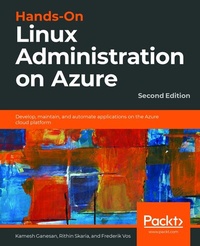
Hands-On Linux Administration on Azure
Develop, maintain, and automate applications on the Azure cloud platform
2nd Edition
Published on 23. September 2024
508 pages
978-1-83921-954-2 (ISBN)
Description

Develop a solid understanding of cloud computing, Linux virtual machine, container virtualization, and other fundamental concepts to create and manage your Linux workload in Azure
Key Features
Deploy and manage virtual machines in the Azure environment
Explore open source tools to integrate automation and orchestration
Implement Linux features to create and manage containers
Book DescriptionThanks to its flexibility in delivering scalable cloud solutions, Microsoft Azure is a suitable platform for managing all your workloads. You can use it to implement Linux virtual machines and containers, and to create applications in open source languages with open APIs. This Linux administration book first takes you through the fundamentals of Linux and Azure to prepare you for the more advanced Linux features in later chapters. With the help of real-world examples, you'll learn how to deploy virtual machines (VMs) in Azure, expand their capabilities, and manage them efficiently. You will manage containers and use them to run applications reliably, and in the concluding chapter, you'll explore troubleshooting techniques using a variety of open source tools. By the end of this book, you'll be proficient in administering Linux on Azure and leveraging the tools required for deployment. What you will learn
Grasp the fundamentals of virtualization and cloud computing
Understand file hierarchy and mount new filesystems
Maintain the life cycle of your application in Azure Kubernetes Service
Manage resources with the Azure CLI and PowerShell
Manage users, groups, and filesystem permissions
Use Azure Resource Manager to redeploy virtual machines
Implement configuration management to configure a VM correctly
Build a container using Docker
Who this book is forIf you are a Linux administrator or a Microsoft professional looking to deploy and manage your workload in Azure, this book is for you. Although not necessary, knowledge of Linux and Azure will assist with understanding core concepts.
Key Features
Deploy and manage virtual machines in the Azure environment
Explore open source tools to integrate automation and orchestration
Implement Linux features to create and manage containers
Book DescriptionThanks to its flexibility in delivering scalable cloud solutions, Microsoft Azure is a suitable platform for managing all your workloads. You can use it to implement Linux virtual machines and containers, and to create applications in open source languages with open APIs. This Linux administration book first takes you through the fundamentals of Linux and Azure to prepare you for the more advanced Linux features in later chapters. With the help of real-world examples, you'll learn how to deploy virtual machines (VMs) in Azure, expand their capabilities, and manage them efficiently. You will manage containers and use them to run applications reliably, and in the concluding chapter, you'll explore troubleshooting techniques using a variety of open source tools. By the end of this book, you'll be proficient in administering Linux on Azure and leveraging the tools required for deployment. What you will learn
Grasp the fundamentals of virtualization and cloud computing
Understand file hierarchy and mount new filesystems
Maintain the life cycle of your application in Azure Kubernetes Service
Manage resources with the Azure CLI and PowerShell
Manage users, groups, and filesystem permissions
Use Azure Resource Manager to redeploy virtual machines
Implement configuration management to configure a VM correctly
Build a container using Docker
Who this book is forIf you are a Linux administrator or a Microsoft professional looking to deploy and manage your workload in Azure, this book is for you. Although not necessary, knowledge of Linux and Azure will assist with understanding core concepts.
More details
Edition
2nd Revised edition
Language
English
Place of publication
Birmingham
United Kingdom
Target group
Professional and scholarly
US School Grade: College Graduate Student
Edition type
Revised edition
File size
40,83 MB
ISBN-13
978-1-83921-954-2 (9781839219542)
Copyright in bibliographic data and cover images is held by Nielsen Book Services Limited or by the publishers or by their respective licensors: all rights reserved.
Schweitzer Classification
Other editions
Additional editions
Rithin Skaria | Kamesh Ganesan | Frederik Vos
Hands-On Linux Administration on Azure
Develop, maintain, and automate applications on the Azure cloud platform
Book
02/2020
2nd Edition
Packt Publishing
€52.70
Shipment within 3-4 weeks
Previous edition
Frederik Vos
Hands-On Linux Administration on Azure
Explore the essential Linux administration skills you need to deploy and manage Azure-based workloads
E-Book
09/2024
Packt Publishing
€41.49
Available for download
Persons
Skaria Rithin :
Rithin Skaria is an open-source evangelist with over 9 years of experience in managing open-source workloads on Azure, AWS, and OpenStack. He is currently working for Microsoft as a Customer Engineer and is part of several open-source community activities conducted within Microsoft. He has played a vital role in several open-source deployments and the administration and migration of these workloads to the cloud. He also co-authored Linux Administration on Azure, Second Edition and Azure for Architects, Third Edition both published by Packt. Connect with him on LinkedIn at rithin-skaria.Ganesan Kamesh :
Kamesh Ganesan is a cloud evangelist and a seasoned technology professional with nearly 23 years of IT experience in all major cloud technologies, including Azure, AWS, GCP, and Alibaba Cloud. He has over 45 IT certifications, including 5 AWS, 3 Azure, and 3 GCP certifications. He's played many roles, including certified multi-cloud architect, cloud native application architect, lead database administrator, and programmer analyst. He architected, built, automated, and delivered high- quality, mission-critical, and innovative technology solutions that helped his enterprise, commercial, and government clients to be very successful and significantly improve their business value, using multi-cloud strategy.Vos Frederik :
Frederik Vos, living in Purmerend, a city near Amsterdam in the Netherlands, works as a senior technical trainer of virtualization technologies, such as Citrix XenServer, and VMware vSphere. He specializes in data center infrastructures (hypervisor, network, and storage) and cloud computing (CloudStack, CloudPlatform, OpenStack, and Azure). He is also a Linux trainer and evangelist. He has a lot of knowledge as a teacher and also real-world experience as a system administrator. For the last three years he has been working as a freelance trainer and consultant within the ITGilde Cooperation, delivering many Linux training, such as Linux on Azure training for the Linux Foundation.
Rithin Skaria is an open-source evangelist with over 9 years of experience in managing open-source workloads on Azure, AWS, and OpenStack. He is currently working for Microsoft as a Customer Engineer and is part of several open-source community activities conducted within Microsoft. He has played a vital role in several open-source deployments and the administration and migration of these workloads to the cloud. He also co-authored Linux Administration on Azure, Second Edition and Azure for Architects, Third Edition both published by Packt. Connect with him on LinkedIn at rithin-skaria.Ganesan Kamesh :
Kamesh Ganesan is a cloud evangelist and a seasoned technology professional with nearly 23 years of IT experience in all major cloud technologies, including Azure, AWS, GCP, and Alibaba Cloud. He has over 45 IT certifications, including 5 AWS, 3 Azure, and 3 GCP certifications. He's played many roles, including certified multi-cloud architect, cloud native application architect, lead database administrator, and programmer analyst. He architected, built, automated, and delivered high- quality, mission-critical, and innovative technology solutions that helped his enterprise, commercial, and government clients to be very successful and significantly improve their business value, using multi-cloud strategy.Vos Frederik :
Frederik Vos, living in Purmerend, a city near Amsterdam in the Netherlands, works as a senior technical trainer of virtualization technologies, such as Citrix XenServer, and VMware vSphere. He specializes in data center infrastructures (hypervisor, network, and storage) and cloud computing (CloudStack, CloudPlatform, OpenStack, and Azure). He is also a Linux trainer and evangelist. He has a lot of knowledge as a teacher and also real-world experience as a system administrator. For the last three years he has been working as a freelance trainer and consultant within the ITGilde Cooperation, delivering many Linux training, such as Linux on Azure training for the Linux Foundation.
Content
Table of Contents
Exploring the Microsoft Azure Cloud
Getting Started with the Azure Cloud
Basic Linux Administration
Managing Azure
Advanced Linux Administration
Managing Linux Security and Identities
Deploying Your Virtual Machines
Exploring Continuous Configuration Automation
Container Virtualization in Azure
Working with the Azure Kubernetes Service
Troubleshooting Your Workloads in Azure
Appendix
Exploring the Microsoft Azure Cloud
Getting Started with the Azure Cloud
Basic Linux Administration
Managing Azure
Advanced Linux Administration
Managing Linux Security and Identities
Deploying Your Virtual Machines
Exploring Continuous Configuration Automation
Container Virtualization in Azure
Working with the Azure Kubernetes Service
Troubleshooting Your Workloads in Azure
Appendix
