

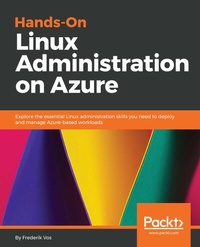
Hands-On Linux Administration on Azure
Explore the essential Linux administration skills you need to deploy and manage Azure-based workloads
Published on 23. September 2024
410 pages
978-1-78913-510-7 (ISBN)
Description

Get up to speed with deploying and managing Linux workloads in an Azure environment
Key Features
Manage and deploy virtual machines in your Azure environment
Explore various open source tools to integrate automation and orchestration
Leverage Linux features to create, run, and manage containers
Book DescriptionAzure's market share has increased massively and enterprises are adopting it rapidly, while Linux is a widely-used operating system and has proven to be one of the most popular workloads on Azure. It has thus become crucial for Linux administrators and Microsoft professionals to be well versed with managing Linux workloads in an Azure environment. With this guide, system administrators will be able to deploy, automate, and orchestrate containers in Linux on Azure. The book follows a hands-on approach to help you understand DevOps, monitor Linux workloads on Azure and perform advanced system administration. Complete with systematic explanations of concepts, examples and self-assessment questions, the chapters will give you useful insights into Linux and Azure. You'll explore some of Linux's advanced features for managing multiple workloads and learn to deploy virtual machines (VMs) in Azure. Dedicated sections will also guide you with managing and extending Azure VMs' capabilities and understanding automation and orchestration with Ansible and PowerShell DSC. In later chapters, you'll cover useful Linux troubleshooting and monitoring techniques that will enable you to maintain your workload on Azure. By the end of this book, you'll be able to make the most out of Azure's services to efficiently deploy and manage your Linux workloads.What you will learn
Understand why Azure is the ideal solution for your open source workloads
Successfully deploy Linux in an Azure environment
Use configuration management to manage Linux in Azure
Work with containers in Linux
Use Azure's identity management systems to enhance Linux security
Automate deployment with Azure Resource Manager (ARM) and PowerShell
Employ Ansible to manage Linux instances in a public cloud environment
Who this book is forThis book is for system administrators who want to deploy and manage their workloads in Azure. Prior experience with system administration and a basic understanding of Azure would be useful.
Key Features
Manage and deploy virtual machines in your Azure environment
Explore various open source tools to integrate automation and orchestration
Leverage Linux features to create, run, and manage containers
Book DescriptionAzure's market share has increased massively and enterprises are adopting it rapidly, while Linux is a widely-used operating system and has proven to be one of the most popular workloads on Azure. It has thus become crucial for Linux administrators and Microsoft professionals to be well versed with managing Linux workloads in an Azure environment. With this guide, system administrators will be able to deploy, automate, and orchestrate containers in Linux on Azure. The book follows a hands-on approach to help you understand DevOps, monitor Linux workloads on Azure and perform advanced system administration. Complete with systematic explanations of concepts, examples and self-assessment questions, the chapters will give you useful insights into Linux and Azure. You'll explore some of Linux's advanced features for managing multiple workloads and learn to deploy virtual machines (VMs) in Azure. Dedicated sections will also guide you with managing and extending Azure VMs' capabilities and understanding automation and orchestration with Ansible and PowerShell DSC. In later chapters, you'll cover useful Linux troubleshooting and monitoring techniques that will enable you to maintain your workload on Azure. By the end of this book, you'll be able to make the most out of Azure's services to efficiently deploy and manage your Linux workloads.What you will learn
Understand why Azure is the ideal solution for your open source workloads
Successfully deploy Linux in an Azure environment
Use configuration management to manage Linux in Azure
Work with containers in Linux
Use Azure's identity management systems to enhance Linux security
Automate deployment with Azure Resource Manager (ARM) and PowerShell
Employ Ansible to manage Linux instances in a public cloud environment
Who this book is forThis book is for system administrators who want to deploy and manage their workloads in Azure. Prior experience with system administration and a basic understanding of Azure would be useful.
More details
Edition
Digital original
Language
English
Place of publication
Birmingham
United Kingdom
Target group
Professional and scholarly
US School Grade: College Graduate Student
Edition type
Digital original
File size
12,56 MB
ISBN-13
978-1-78913-510-7 (9781789135107)
Copyright in bibliographic data and cover images is held by Nielsen Book Services Limited or by the publishers or by their respective licensors: all rights reserved.
Schweitzer Classification
Other editions
New editions
Rithin Skaria | Kamesh Ganesan | Frederik Vos
Hands-On Linux Administration on Azure
Develop, maintain, and automate applications on the Azure cloud platform
E-Book
09/2024
2nd Edition
Packt Publishing
€25.49
Available for download
Additional editions
Frederik Vos
Hands-On Linux Administration on Azure
Explore the essential Linux administration skills you need to deploy and manage Azure-based workloads
Book
08/2018
Packt Publishing
€57.00
Shipment within 3-4 weeks
Person
Vos Frederik :
Frederik Vos, living in Purmerend, a city near Amsterdam in the Netherlands, works as a senior technical trainer of virtualization technologies, such as Citrix XenServer, and VMware vSphere. He specializes in data center infrastructures (hypervisor, network, and storage) and cloud computing (CloudStack, CloudPlatform, OpenStack, and Azure). He is also a Linux trainer and evangelist. He has a lot of knowledge as a teacher and also real-world experience as a system administrator. For the last three years he has been working as a freelance trainer and consultant within the ITGilde Cooperation, delivering many Linux training, such as Linux on Azure training for the Linux Foundation.
Frederik Vos, living in Purmerend, a city near Amsterdam in the Netherlands, works as a senior technical trainer of virtualization technologies, such as Citrix XenServer, and VMware vSphere. He specializes in data center infrastructures (hypervisor, network, and storage) and cloud computing (CloudStack, CloudPlatform, OpenStack, and Azure). He is also a Linux trainer and evangelist. He has a lot of knowledge as a teacher and also real-world experience as a system administrator. For the last three years he has been working as a freelance trainer and consultant within the ITGilde Cooperation, delivering many Linux training, such as Linux on Azure training for the Linux Foundation.
Content
Table of Contents
Exploring the Azure Cloud
Getting Started with the Azure Cloud
Basic Linux Administration
Managing Azure
Advanced Linux Administration
Managing Linux Security and Identities
Deploying Your Virtual Machines
Exploring Continuous Configuration Automation
Container Virtualization in Azure
Working with Azure Kubernetes Service
Troubleshooting and Monitoring Your Workloads
Assessments
Exploring the Azure Cloud
Getting Started with the Azure Cloud
Basic Linux Administration
Managing Azure
Advanced Linux Administration
Managing Linux Security and Identities
Deploying Your Virtual Machines
Exploring Continuous Configuration Automation
Container Virtualization in Azure
Working with Azure Kubernetes Service
Troubleshooting and Monitoring Your Workloads
Assessments
