

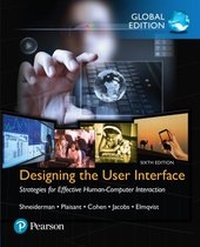
Designing the User Interface: Strategies for Effective Human-Computer Interaction, Global Edition
Description

For courses in Human-Computer Interaction
The Sixth Edition of Designing the User Interface provides a comprehensive, authoritative, and up-to-date introduction to the dynamic field of human-computer interaction (HCI) and user experience (UX) design. This classic book has defined and charted the astonishing evolution of user interfaces for three decades. Students and professionals learn practical principles and guidelines needed to develop high quality interface designs that users can understand, predict, and control. The book covers theoretical foundations and design processes such as expert reviews and usability testing.
By presenting current research and innovations in human-computer interaction, the authors strive to inspire students, guide designers, and provoke researchers to seek solutions that improve the experiences of novice and expert users, while achieving universal usability. The authors also provide balanced presentations on controversial topics such as augmented and virtual reality, voice and natural language interfaces, and information visualisation.
Updates include current HCI design methods, new design examples, and totally revamped coverage of social media, search and voice interaction. Major revisions were made to EVERY chapter, changing almost every figure (170 new colour figures) and substantially updating the references.
The full text downloaded to your computer. With eBooks you can:
- search for key concepts, words and phrases
- make highlights and notes as you study
- share your notes with friends
- Print 5 pages at a time
- Compatible for PCs and MACs
- No expiry (offline access will remain whilst the Bookshelf software is installed.
eBooks are downloaded to your computer and accessible either offline through the VitalSource Bookshelf (available as a free download), available online and also via the iPad/Android app.
When the eBook is purchased, you will receive an email with your access code. Simply go to http://bookshelf.vitalsource.com/ to download the FREE Bookshelf software. After installation, enter your access code for your eBook.
Time limit
The VitalSource products do not have an expiry date. You will continue to access your VitalSource products whilst you have your VitalSource Bookshelf installed.
All prices
More details
Other editions
Additional editions
Content
- Part 1. Introduction
- 1. Usability of Interactive Systems
- 2. Universal Usability
- 3. Guidelines, Principles, and Theories
- Part 2. Design Processes
- 4. Design
- 5. Evaluation and the User Experience
- 6. Design Case Studies
- Part 3. Interaction Styles
- 7. Direct Manipulation and Immersive Environments
- 8. Fluid Navigation
- 9. Expressive Human and Command Languages
- 10. Devices
- 11. Communication and Collaboration
- Part 4. Design Issues
- 12. Advancing the User Experience
- 13. The Timely User Experience
- 14. Documentation and User Support (a.k.a. Help)
- 15. Information Search
- 16. Data Visualization
