

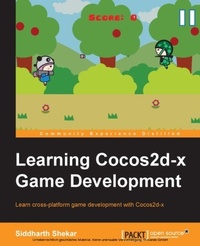
Learning Cocos2d-x Game Development
Learn cross-platform game development with Cocos2d-x
Published on 8. July 2025
266 pages
978-1-78398-827-3 (ISBN)
Description

Key Features
Book DescriptionIf you are a hobbyist, novice game developer, or programmer who wants to learn about developing games/apps using Cocos2d-x, this book is ideal for you.What you will learn
Configure and create a Cocos2dx project on Windows
Understand the basics of Cocos2dx classes such as CCScene, CCLayer, and CCSprite
Develop different control schemes using buttons, a gyroscope, and a custom touch area
Implement various methods for collision detection such as circle collision and bounding box collision
Discover how to add and remove objects from the screen and update the score as well as Gameover condition
Get to grips with the tools used to create spritesheets as well as custom fonts and design particles
Integrate ads and inapp purchases in the game to monetize the game
Who this book is for
Book DescriptionIf you are a hobbyist, novice game developer, or programmer who wants to learn about developing games/apps using Cocos2d-x, this book is ideal for you.What you will learn
Configure and create a Cocos2dx project on Windows
Understand the basics of Cocos2dx classes such as CCScene, CCLayer, and CCSprite
Develop different control schemes using buttons, a gyroscope, and a custom touch area
Implement various methods for collision detection such as circle collision and bounding box collision
Discover how to add and remove objects from the screen and update the score as well as Gameover condition
Get to grips with the tools used to create spritesheets as well as custom fonts and design particles
Integrate ads and inapp purchases in the game to monetize the game
Who this book is for
All prices
More details
Edition
Digital original
Language
English
Place of publication
Birmingham
United Kingdom
Target group
Professional and scholarly
US School Grade: College Graduate Student
Edition type
Digital original
File size
9,50 MB
ISBN-13
978-1-78398-827-3 (9781783988273)
Copyright in bibliographic data and cover images is held by Nielsen Book Services Limited or by the publishers or by their respective licensors: all rights reserved.
Schweitzer Classification
Other editions
Additional editions
Siddharth Shekar
Learning Cocos2d-x Game Development
Learn cross-platform game development with Cocos2d-x
Book
09/2014
Packt Publishing
€55.70
Shipment within 3-4 weeks
Person
Shekar Siddharth :
Siddharth Shekar is a game developer and teacher with over 6 years' industry experience and 12 years' experience in C++ and other programming languages. He is adept at graphics libraries such as OpenGL and Vulkan, and game engines such as Unity and Unreal. He has published games on the iOS and Android app stores. He has also authored books including Swift Game Development, Mastering Android Game Development with Unity, and Learning iOS 8 Game Development Using Swift, all published by Packt Publishing. He currently lives in Auckland, New Zealand, and is a lecturer in the games department at Media Design School. He teaches advanced computer graphics programming, PlayStation 4 native game development, and mentors final year production students.
Siddharth Shekar is a game developer and teacher with over 6 years' industry experience and 12 years' experience in C++ and other programming languages. He is adept at graphics libraries such as OpenGL and Vulkan, and game engines such as Unity and Unreal. He has published games on the iOS and Android app stores. He has also authored books including Swift Game Development, Mastering Android Game Development with Unity, and Learning iOS 8 Game Development Using Swift, all published by Packt Publishing. He currently lives in Auckland, New Zealand, and is a lecturer in the games department at Media Design School. He teaches advanced computer graphics programming, PlayStation 4 native game development, and mentors final year production students.
Content
Table of Contents
Getting Started
Displaying Hero and Controls
Adding an Enemy, Basic AI
Collision Detection and Scoring
Adding GUI layer, Pause Button and Scrolling BG Layer
Animations and Spritesheets
Particles
Adding Menu Scene, Options Scene and Play Scene
Adding Sounds and Effects
Setting up Windows Mobile Store account and Publishing
Porting, References and Final Remarks
Getting Started
Displaying Hero and Controls
Adding an Enemy, Basic AI
Collision Detection and Scoring
Adding GUI layer, Pause Button and Scrolling BG Layer
Animations and Spritesheets
Particles
Adding Menu Scene, Options Scene and Play Scene
Adding Sounds and Effects
Setting up Windows Mobile Store account and Publishing
Porting, References and Final Remarks

