

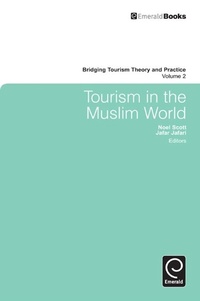
Tourism in the Muslim World
Published on 28. October 2010
440 pages
978-1-84950-921-3 (ISBN)
Description

"Tourism in the Muslim World" provides a synthesis of thought on an influential current issue for tourism and indeed for our times, and a point of focus for tourism researchers, managers and developers in countries such as the United Arab Emirates, Jordan, Egypt, Maldives and Turkey, as well as the Western world, eager to increase their share in this 1.5 billion strong tourist market. Its chapters raise conceptual, practical, and thought-provoking issues for the wider tourism community as it deals with the growth of new markets and destinations in a globalized economy. This collection of culturally and geographically diverse papers feature both Muslim and non-Muslim (country) insights on this international theme. It draws on contributions from a variety of disciplinary perspectives such as law, theology, business, tourism development, sociology, anthropology, and more. "Tourism in the Muslim World" is the second title in Emerald's new book series "Bridging Tourism Theory and Practice" and will appeal to researchers and research students in the social science and management disciplines, as well as to tourism and hospitality professionals with an interest in the Muslim market.
More details
Series
Language
English
Place of publication
Bingley
United Kingdom
Target group
Professional and scholarly
File size
4,89 MB
ISBN-13
978-1-84950-921-3 (9781849509213)
Copyright in bibliographic data and cover images is held by Nielsen Book Services Limited or by the publishers or by their respective licensors: all rights reserved.
Schweitzer Classification
Other editions
Additional editions
Noel Scott
Tourism in the Muslim World
Book
10/2010
Emerald Group Publishing Limited
€222.20
Shipment within 3-4 weeks
Persons
Content
Acknowledgments.
Preface.
Chapter 1 Introduction.
Chapter 2 Tourism and Islamic law.
Chapter 3 Do we always understand each other?.
Chapter 4 Halal.
Chapter 5 Women's participation in tourism.
Chapter 6 Islam and tourism.
Chapter 7 Tourism in Saudi Arabia.
Chapter 8 Muslim tourism in China.
Chapter 9 Tourism in Turkmenistan.
Chapter 10 Islamic tourism in Jordan.
Chapter 11 Japanese tourism in Iran.
Chapter 12 Impacts of September 11.
Chapter 13 Iran.
Chapter 14 The Hajj.
Chapter 15 Tourism and Islamophobia.
Chapter 16 Tourism shopping in Jeddah.
Chapter 17 Islamicization of Promotion.
Chapter 18 Arabian sights.
Chapter 19 Islamic heritage in Singapore.
Chapter 20 The Hajj.
Chapter 21 Conclusion.
References.
About the Authors.
Author Index.
Subject Index.
Bridging Tourism Theory and Practice.
Bridging Tourism Theory and Practice.
Copyright page.
Preface.
Chapter 1 Introduction.
Chapter 2 Tourism and Islamic law.
Chapter 3 Do we always understand each other?.
Chapter 4 Halal.
Chapter 5 Women's participation in tourism.
Chapter 6 Islam and tourism.
Chapter 7 Tourism in Saudi Arabia.
Chapter 8 Muslim tourism in China.
Chapter 9 Tourism in Turkmenistan.
Chapter 10 Islamic tourism in Jordan.
Chapter 11 Japanese tourism in Iran.
Chapter 12 Impacts of September 11.
Chapter 13 Iran.
Chapter 14 The Hajj.
Chapter 15 Tourism and Islamophobia.
Chapter 16 Tourism shopping in Jeddah.
Chapter 17 Islamicization of Promotion.
Chapter 18 Arabian sights.
Chapter 19 Islamic heritage in Singapore.
Chapter 20 The Hajj.
Chapter 21 Conclusion.
References.
About the Authors.
Author Index.
Subject Index.
Bridging Tourism Theory and Practice.
Bridging Tourism Theory and Practice.
Copyright page.
