

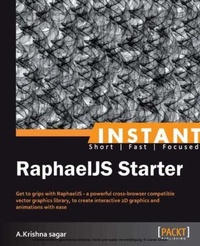
Instant RaphaelJS Starter
Get to grips with RaphaelJS - a powerful cross-browser compatible vector graphics library, to create interactive 2D graphics and animations with ease
Published on 13. January 2025
62 pages
978-1-78216-986-4 (ISBN)
Description

Get to grips with RaphaelJS - a powerful cross-browser compatible vector graphics library, to create interactive 2D graphics and animations with ease
Key Features
Learn something new in an Instant! A short, fast, focused guide delivering immediate results.
Create cross-browser imageless drawings and animations, with DOM access
Create your own shape, almost any shape, with simple and illustrated techniques
Write once and run in almost any browsers including IE6
Book DescriptionDrawing in a browser without images has been around for a long time but it was a complex task with browser support issues. Raphael JS aims to solve all these problems with simple and clear methods to draw cross-browser compatible drawings. Imagine drawing complex dials, graphs, and meters for a dashboard, all without images, and the ability to dynamically manipulate those drawings. Creativity is the only limit with Raphael JS."Instant RaphaelJS Starter" is a practical, hands-on guide that provides you with a number of clear step-by-step exercises, which will help you take advantage of the real power that is behind Raphael JS, and give you a good grounding in using it in your web pages."Instant RaphaelJS Starter" looks at the HTML5 video formats available, and breaks down the mystery and confusion that surrounds which format to use. It will take you through a number of clear, practical recipes that will help you to take advantage of the new HTML5 video standard, quickly and painlessly. You will also learn how to draw your own shapes using any vector graphics editor, or by using one of the pre-defined shapes. We will also take a look at adding functionality such as DOM events, or animations, as well as how to manipulate the shapes dynamically. If you want to take advantage of imageless vector graphics for browsers using Raphael JS, then this is the book for you.You will learn everything you need to know to convert shapes and perform animations, as well as how to draw custom shapes with simple techniques using Raphael JS and use them across multiple browsers.What you will learn
Create simple geometric shapes
Animate the shapes dynamically into anything
Create almost any possible shape with a simple technique
Add DOM events to any shape created
Use Raphael JS in a practical environment
Scale the drawing to any size without losing quality
Create interactive shapes and drawings
Who this book is forThis book is great for developers new to Vector graphics in browsers (SVG and VML), and who are looking to get a good grounding in how to use Raphael JS to create imageless and fast loading interactive drawings and shapes, in a web browser. It's assumed that you will have some experience in HTML JavaScript or jQuery already.
Key Features
Learn something new in an Instant! A short, fast, focused guide delivering immediate results.
Create cross-browser imageless drawings and animations, with DOM access
Create your own shape, almost any shape, with simple and illustrated techniques
Write once and run in almost any browsers including IE6
Book DescriptionDrawing in a browser without images has been around for a long time but it was a complex task with browser support issues. Raphael JS aims to solve all these problems with simple and clear methods to draw cross-browser compatible drawings. Imagine drawing complex dials, graphs, and meters for a dashboard, all without images, and the ability to dynamically manipulate those drawings. Creativity is the only limit with Raphael JS."Instant RaphaelJS Starter" is a practical, hands-on guide that provides you with a number of clear step-by-step exercises, which will help you take advantage of the real power that is behind Raphael JS, and give you a good grounding in using it in your web pages."Instant RaphaelJS Starter" looks at the HTML5 video formats available, and breaks down the mystery and confusion that surrounds which format to use. It will take you through a number of clear, practical recipes that will help you to take advantage of the new HTML5 video standard, quickly and painlessly. You will also learn how to draw your own shapes using any vector graphics editor, or by using one of the pre-defined shapes. We will also take a look at adding functionality such as DOM events, or animations, as well as how to manipulate the shapes dynamically. If you want to take advantage of imageless vector graphics for browsers using Raphael JS, then this is the book for you.You will learn everything you need to know to convert shapes and perform animations, as well as how to draw custom shapes with simple techniques using Raphael JS and use them across multiple browsers.What you will learn
Create simple geometric shapes
Animate the shapes dynamically into anything
Create almost any possible shape with a simple technique
Add DOM events to any shape created
Use Raphael JS in a practical environment
Scale the drawing to any size without losing quality
Create interactive shapes and drawings
Who this book is forThis book is great for developers new to Vector graphics in browsers (SVG and VML), and who are looking to get a good grounding in how to use Raphael JS to create imageless and fast loading interactive drawings and shapes, in a web browser. It's assumed that you will have some experience in HTML JavaScript or jQuery already.
More details
Edition
Digital original
Language
English
Place of publication
Birmingham
United Kingdom
Target group
Professional and scholarly
US School Grade: College Graduate Student
Edition type
Digital original
File size
1,59 MB
ISBN-13
978-1-78216-986-4 (9781782169864)
Copyright in bibliographic data and cover images is held by Nielsen Book Services Limited or by the publishers or by their respective licensors: all rights reserved.
Schweitzer Classification
Other editions
Additional editions
A. Krishna Sagar
Instant RaphaelJS Starter
Book
03/2013
Packt Publishing
€28.60
Shipment within 3-4 weeks
Person
Sagar Krishna :
Krishna Sagar is a professional web developer and designer who has a love for creativity and enjoys experimenting with various frontend web technologies. He is a technical enthusiast specializing in frontend development (JavaScript, jQuery, CSS3, HTML5, Canvas, RaphaelJS, WebGL, and Google Maps JavaScript API), with over 4 years of industrial experience. As a techie, he has a clear logical and analytical thought process for solving problems, and has a deep understanding of what he does. Apart from being good at what he does, he is also an excellent learner who always dives into new web technologies and accepts challenges willingly. As a person, he is an optimistic, fun loving, and out of the box thinker. Though he did his Bachelor's degree in Biotechnology, his enthusiasm for Internet technologies led him to do an NIIT course in Computer Science at the same time, and he later acquired an MSc degree in Computer Science.
Krishna Sagar is a professional web developer and designer who has a love for creativity and enjoys experimenting with various frontend web technologies. He is a technical enthusiast specializing in frontend development (JavaScript, jQuery, CSS3, HTML5, Canvas, RaphaelJS, WebGL, and Google Maps JavaScript API), with over 4 years of industrial experience. As a techie, he has a clear logical and analytical thought process for solving problems, and has a deep understanding of what he does. Apart from being good at what he does, he is also an excellent learner who always dives into new web technologies and accepts challenges willingly. As a person, he is an optimistic, fun loving, and out of the box thinker. Though he did his Bachelor's degree in Biotechnology, his enthusiasm for Internet technologies led him to do an NIIT course in Computer Science at the same time, and he later acquired an MSc degree in Computer Science.
Content
Table of Contents
