

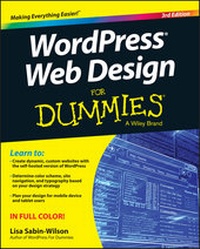
WordPress Web Design For Dummies
Description

More details
Other editions
Additional editions
Person
Content
Chapter 1
Exploring Web Design with WordPress
In This Chapter
Comparing blogs and websites
Introducing WordPress as a content management system (CMS)
Understanding ways to publish content with WordPress
Discovering WordPress free and premium theme options
When you discover that you can build and design more than just a blog with WordPress, you begin to realize the potential of the software and how you can apply it to your website-building efforts. For me, the lightbulb went off in 2005 when my clients came to me wanting more than a blog on their sites. Many of them ran small businesses and needed to add other features to their websites, aside from the chronological display of the blog posts they'd been publishing.
This chapter introduces you to the concept of using WordPress as a content management system (CMS). You find out what CMS really means and see how you can apply it to your own website-designing efforts. You also discover what types of content you can publish with WordPress software and how you can leverage that content to build dynamic websites.
Additionally, this chapter introduces you to the world of WordPress themes - what's currently available for you to use right away, what you can tweak to your own liking, and what you can research and dig through to discover more about WordPress design and theme building. You find out which themes are free for the taking and which themes cost you money to use. (Hint: The free ones are the best ones to practice with because there's no cost to you!)
This book deals only with the self-hosted version of WordPress that you download from the official WordPress website (https://wordpress.org). You can't fully customize and use WordPress as a CMS, as described throughout this book, if you use the hosted service at WordPress.com (https://wordpress.com). The names (and domains) are so close that it's easy to confuse them, so the basic rule of thumb is this: If you did not install the software on a web-hosting account for your own domain, you're using the incorrect version of WordPress.
Delving Into the Differences Between Blogs and Websites
If you read the introduction to this book, you know that I assume you already know how to use WordPress to publish content on the web. Therefore, you're likely already aware of what a blog is and can recognize one when you encounter it on the Internet.
But just in case, a blog is typically a chronological listing of blog posts (or articles) that you (as a blogger) have published on the web. Often, having only a blog on a domain suits many people just fine - these people are referred to as bloggers, because they blog; that is pretty much all they do on their domain.
Figure 1-1 shows you what a typical blog looks like with the chronological display of blog posts with categories, publish dates, and comments.
Figure 1-1: My business blog at http://webdevstudios.com/blog.
Blogs have predictable features that you can assume exist, including
- A chronological listing of blog posts
- Blog posts archived by date, category, author, and tags (microcategories)
- A commenting feature that invites readers to leave comments on blog posts
- RSS (really simple syndication) feeds for posts and comments that get syndicated in RSS feed readers like Feedly (
http://feedly.com)
You can build a website with WordPress as well; however, it encompasses so much more than just having a blog on your domain. Many websites built with WordPress, such as business or corporate sites, don't even have a blog. Other websites have blogs, but they're not the main focus of the site. Several types of sites, such as business sites, have more content and features than just blog posts to offer visitors, and WordPress allows you to have both a blog and a full-blown website.
When designing a website, you need to sit down and map out which of the many WordPress features you're going to use, as well as decide how and where you're going to use them on the site. Chapter 8 takes you through planning your design strategy - don't miss it!
My business website, WebDevStudios (http://webdevstudios.com), is a good example of using WordPress as a content management system (CMS) to design and create a small business website. For instance, in Figure 1-2, you see that the front page of my business website doesn't look anything like a traditional blog; however, if you look near the top, you see a link to the blog.
Figure 1-2: My business website is powered by WordPress.
You can manage and maintain several sections of your website through the use of one installation of the WordPress software on your web-hosting account, and create the visual look and design/layout of the site through manipulation of the WordPress theme templates. (I introduce themes later in this chapter.)
I have a blog on my business website, but it's secondary to the other content I display there, including
- A front-page portal that displays content from several sections of my internal website pages
- A design portfolio of work (
http://webdevstudios.com/portfolio) - Unique landing pages for specific service offerings
- An email contact form that allows readers to get in touch
- An order form that gives visitors the chance to submit a request for services
The chapters in Part III of this book give you the information you need to work with and create WordPress theme templates, and Part IV provides solid information about design concepts like CSS and HTML that help you put your entire WordPress theme together for your own unique website design.
My business site, shown in Figure 1-2, is just one example of a type of website that can be built with the WordPress software, with or without a blog. Figures 1-1 and 1-2 illustrate some basic differences between a blog and a website. This book concentrates on website design overall, not just blog design (although all concepts presented in the chapters in this book can be applied to both).
Using WordPress as a Content Management System
A term that you'll hear regularly in the WordPress community is CMS, which stands for content management system. Whether you run a blog, a website, or both, you use WordPress to manage your content by publishing and editing it regularly.
When WordPress was first released in 2003, it became well known worldwide as the most popular blogging platform available on the web. That is still the case; however, as WordPress development has evolved over the years, it has grown from a blogging platform into a full-featured content management system that allows you to publish all sorts of content types to the web with very little technical ability or skill. Because you install WordPress on your web server and you access the back-end controls - the Dashboard - via a web address, it's considered a web-based content management system.
You may be asking yourself how a blogging platform, which allows you to publish content on the web, differs from a web-based content management system. The two seem to be interchangeable, and some say it's just a matter of semantics. You'll find that in the WordPress community, content management system refers to the ability to easily publish different types of content using one installation of WordPress. More than just a blog, you can build and design a website that includes different content types, including (but not limited to)
- E-commerce: Host a store, or marketplace, to sell your products and services directly on your website. Figure 1-3 shows a website called IconDock (
http://icondock.com), which is a great example of WordPress being used as an e-commerce online store. - Photo gallery or portfolio: Create and publish photo galleries or an online portfolio of design work, creative pieces, or photography, for example.
- Discussion forum: Host a forum on your website where visitors can create new, and respond to existing threads of conversation with other site visitors, based around topics of shared interest.
- Social community: Create an integrated social community on your WordPress site that allows visitors to create profiles, groups, and forums, enabling them to interact with other visitors on your domain.
- Small business: Create an entire website for your business that includes static pages for content that doesn't change all that often (FAQ pages, terms of service, and sales pages, for example). You can decide to have a blog on your business site, or no blog at all - WordPress lets you do both.
- Forms: Create and include forms on your website to allow your visitors to get in touch with you directly from the pages on your domain. You can use forms as email communication tools or sales tools, or to conduct surveys to gather feedback from your readers and/or clients.
- Social media integration: Gather the content...
