

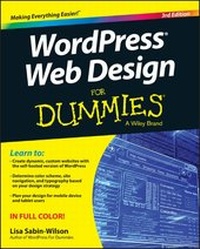
WordPress Web Design For Dummies
3rd Edition
Published on 13. November 2015
Book
Paperback/Softback
384 pages
978-1-119-08864-6 (ISBN)
Description
Your full-color guide to creating dynamic websites with WordPress
Are you familiar with the fundamentals of WordPress, but want to take your skills to the next level? From bestselling author and WordPress expert Lisa Sabin-Wilson, this new edition of WordPress Web Design For Dummies quickly gets you up to speed on the latest release of the software and shows you how to use it as a tool to create a customized, compelling, and cost-effective website--without losing your cool.
WordPress can be used to create a custom design for your website using complimentary technologies such as graphic design, CSS, HTML coding, PHP programming, and MySQL administration. With the help of this hands-on, friendly guide, you'll discover how to create an effective navigation system, choose the right color palette and fonts, and select different layouts. Plus, you'll find out how to tweak existing website designs with available themes, both free and premium, and gain the confidence to translate your design skills into paid work.
* Create dynamic, custom websites with the self-hosted version of WordPress
* Use free themes and enhance them with CSS and HTML
* Create a responsive design for mobile devices and tablet users
* Get to grips with the newest release of WordPress
Whether you want to use WordPress to spruce up your existing website or create a brand-new one from scratch, this do-it-yourself guide has you covered.
Are you familiar with the fundamentals of WordPress, but want to take your skills to the next level? From bestselling author and WordPress expert Lisa Sabin-Wilson, this new edition of WordPress Web Design For Dummies quickly gets you up to speed on the latest release of the software and shows you how to use it as a tool to create a customized, compelling, and cost-effective website--without losing your cool.
WordPress can be used to create a custom design for your website using complimentary technologies such as graphic design, CSS, HTML coding, PHP programming, and MySQL administration. With the help of this hands-on, friendly guide, you'll discover how to create an effective navigation system, choose the right color palette and fonts, and select different layouts. Plus, you'll find out how to tweak existing website designs with available themes, both free and premium, and gain the confidence to translate your design skills into paid work.
* Create dynamic, custom websites with the self-hosted version of WordPress
* Use free themes and enhance them with CSS and HTML
* Create a responsive design for mobile devices and tablet users
* Get to grips with the newest release of WordPress
Whether you want to use WordPress to spruce up your existing website or create a brand-new one from scratch, this do-it-yourself guide has you covered.
More details
Edition
3. Auflage
Language
English
Place of publication
United States
Publishing group
John Wiley & Sons Inc
Target group
US School Grade: From Preschool to Seventh Grade, Interest Age: From 1 to 17 years
Dimensions
Height: 23.1 cm
Width: 18.9 cm
Thickness: 1.7 cm
Weight
642 gr
ISBN-13
978-1-119-08864-6 (9781119088646)
Schweitzer Classification
Other editions
Additional editions
Lisa Sabin-Wilson
WordPress Web Design For Dummies
E-Book
10/2015
3rd Edition
Wiley
€23.99
Available for download
Lisa Sabin-Wilson
WordPress Web Design For Dummies
E-Book
10/2015
3rd Edition
Wiley
€23.99
Available for download
Previous edition
Lisa Sabin-Wilson
WordPress Web Design For Dummies
Book
09/2013
2nd Edition
Wiley
€31.90
Article exhausted; check for reprint
Person
Lisa Sabin-Wilson is the co-owner of WebDevStudios, a development company specializing in custom WordPress plugins, themes, and deployments. She is a popular conference speaker and bestselling author of WordPress For Dummies and WordPress All-in-One For Dummies. Find her on Twitter @LisaSabinWilson.
Content
Introduction 1
Part I: Establishing a WordPress Foundation 5
Chapter 1: Exploring Web Design with WordPress 7
Chapter 2: Understanding WordPress Requirements 17
Chapter 3: Installing WordPress on Your Web Server 25
Chapter 4: Managing Content with WordPress 43
Part II: Choosing the Right Tools 61
Chapter 5: Exploring Editors, Browsers, and FTP 63
Chapter 6: Choosing Graphics and Software Resources 83
Chapter 7: Choosing Colors and Fonts 99
Chapter 8: Planning Your Design Strategy 113
Part III: Working with WordPress Themes 135
Chapter 9: Finding and Installing a WordPress Theme 137
Chapter 10: Working with the Default Theme: Twenty Fifteen 141
Chapter 11: Dissecting Themes and Templates 159
Chapter 12: Displaying Content with Widgets and Template Tags 197
Chapter 13: Understanding Parent and Child Themes 245
Part IV: Building Your Custom Website 259
Chapter 14: Using Basic CSS and HTML to Customize Your Site Design 261
Chapter 15: Designing for WordPress as a CMS 283
Chapter 16: Enhancing Your Website with Plugins 301
Part V: The Part of Tens 333
Chapter 17: Ten Powerful Plugins for WordPress 335
Chapter 18: Ten Well-Designed Sites That Use WordPress as a CMS 345
Chapter 19: Ten Free WordPress Themes 353
Index 359
Part I: Establishing a WordPress Foundation 5
Chapter 1: Exploring Web Design with WordPress 7
Chapter 2: Understanding WordPress Requirements 17
Chapter 3: Installing WordPress on Your Web Server 25
Chapter 4: Managing Content with WordPress 43
Part II: Choosing the Right Tools 61
Chapter 5: Exploring Editors, Browsers, and FTP 63
Chapter 6: Choosing Graphics and Software Resources 83
Chapter 7: Choosing Colors and Fonts 99
Chapter 8: Planning Your Design Strategy 113
Part III: Working with WordPress Themes 135
Chapter 9: Finding and Installing a WordPress Theme 137
Chapter 10: Working with the Default Theme: Twenty Fifteen 141
Chapter 11: Dissecting Themes and Templates 159
Chapter 12: Displaying Content with Widgets and Template Tags 197
Chapter 13: Understanding Parent and Child Themes 245
Part IV: Building Your Custom Website 259
Chapter 14: Using Basic CSS and HTML to Customize Your Site Design 261
Chapter 15: Designing for WordPress as a CMS 283
Chapter 16: Enhancing Your Website with Plugins 301
Part V: The Part of Tens 333
Chapter 17: Ten Powerful Plugins for WordPress 335
Chapter 18: Ten Well-Designed Sites That Use WordPress as a CMS 345
Chapter 19: Ten Free WordPress Themes 353
Index 359