

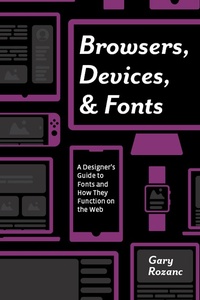
Browsers, Devices, and Fonts
A Designer's Guide to Fonts and How They Function on the Web
1st Edition
Published on 7. December 2018
204 pages
978-0-429-87751-3 (ISBN)
Description

Part technical and part theoretical, this practical guide to web typography helps designers understand how the typographic choices they make in layout and prototyping programs behave once they are turned into live code. Through a series of demos, this book teaches designers how to create typographic specific webpages by learning just enough HTML and CSS to be able to view the pages in different browsers, devices, and operating systems. With live webpages to evaluate, designers will learn how to test those pages for supported features and performance, ensuring font choices look as good in the browser as it does in their layout program, delivering a speedy experience to the users.
Key Features
Demonstrates the minimal amount of HTML and CSS necessary to be able to create webpages to see typographic choices in the browser.
Discusses responsive design and how to evaluate and test those choices for performance and usability prior to front-end development.
Demonstrates how to review your own typographic, image, and layout choices in the browser through a series of demos in the book.
Key Features
Demonstrates the minimal amount of HTML and CSS necessary to be able to create webpages to see typographic choices in the browser.
Discusses responsive design and how to evaluate and test those choices for performance and usability prior to front-end development.
Demonstrates how to review your own typographic, image, and layout choices in the browser through a series of demos in the book.
More details
Edition
1. Auflage
Language
English
Place of publication
London
United Kingdom
Publishing group
Taylor & Francis Ltd
Target group
Professional and scholarly
File size
154,77 MB
ISBN-13
978-0-429-87751-3 (9780429877513)
Copyright in bibliographic data and cover images is held by Nielsen Book Services Limited or by the publishers or by their respective licensors: all rights reserved.
Schweitzer Classification
Other editions
Additional editions
Gary Rozanc
Browsers, Devices, and Fonts
A Designer's Guide to Fonts and How They Function on the Web
Book
12/2018
1st Edition
CRC Press
€90.67
Shipment within 10-20 days
Gary Rozanc
Browsers, Devices, and Fonts
A Designer's Guide to Fonts and How They Function on the Web
Book
12/2018
1st Edition
CRC Press
€194.10
Shipment within 10-20 days
Person
Gary Rozanc is an assistant professor at the University of Maryland, Baltimore County, and the education director for AIGA Baltimore. Gary's research has focused on discovering the best practices for teaching interactive and user experience design, specifically finding the ideal balance of visual design, user experience, and frontend development skills for the emerging interactive designer. Gary's bi-weekly podcast series Design Edu Today, nationally recognized by the AIGA Design Educators Community and Design Incubation, helped contribute to discovering the ideal balance between design disciplines that he brings back to the classroom.
Content
Chapter 01 Introduction
Chapter 02 How the Web Works
Chapter 03 Setting Up Your Toolbox
Chapter 04 Typography
Chapter 05 Finding Breakpoints for Text & Images
Chapter 06 Style Guides for Everyone
Chapter 02 How the Web Works
Chapter 03 Setting Up Your Toolbox
Chapter 04 Typography
Chapter 05 Finding Breakpoints for Text & Images
Chapter 06 Style Guides for Everyone
