

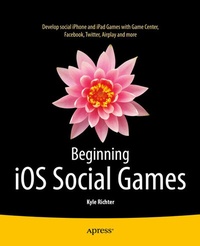
Beginning iOS Social Games
Published on 21. January 2014
XX, 312 pages
978-1-4302-4906-1 (ISBN)
Description

It's certainly fun to build games that run on your iPhone and iPad. But, wouldn't it be more fun to create games that allow you to play with other gamers in your social network? There's a whole lot more things you can do. Most of the top best selling games around the world, like World of Warcraft, let you play with others online and share your experiences with your friends.Beginning iOS Social Games is your concise introduction to iOS social and other networked gaming app development using iOS Game Center, Game Kit, Store Kit, AirPlay, iOS 7 Game Controllers, iTunes App Store and integrating with social networks/media like Facebook and Twitter.Author Kyle Richter of Empirical Development is an expert game developer who guides you through the social game app development process step by step. This book may allow you to turn your already existing, created game into a well polished networkable and/or social media capable game app.
More details
Other editions
Additional editions
Content
- Intro
- Contents at a Glance
- Contents
- About the Author
- About the Technical Reviewers
- Acknowledgments
- Foreword: Better With Friends
- Introduction
- Chapter 1: Getting Started with Social Gaming
- Game Kit: An Overview
- Networking
- Game Center
- Voice Chat
- Sample Game: UFOs
- UFOs: Understanding the Game
- UFOs: Examining the Source Code
- Setting Up the Accelerometer Delegate
- Drawing the Player to the View
- Setting Up Cows, Beams, and Scores
- Handling Rotation Events
- Adding Player Movements
- Watching for Touch Events
- Spawning and Moving Cows
- Performing a Hit Test with a UIImage
- Abducting a Cow
- Configuring iTunes Connect for Game Center
- Getting Started with iTunes Connect
- Configuring Game Center in iTunes Connect
- Summary
- Chapter 2: Game Center: Setting Up and Getting Started
- Testing for Game Center
- Authenticating with Game Center
- Modifying the GameCenterManager Class
- Authenticating on iOS 6 and iOS 7
- Authenticating Prior to iOS 6
- Authenticating from UFOViewController
- The Sandbox
- Watching for Status Changes
- Working with GKLocalPlayer
- Retrieving a Friends List
- Friend List Avatars
- Working with Players
- Summary
- Chapter 3: Leaderboards
- Why a Leaderboard?
- An Overview of Leaderboards in Game Center
- Benefits of Using Apple's Leaderboard GUI Compared to a Custom GUI
- Configuring a Leaderboard in iTunes Connect
- Posting a Score
- Setting a Default Leaderboard
- Adding Score Posting to UFOs
- Handling Failures When Submitting a Score
- Presenting a Leaderboard
- Customizing the Leaderboard
- Modifying GameCenterManager
- Filtering Results on a Custom Leaderboard
- Displaying the Custom Leaderboard
- Mapping a Player ID
- Local Player Score
- A Better Approach
- Challenges
- GKLeaderboard Sets
- Summary
- Chapter 4: Achievements
- Why Achievements?
- An Overview of Achievements in Game Center
- Benefits of Using Apple's Achievement GUI vs. a Custom GUI
- Configuring Achievements in iTunes Connect
- Creating a New Achievement
- Presenting Achievements
- Modifying Achievement Progress
- Loading Achievements
- Achievement Protocol
- Resetting Achievements
- Adding Achievement Hooks
- Adding Hooks in UFOs
- A Time-Based Achievement Hook
- Another Convenience Method
- Providing Feedback on Completing an Achievement
- Adding Achievement Completion Banners
- A Custom Achievement GUI
- Retrieving Achievement Data
- Recovering from a Submit Failure
- Achievement Challenges
- Summary
- Chapter 5: Matchmaking and Invitations
- Why Add Networking to Your App?
- Common Matchmaking Scenarios
- Creating a New Match Request
- Presenting a Match GUI
- Handling Incoming Invitations
- Auto-Matching
- Matching Programmatically
- Adding a Player to a Match
- Reinviting Players
- Player Groups
- Player Attributes
- Understanding Player Attribute Limitations
- Working with Player Attributes
- Player Activity
- Using Your Own Server (Hosted Matches)
- Summary
- Chapter 6: The Peer Picker
- Benefits of the Peer Picker
- Real-World Examples
- Working with Sessions
- Presenting a Peer Picker
- Advanced GKSession Interaction
- The Peer Picker Delegate
- Summary
- Chapter 7: Network Design Overview
- Plan Ahead
- Three Types of Networks
- Peer-to-Peer Network
- Client-to-Host Network
- Ring Network
- Less Common Network Types
- Reliable Data vs. Unreliable Data
- Sending Only What Is Needed
- Prediction and Extrapolation
- Formatting Messages
- Preventing Cheating and Preventing Timeout-Related Disconnections
- What to Do When All Else Fails
- Summary
- Chapter 8: Exchanging Data
- Modifying a Single-Player Game
- Setting Up Our Engine for Multiplayer
- Picking a Host
- Sending Data
- Receiving Data
- Putting Everything Together
- Selecting the Host
- Displaying the Enemy UFO
- Spawning Cows
- Sharing Scores
- Adding Network Abduction Code
- Disconnections
- Summary
- Chapter 9: Turned-Based Gaming with Game Center
- A New Sample Project
- GKTurnedBasedMatchmakerViewController
- Starting a New Game
- Making the First Move
- Continuing a Game in Progress
- Ending a Match
- Quitting and Forfeiting
- Player Timeouts
- Player Exchanges
- Player Reminders
- Programmatic Matches
- GKTurnBasedEventHandler
- Summary
- Chapter 10: Voice Chat
- Voice Chat for Game Center
- Creating an Audio Session
- Creating New Voice Channels
- Starting and Stopping Voice Chat
- Chat Volume and Muting
- Monitoring Player State
- Voice Chat for Game Kit
- Creating an Audio Session
- Required Overhead
- Getting Things Running
- Putting It Together
- Summary
- Chapter 11: In-App Purchase with StoreKit
- Setting Up Your App in iTunes Connect
- Adding Products to Your App
- App IDs and In-App Purchase
- Setting Up
- Retrieving the Product List
- Presenting Your Products to the User
- Purchasing a Product
- Purchasing Code
- Purchasing Multiple Items
- Processing a Transaction
- Restoring Previously Completed Transactions
- Test Accounts and Testing Purchases
- Signing In with a Test Account
- Submitting a Purchase GUI Screenshot
- Developer Approval
- Receipts
- iOS 7 Local Receipt Validation
- Tying Everything Together in UFOs
- Summary
- Chapter 12: Twitter
- UFOs
- Twitter on iOS
- Tweet Composer
- Custom Tweets
- Going Further with Twitter
- Summary
- Chapter 13: Facebook
- UFOs
- Facebook on iOS
- Facebook Composer
- Facebook Apps
- Facebook Permissions
- Custom Facebook Posts
- Going Further with Facebook
- Summary
- Chapter 14: AirPlay
- AirPlay for Built-In Players
- MPNowPlayingInfoCenter
- Responding to Remote Events
- Enabling AirPlay in an App
- AirPlay Mirroring
- AirPlay for a Second Screen
- Responding to Screen Notifications
- Summary
- Chapter 15: Game Controllers
- Types of Game Controllers
- Connecting to Game Controllers
- Reading Data Through Polling
- Data Callbacks
- Pausing
- Player Indicator Lights
- Snapshotting
- Summary
- Index
