

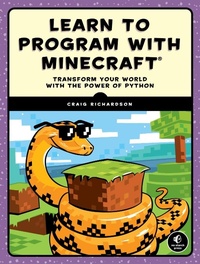
Learn to Program with Minecraft
Transform Your World with the Power of Python
Published on 1. December 2015
336 pages
978-1-59327-745-1 (ISBN)
Description

You've bested creepers, traveled deep into caves, and maybe even gone to The End and back—but have you ever transformed a sword into a magic wand? Built a palace in the blink of an eye? Designed your own color-changing disco dance floor?
In Learn to Program with Minecraft®, you'll do all this and more with the power of Python, a free language used by millions of professional and first-time programmers!
Begin with some short, simple Python lessons and then use your new skills to modify Minecraft to produce instant and totally awesome results. Learn how to customize Minecraft to make mini-games, duplicate entire buildings, and turn boring blocks into gold.
You'll also write programs that:
-Take you on an automated teleportation tour around your Minecraft world
-Build massive monuments, pyramids, forests, and more in a snap!
-Make secret passageways that open when you activate a hidden switch
-Create a spooky ghost town that vanishes and reappears elsewhere
-Show exactly where to dig for rare blocks
-Cast a spell so that a cascade of flowers (or dynamite if you're daring!) follows your every move
-Make mischief with dastardly lava traps and watery curses that cause huge floods
Whether you're a Minecraft megafan or a newbie, you'll see Minecraft in a whole new light while learning the basics of programming. Sure, you could spend all day mining for precious resources or building your mansion by hand, but with the power of Python, those days are over!
Requires: Windows 7 or later; OS X 10.10 or later; or a Raspberry Pi. Uses Python 3
More details
Other editions
Additional editions
Craig Richardson
Learn to Program with Minecraft
Book
12/2015
1st Edition
No Starch Press
€26.00
Article in reprint
Person
Craig Richardson is a software developer and Python educator. He has worked for the Raspberry Pi Foundation, taught high school computing classes, and led many workshops on Python programming with Minecraft.
Content
- Intro
- Title Page
- Copyright Page
- About the Author
- About the Technical Reviewer
- Brief Contents
- Contents in Detail
- Acknowledgments
- Introduction
- Why Learn to Program?
- Why Python?
- Why Minecraft?
- What's in This Book?
- Online Resources
- Let the Adventure Begin!
- Chapter 1: Setting Up for Your Adventure
- Setting Up Your Windows PC
- Installing Minecraft
- Installing Python
- Installing Java
- Installing the Minecraft Python API and Spigot
- Running Spigot and Creating a Game Profile
- Starting Over with a New World
- Playing Offline
- Switching to Survival Mode
- Setting Up Your Mac
- Installing Minecraft
- Installing Python
- Installing Java
- Installing the Minecraft Python API and Spigot
- Running Spigot and Creating a Game Profile
- Starting Over with a New World
- Playing Offline
- Switching to Survival Mode
- Setting Up Your Raspberry Pi
- Getting to Know IDLE
- Getting to Know the Python Shell
- Say Hello to IDLE's Text Editor
- When to Use the Python Shell and When to Use the Text Editor
- The Prompts Used in This Book
- Testing Your Minecraft Python Setup
- Chapter 2: Teleporting with Variables
- What Is a Program?
- Storing Data with Variables
- The Structure of Programming Languages
- Syntax Rules for Variables
- Changing the Values of Variables
- Integers
- Mission #1: Teleport the Player
- Floats
- Mission #2: Go Exactly Where You Want
- Slowing Down Teleportation Using the time Module
- Mission #3: Teleportation Tour
- Debugging
- Mission #4: Fix the Buggy Teleportation
- What You Learned
- Chapter 3: Building Quickly and Traveling Far with Math
- Expressions and Statements
- Operators
- Addition
- Mission #5: Stack Blocks
- Mission #6: Super Jump
- Subtraction
- Mission #7: Change the Blocks Under You
- Using Math Operators in Arguments
- Mission #8: Speed Building
- Multiplication
- Division
- Mission #9: Spectacular Spires
- Exponents
- Parentheses and Order of Operations
- Handy Math Tricks
- Shorthand Operators
- Playing with Random Numbers
- Mission #10: Super Jump Somewhere New!
- What You Learned
- Chapter 4: Chatting with Strings
- What Are Strings?
- The print() Function
- Mission #11: Hello, Minecraft World
- The input() Function
- Mission #12: Write Your Own Chat Message
- Joining Strings
- Converting Numbers to Strings
- Concatenating Integers and Floats
- Mission #13: Add Usernames to Chat
- Converting Strings to Integers with int()
- Mission #14: Create a Block with Input
- Bounce Back from Errors
- Mission #15: Only Numbers Allowed
- Mission #16: Sprint Record
- What You Learned
- Chapter 5: Figuring Out What's True and False with Booleans
- Boolean Basics
- Mission #17: Stop Smashing Blocks!
- Concatenating Booleans
- Comparators
- Equal To
- Mission #18: Am I Swimming?
- Not Equal To
- Mission #19: Am I Standing in Something Other Than Air?
- Greater Than and Less Than
- Greater Than or Equal To and Less Than or Equal To
- Mission #20: Am I Above the Ground?
- Mission #21: Am I Close to Home?
- Logical Operators
- and
- Mission #22: Am I Entirely Underwater?
- or
- Mission #23: Am I in a Tree?
- not
- Mission #24: Is This Block Not a Melon?
- Logical Operator Order
- Is My Number Between Two Others?
- Mission #25: Am I in the House?
- What You Learned
- Chapter 6: Making Mini-Games with if Statements
- Using if Statements
- Mission #26: Blast a Crater
- else Statements
- Mission #27: Prevent Smashing, or Not
- elif Statements
- Mission #28: Offer a Gift
- Chaining Together elif Statements
- Mission #29: Teleport to the Right Place
- Nested if Statements
- Mission #30: Open a Secret Passage
- Using if Statements to Test a Range of Values
- Mission #31: Restrict Teleport Locations
- Boolean Operators and if Statements
- Mission #32: Take a Shower
- What You Learned
- Chapter 7: Dance Parties and Flower Parades with while Loops
- A Simple while Loop
- Mission #33: A Random Teleportation Tour
- Controlling Loops with a Count Variable
- Mission #34: The Watery Curse
- Infinite while Loops
- Mission #35: Flower Trail
- Fancy Conditions
- Mission #36: Diving Contest
- Boolean Operators and while Loops
- Checking a Range of Values in while Loops
- Mission #37: Make a Dance Floor
- Nested if Statements and while Loops
- Mission #38: The Midas Touch
- Ending a while Loop with break
- Mission #39: Create a Persistent Chat with a Loop
- while-else Statements
- Mission #40: Hot and Cold
- What You Learned
- Chapter 8: Functions Give You Superpowers
- Defining Your Own Functions
- Calling a Function
- Functions Take Arguments
- Mission #41: Build a Forest
- Refactoring a Program
- Mission #42: Refactor Away
- Commenting with Docstrings
- Line Breaks in Arguments
- Function Return Values
- Mission #43: Block ID Reminder
- Using if Statements and while Loops in Functions
- if Statements
- Mission #44: Wool Color Helper
- while Loops
- Mission #45: Blocks, Everywhere
- Global and Local Variables
- Mission #46: A Moving Block
- What You Learned
- Chapter 9: Hitting Things with Lists and Dictionaries
- Using Lists
- Accessing a List Item
- Changing a List Item
- Mission #47: High and Low
- Manipulating Lists
- Adding an Item
- Inserting an Item
- Deleting an Item
- Mission #48: Progress Bar
- Treating Strings Like Lists
- Tuples
- Setting Variables with Tuples
- Mission #49: Sliding
- Returning a Tuple
- Other Useful Features of Lists
- List Length
- Mission #50: Block Hits
- Randomly Choosing an Item
- Mission #51: Random Block
- Copying a List
- Items and if Statements
- Mission #52: Night Vision Sword
- Dictionaries
- Defining a Dictionary
- Accessing Items in Dictionaries
- Mission #53: Sightseeing Guide
- Changing or Adding an Item in a Dictionary
- Deleting Items in Dictionaries
- Mission #54: Block Hits Score
- What You Learned
- Chapter 10: Minecraft Magic with for Loops
- A Simple for Loop
- Mission #55: Magic Wand
- The range() function
- Mission #56: Magic Stairs
- Playing Around with range()
- Other List Functions
- Mission #57: Pillars
- Mission #58: Pyramid
- Looping Over a Dictionary
- Mission #59: Scoreboard
- for-else Loops
- Breaking a for-else Loop
- Mission #60: The Diamond Prospector
- Nested for Loops and Multidimensional Lists
- Thinking in Two Dimensions
- Accessing Values in 2D Lists
- Mission #61: Pixel Art
- Generating 2D Lists with Loops
- Mission #62: A Weather-Worn Wall
- Thinking in Three Dimensions
- Outputting 3D Lists
- Accessing Values in 3D Lists
- Mission #63: Duplicate a Building
- What You Learned
- Chapter 11: Saving and Loading Buildings with Files and Modules
- Using Files
- Opening a File
- Writing to and Saving a File
- Reading a File
- Reading a Line of a File
- Mission #64: To-Do List
- Part 1: Writing the To-Do List
- Part 2: Displaying the To-Do List
- Using Modules
- The pickle Module
- Importing pickle
- Importing One Function with the from Clause
- Importing All Functions with *
- Giving a Module a Nickname
- Mission #65: Save a Building
- Part 1: Saving the Building
- Part 2: Loading the Building
- Storing Lots of Data with the shelve Module
- Opening a File with shelve
- Adding, Modifying, and Accessing Items with shelve
- Mission #66: Save a Collection of Structures
- Part 1: Saving a Structure to a Collection
- Part 2: Loading a Structure from a Collection
- Installing New Modules with pip
- Using pip on Windows
- Using pip on a Mac or Raspberry Pi
- Using a Module from pip: Flask
- Mission #67: Position Website
- What You Learned
- Chapter 12: Getting Classy with Object-Oriented Programming
- Object-Oriented Basics
- Creating a Class
- Creating an Object
- Accessing Attributes
- Mission #68: Location Objects
- Understanding Methods
- Mission #69: Ghost House
- Returning Values with Methods
- Mission #70: Ghost Castle
- Creating Multiple Objects
- Mission #71: Ghost Town
- Class Attributes
- Understanding Inheritance
- Inheriting a Class
- Adding New Methods to Subclasses
- Mission #72: Ghost Hotel
- Overriding Methods and Attributes
- Mission #73: Ghost Tree
- What You Learned
- Afterword
- Troubleshooting
- Pick the Right Minecraft Version
- For Windows
- For Mac
- Am I Using the Right Version of Python?
- For Windows
- For Mac
- Am I Using the Right Version of Java?
- For Windows
- For Mac
- What If I Have Two Versions of Python on My Computer?
- For Windows
- For Mac
- Start_Server, File Cannot Be Found (For Windows)
- Connection Refused Error (For Mac)
- Nothing Happens After I Click Install_API (For Windows)
- Permissions Error When Installing API (For Mac)
- Unicode Decode Error (For Windows)
- I Got a Different Error!
- Block ID Cheat Sheet
- Index
- More Smart Books for Curious Kids!
- Resources
- A Blocky Introduction to Programming
