

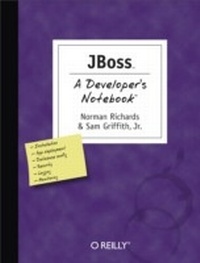
JBoss: A Developer's Notebook
A Developer's Notebook
1st Edition
Published on 28. June 2005
176 pages
978-0-596-55333-3 (ISBN)
Description

There's nothing ordinary about JBoss. What began as an open source EJB container project six years ago has become a fully certified J2EE 1.4 application server with the largest market share, competitive with proprietary Java application servers in features and quality. And with its dynamic architecture, JBoss isn't just a J2EE server. You can alter the services to make J2EE work the way you want, or even throw J2EE away completely.After more than a million downloads, many JBoss users are no longer trying it out on internal test boxes, but rolling it out on production machines. JBoss: A Developer's Notebook takes you on a complete tour of JBoss in a very unique way: rather than long discussions, you will find code--lots of code. In fact, the book is a collection of hands-on labs that take you through the critical JBoss features step-by-step. You don't just read about JBoss, you learn it through direct practical application. That includes exploring the server's many configurations: from bare features for simple applications, to the lightweight J2EE configuration, to everything JBoss has in store-including Hibernate and Tomcat.JBoss: A Developer's Notebook also introduces the management console, the web services messaging features, enhanced monitoring capabilities, and shows you how to improve performance. At the end of each lab, you'll find a section called "e;What about..."e; that anticipates and answers likely follow-up questions, along with a section that points you to articles and other resources if you need more information.JBoss is truly an extraordinary application server. And we have an extraordinary way for you to learn it.
More details
Other editions
Additional editions
Norman Richards | Sam Griffith
Jboss: A Developer's Notebook
Book
08/2005
1st Edition
O'Reilly
€33.00
Shipment within 10-20 days
Content
- Intro
- Contents
- The Developer's Notebook Series
- Notebooks Are...
- Notebooks Aren't...
- Organization
- Preface
- Conventions Used in This Book
- Using Code Examples
- Comments and Questions
- Safari® Enabled
- Acknowledgments
- Norman's Acknowledgments
- Sam's Acknowledgments
- Installing and Running JBoss
- Installing the Server
- How do I do that?
- What just happened?
- What about.
- Starting Up JBoss
- How do I do that?
- Examining the Server (JMX Console)
- How do I do that?
- What just happened?
- Shutting Down the Server
- How do I do that?
- What just happened?
- Specifying a Server Configuration
- How do I do that?
- Creating a New Configuration
- How do I do that?
- What about.
- Deploying an Application on JBoss
- Getting Ant
- How do I do that?
- Creating and Packaging the Application
- How do I do that?
- What just happened?
- What about.
- Running the Application
- How do I do that?
- What just happened?
- Modifying the Deployed Application
- How do I do that?
- What about.
- Exploding Deployments
- How do I do that?
- What just happened?
- Viewing the Application on the Management Console
- How do I do that?
- What just happened?
- Uninstalling the Application
- How do I do that?
- Creating a Complete Application
- Building the EJB Tier
- How do I do that?
- What just happened?
- What about.
- Using XDoclet to Build the Web Tier
- How do I do that?
- What just happened?
- Defining Users
- How do I do that?
- What just happened?
- Deploying the Application
- How do I do that?
- What just happened?
- Examining the Database
- How do I do that?
- What just happened?
- Connecting to a Real Database
- Setting Up MySQL
- How do I do that?
- What just happened?
- Adding the JDBC Driver
- How do I do that?
- What just happened?
- What about.
- Creating a Datasource
- How do I do that?
- What just happened?
- What about.
- Linking the Datasource to Our Application
- How do I do that?
- What just happened?
- Monitoring the Connection Pool
- How do I do that?
- What just happened?
- Applying Security
- Defining a Security Domain
- How do I do that?
- What just happened?
- Using a Relational Database for Users
- How do I do that?
- What just happened?
- Using Hashed Passwords
- How do I do that?
- What just happened?
- Using an LDAP Server for Users
- How do I do that?
- What about.
- Stacking Login Modules
- How do I do that?
- What just happened?
- Enabling SSL
- How do I do that?
- Logging
- Configuring log4j
- What just happened?
- Adding a Logging Category
- How do I do that?
- Configuring the Log Format
- How do I do that?
- Creating a New Logfile
- How do I do that?
- What just happened?
- Rolling Logfiles
- How do I do that?
- Adjusting Logging from the JMX Console
- How do I do that?
- What just happened?
- HTTP Access Logs
- How do I do that?
- What just happened?
- Logging Generated SQL for CMP
- How do I do that?
- What just happened?
- What about...
- Configuring Persistence
- Managing Schema
- How do I do that?
- What just happened?
- Mapping Objects
- How do I do that?
- What just happened?
- Mapping Relations
- How do I do that?
- What just happened?
- What about.
- Adding Audit Data
- How do I do that?
- What just happened?
- Generating Primary Keys
- How do I do that?
- What just happened?
- What about.
- Managing and Monitoring JBoss
- Starting the Web Console
- How do I do that?
- Monitoring Your Application
- How do I do that?
- What just happened?
- Working with MBeans
- How do I do that?
- What just happened?
- Monitoring MBeans
- How do I do that?
- What just happened?
- Creating a Snapshot
- How do I do that?
- Creating a Monitor
- How do I do that?
- What just happened?
- Creating an Email Alert
- How do I do that?
- What just happened?
- Managing JBoss from the Command Line
- How do I do that?
- What just happened?
- Rolling Out JBoss
- Securing the Management Consoles
- How do I do that?
- What just happened?
- Securing the JMX Invoker
- How do I do that?
- What just happened?
- Removing the HTTP Invokers
- How do I do that?
- Configuring the JMS Invokers
- How do I do that?
- What just happened?
- Removing Hypersonic
- How do I do that?
- What just happened?
- Configuring Tomcat Connectors
- How do I do that?
- What just happened?
- What about.
- Setting a Root Web Application
- How do I do that?
- What just happened?
- Removing the Class Download Service
- How do I do that?
- What just happened?
- Index
