

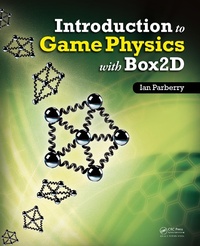
Introduction to Game Physics with Box2D
Published on 29. September 2017
275 pages
978-1-315-36307-3 (ISBN)
Description

Written by a pioneer of game development in academia, Introduction to Game Physics with Box2D covers the theory and practice of 2D game physics in a relaxed and entertaining yet instructional style. It offers a cohesive treatment of the topics and code involved in programming the physics for 2D video games.
Focusing on writing elementary game physics code, the first half of the book helps you grasp the challenges of programming game physics from scratch, without libraries or outside help. It examines the mathematical foundation of game physics and illustrates how it is applied in practice through coding examples. The second half of the book shows you how to use Box2D, a popular open source 2D game physics engine. A companion website provides supplementary material, including source code and videos.
This book helps you become a capable 2D game physics programmer through its presentation of both the theory and applications of 2D game physics. After reading the book and experimenting with the code samples, you will understand the basics of 2D game physics and know how to use Box2D to make a 2D physics-based game.
Focusing on writing elementary game physics code, the first half of the book helps you grasp the challenges of programming game physics from scratch, without libraries or outside help. It examines the mathematical foundation of game physics and illustrates how it is applied in practice through coding examples. The second half of the book shows you how to use Box2D, a popular open source 2D game physics engine. A companion website provides supplementary material, including source code and videos.
This book helps you become a capable 2D game physics programmer through its presentation of both the theory and applications of 2D game physics. After reading the book and experimenting with the code samples, you will understand the basics of 2D game physics and know how to use Box2D to make a 2D physics-based game.
More details
Language
English
Place of publication
London
United Kingdom
Publishing group
Taylor & Francis Ltd
Target group
Professional and scholarly
Illustrations
24 Tables, black and white; 305 Illustrations, black and white
File size
4,24 MB
ISBN-13
978-1-315-36307-3 (9781315363073)
Copyright in bibliographic data and cover images is held by Nielsen Book Services Limited or by the publishers or by their respective licensors: all rights reserved.
Schweitzer Classification
Other editions
Additional editions
Ian Parberry
Introduction to Game Physics with Box2D
Book
07/2017
1st Edition
CRC Press
€282.26
Shipment within 10-20 days
Ian Parberry
Introduction to Game Physics with Box2D
Book
02/2013
1st Edition
CRC Press
€93.90
Shipment within 15-20 days
Person
Ian Parberry is a professor in the Department of Computer Science and Engineering at the University of North Texas. He is also the secretary of the Society for the Advancement of the Science of Digital Games. A pioneer of game development in academia, Dr. Parberry is the author of seven books and more than 70 articles on a wide range of computing subjects, including algorithms, complexity theory, parallel computing, neural networks, and game development. In 2010, The Princeton Review ranked his undergraduate game development program in the top 50 in North America. More than 60 professional game developers are alumni of his game development classes, including Jason West, co-founder of the Call of Duty franchise.
Content
Read Me First. Introduction to Game Physics: Mathematics for Game Physics. A Rigid Body Physics Game. A Soft Body Physics Toy. Game Physics with Box2D: Getting Started. A Tale of Three Modules. The Cannon Game. The Collision Module. Appendices. Bibliography. Index.
