

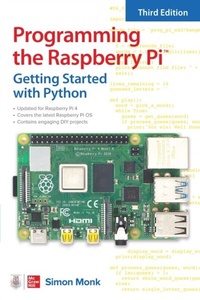
Programming the Raspberry Pi, Third Edition: Getting Started with Python
1st Edition
Published on 4. June 2021
208 pages
978-1-264-25736-2 (ISBN)
Available for download
Description

An up-to-date guide to creating your own fun and useful Raspberry Pi(TM) programsThis fully updated guide shows how to create inventive programs and fun games on your powerful Raspberry Pi with no programming experience required. Programming the Raspberry Pi : Getting Started with Python, Third Edition addresses physical changes and new setup procedures as well as OS updates to the current version 4. You will discover how to configure hardware and software, write Python scripts, create user-friendly GUIs, and control external electronics. Step-by-step projects include a digital clock prototype and a fully functioning Raspberry Pi robot.Configure your Raspberry Pi and explore its featuresStart writing and debugging Python programsUse strings, lists, functions, and dictionariesWork with modules, classes, and methodsApply object-oriented development methodsCreate user-friendly games using PygameBuild intuitive user interfaces with guizeroInterface with hardware using the gpiozero libraryAttach external electronics through the GPIO portAdd powerful Web features to your projects
More details
Other editions
Additional editions
Book
07/2021
3rd Edition
McGraw-Hill Education
€18.00
Shipment within 15-20 days
Content
- Cover
- About the Author
- Title Page
- Copyright Page
- Dedication
- Contents at a Glance
- Contents
- Preface
- Acknowledgments
- Introduction
- 1 Introduction
- What Is the Raspberry Pi?
- What Can You Do with a Raspberry Pi?
- A Tour of the Raspberry Pi
- Setting Up Your Raspberry Pi
- Buying What You Need
- Connecting Everything Together
- Booting Up
- Summary
- 2 Getting Started
- Linux
- The Desktop
- The Command Line
- Navigating with the Terminal
- sudo
- Applications
- Internet Resources
- Summary
- 3 Python Basics
- Mu
- Python Versions
- Python Shell
- Editor
- Numbers
- Variables
- For Loops
- Simulating Dice
- If
- Comparisons
- Being Logical
- Else
- While
- The Python Shell from the Terminal
- Summary
- 4 Strings, Lists, and Dictionaries
- String Theory
- Lists
- Functions
- Hangman
- Dictionaries
- Tuples
- Multiple Assignment
- Multiple Return Values
- Exceptions
- Summary of Functions
- Numbers
- Strings
- Lists
- Dictionaries
- Type Conversions
- Summary
- 5 Modules, Classes, and Methods
- Modules
- Using Modules
- Useful Python Libraries
- Object Orientation
- Defining Classes
- Inheritance
- Summary
- 6 Files and the Internet
- Files
- Reading Files
- Reading Big Files
- Writing Files
- The File System
- Pickling
- JSON
- Internet
- Summary
- 7 Graphical User Interfaces
- guizero
- Hello World
- Temperature Converter
- Other GUI Widgets
- Pop-Ups
- Menus
- Summary
- 8 Games Programming
- What Is Pygame?
- Coordinates
- Hello Pygame
- A Raspberry Game
- Following the Mouse
- One Raspberry
- Catch Detection and Scoring
- Timing
- Lots of Raspberries
- Summary
- 9 Interfacing Hardware
- GPIO Pin Connections
- Pin Functions
- Serial Interface Pins
- Power Pins
- Hat Pins
- Breadboarding with Jumper Wires
- Digital Outputs
- Step 1. Put the Resistor on the Breadboard
- Step 2. Put the LED on the Breadboard
- Step 3. Connect the Breadboard to the GPIO Pins
- Analog Outputs
- Digital Inputs
- Analog Inputs
- Hardware
- The Software
- HATs
- Summary
- 10 LED Fader Project
- What You Need
- Hardware Assembly
- Software
- Summary
- 11 Prototyping Project (Clock)
- What You Need
- Hardware Assembly
- Software
- Phase Two
- Summary
- 12 Raspberry Pi Robot
- Set Up the Raspberry Pi Zero W
- Web-Controlled Rover
- What You Need
- Hardware
- Software
- Autonomous Rover
- What You Need
- Hardware
- Software
- Summary
- 13 What Next
- Linux Resources
- Python Resources
- Raspberry Pi Resources
- Programming Languages
- Scratch
- C
- Other Languages
- Applications and Projects
- Media Center (Kodi)
- Home Automation
- Summary
- Index

